31
WINYCAM LOG
How to use
3-17. Smartphone Wi-Fi Configuration – How to use
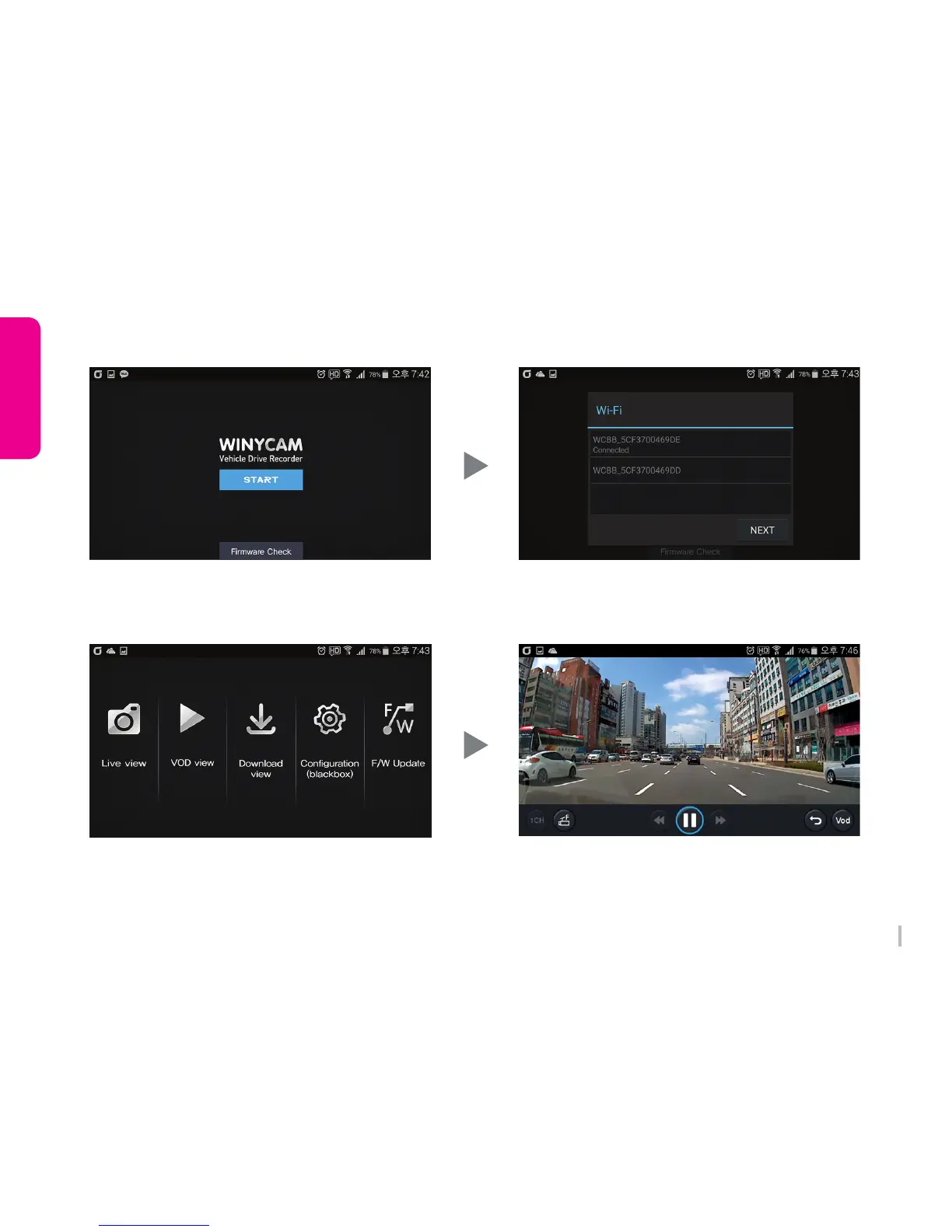
1. Initial Screen
Wi-Fi list will be shown when pressing “START”
Press “Firmware Check” and download the latest
firmware.
3. Main
Select the command from the menu.
2. Wi-Fi List (Android ONLY)
Available Wi-Fi list will be displayed.
Press ‘WCBB_xxx’ and “NEXT”
4. Live view
Live video shows
F/R (Front/Rear video change)



 To Next Page