BRIEF DESCRIPTION
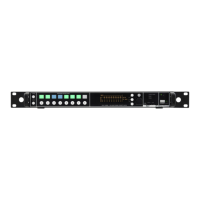
MAT244 is a programmable RF combiner, software configurable in:
➢ Combiner 8:1 with 7dB max gain (not diversity)
➢ Combiner 8:4 with 0dB max gain (not diversity)
➢ Diversity Combiner 4:2 with 7dB max gain
MAIN TECHNICAL FEATURES
• combiner 8:1 or 8:4 or 4:2 (sw configurable)
• Wide bandwidth 150-840 MHz operation
• Remote management and monitor of alarms thru Ethernet 10/100 base TX
• Antenna booster on each inputs
• Programmable attenuators on each inputs
• Remote boost control (for gain/bandwidth) with a bidirectional data link thru coax (input
BNC’s)
QUICK START INSTRUCTION
1. Connect to the power outlet using the supplied power cable (see rear panel)
2. Using coaxial cables withdraw the signal from BNC output connections (see rear panel: 4
outputs w, x, y, z)
3. Plug the antennas to the relative input connectors (see rear panel: A-B, 1 to 8 connectors)
4. Power on the MAT244
5. Switch off the unused areas/channels from the front panel
6. Choose the output option that best fits your needs. MAT244 is a programmable RF
combiner, software configurable (Setup > RF matrix menu) in:
• Combiner 8:1
• Combiner 8:4
• Diversity Combiner 4:2
7. Power the antenna booster from the main menu
8. Set the gain of antenna booster or the gain of the MAT244 in order
• to have the same noise floor on all the areas (switch off all the TXs, check on
MRK960 receiver the level of noise using the RF Test menu).
• to coverage the required area (perform a Walk test with MRK960)
9. Enjoy our MAT244 versatility and reliability.


 To Next Page