POWERING UP
Move the wireless power switch (see Fig. 1) in “I” position to activate wireless transmission: a
green LED lights up (blinking when battery is low!)
SETUP CONTROL
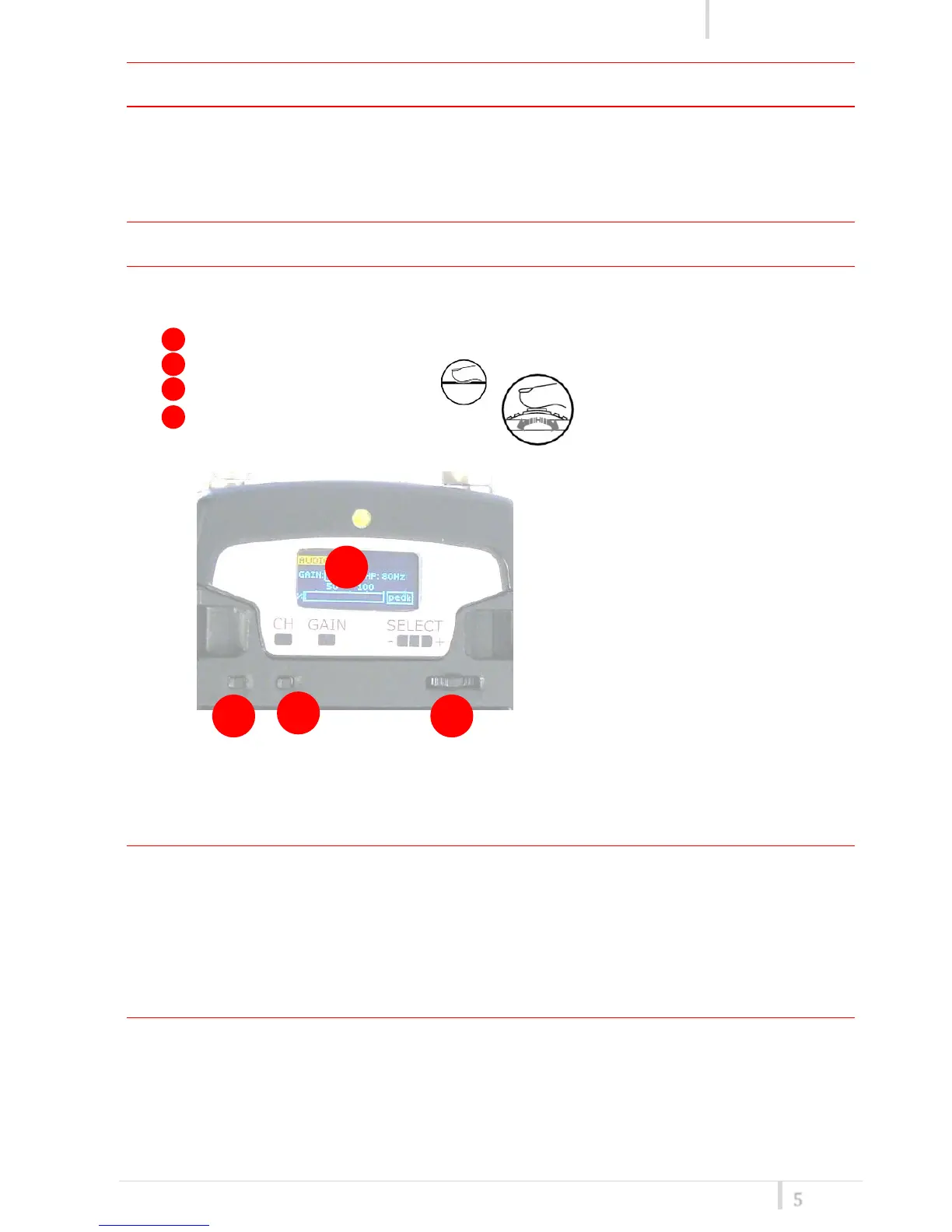
Open transmitter Body to access the “display and controls” area (Fig. 3):
A. Graphics Display (OLED)
B. Channel selection buttons (ch)
C. MIC gain setup buttons (gain)
D. 3 position selector (up / down / click)
Fig. 3
OLED POWER UP (OLED IS IN OFF CONDITION)
Pushing down selector (click), oled turns on. A first menu with serial NO and brand logo is
displayed, then <status> menu enters automatically.
Pushing and holding selector (click) > 2 sec, serial NO menu is displayed till (-/+) is selected.
OLED POWER DOWN (OLED IS IN ON CONDITION)
Pushing and holding selector (click) > 2 sec, display is turned off.
Display turns off automatically after 15 sec, unless in <IRDA> menu or in <AUDIO> menu (with
audio level < 5% from nominal).



 To Next Page