Using <+/-> selector all menus can be accessed in sequence, push <click> to enter edit mode:
<+/-> to setup field
<click> again to confirm changes and exit.
exit without confirmation if no button is pressed after a few seconds time out.
<START UP> menu
These menus are displayed during power up for few seconds.
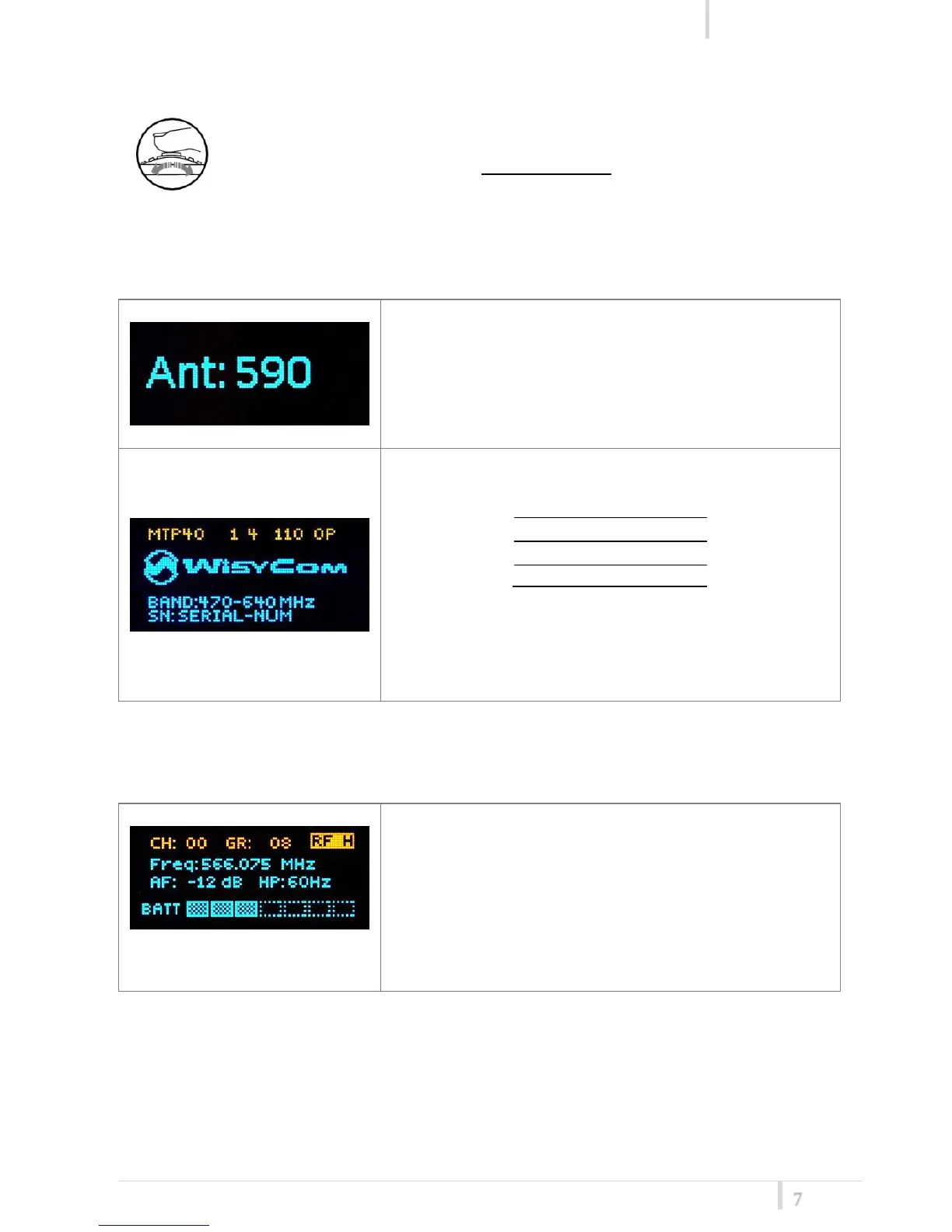
First one gives information of antenna to be used. The
number displayed is the center-band of the antenna to
be used.
The second menu gives indication on product:
- product id (MTP40),
- a number which identify the working band
- a number which identify the hardware version
- the firmware release (110.0P),
- the band in extended format and
- the serial number.
Keep selector pushed to hold this menu!
<STATUS> menu
This is the first menu displayed after power up.
Major info are displayed:
- Current channel/group (i.e. CH:00 GR:08)
- Current frequency (i.e. 566.075 MHz)
- Mic gain (i.e. AF: -04 dB) and high pass filter (i.e.
HP:60 Hz)
- “RF H” or “RF L” on top right if RF transmission is
on at high or low power respectively
- On bottom battery bar is displayed



 To Next Page