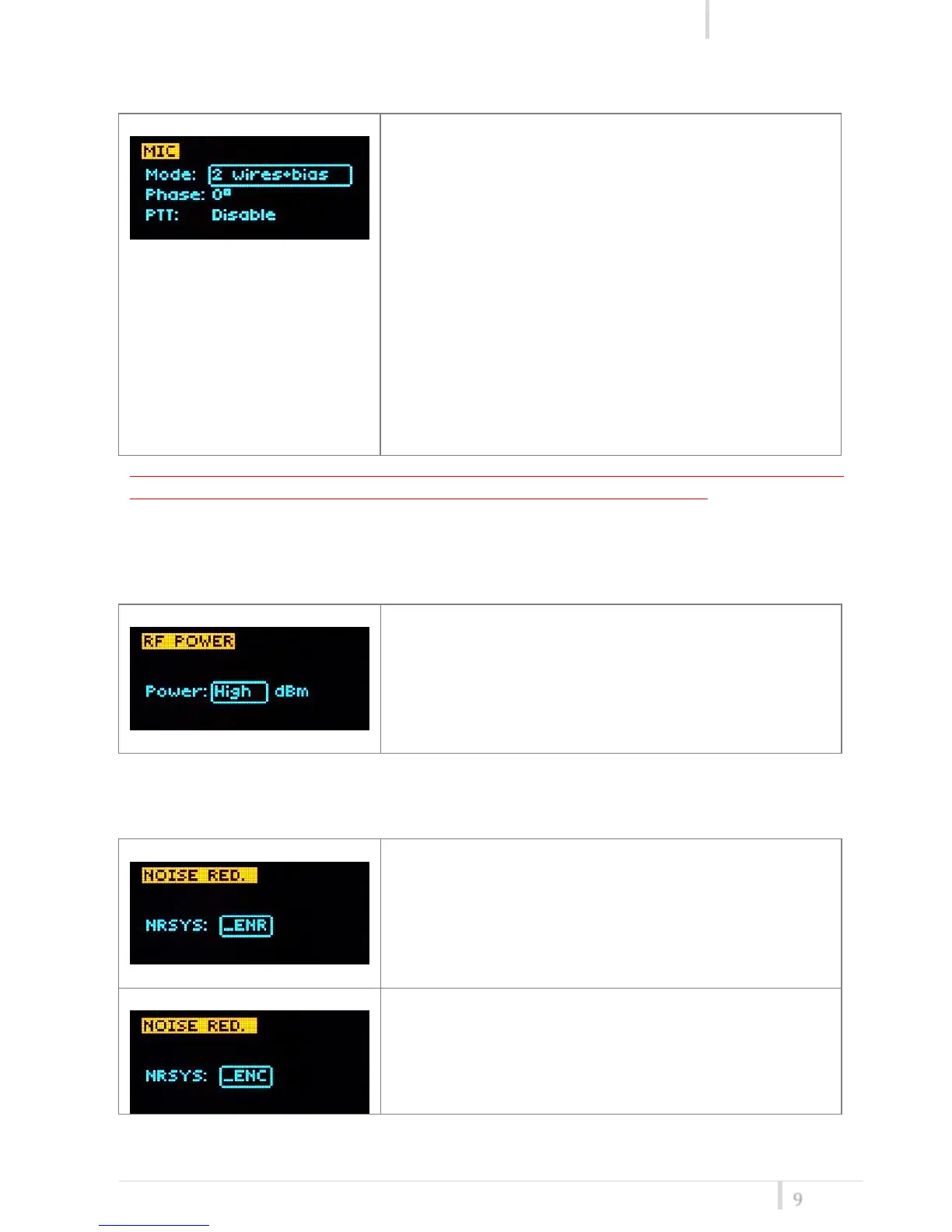
<MIC> menu
This menu can be entered by scrolling selector.
Following Mic mode can be setup (for LEMO option)
-2 wires: (PTT is possible) for external audio input
-2 wires + bias: (PTT is possible) for most 2 wires MIC
-3 wires: (no PTT) for most 3 wires MIC
-2 wires & pha: to connect a wired mic thru a 48V
adapter (PHA48)
-2 wires+bias & pha: Allow to connect a ‘2 wires + bias’ MIC
or a ‘2 wires & phantom’ MIC (with PHA48)
Additional field to setup
- Phase: is audio phase can be 0/180 deg.
- PTT operation mode: Normal (pushing make a
remote switch)/Muting (pushing mute the
audio)
Use the selector to change values (<+/->) and <click> to
confirm.
NOTE: For DPA option (2 pin microdot audio connector), even if the MIC mode menu allows to
set one of the 5 MIC modes, only 2 wires or 2 wires+bias mode are possible.
<RF POWER> menu
This menu can be entered by scrolling selector.
RF power can be setup to High (50 mW ERP) or Low (10
mW ERP).
Use the selector to change values (<+/->) and <click> to
confirm.
<NOISE RED> menu
This menu can be entered by scrolling selector.
MTP40 supports 2 different type of “Companding
systems”
ENR: designed for maximum noise reduction
ENC: designed for maximum audio fidelity (use this in
case of special vocal application or to remote
instruments)



 To Next Page