EasyManua.ls Logo

WisyCom MTP40S - MIC Mode Settings for LEMO Connector; MIC Mode Pinout and Configuration

WisyCom MTP40S
24 pages
Print Icon
To Next Page IconTo Next Page
To Previous Page IconTo Previous Page
Loading...
MTP40S User Manual
11
MIC Mode setting (only for LEMO option):
MIC Mode:
Pin out
Gain
PTT
Led Mode
’2 wires’:
1=GND
3=AF
-60/40 dB
Disable
Normal
Muting
No data
None
Mod. Peak
PTT
‘2 wires + bias’:
1=GND
3=AF+5.5V
-60/40 dB
Disable
Normal
Muting
No data
None
Mod. peak
PTT
‘3 wires’:
1=GND
2=5.5V
3=AF
-60/40 dB
Disable
No data
None
Mod. peak
‘2 wires &
phantom’:
1=GND
2=3.1V (power for
PHA48)
3=AF
-60/40 dB
Disable
No data
None
Mod. peak
‘2 wires + bias &
phantom’:
1=GND
2=3. 1V (power for
PHA48)
3=AF+5,5V
-60/40 dB
Disable
No data
None
Mod. peak
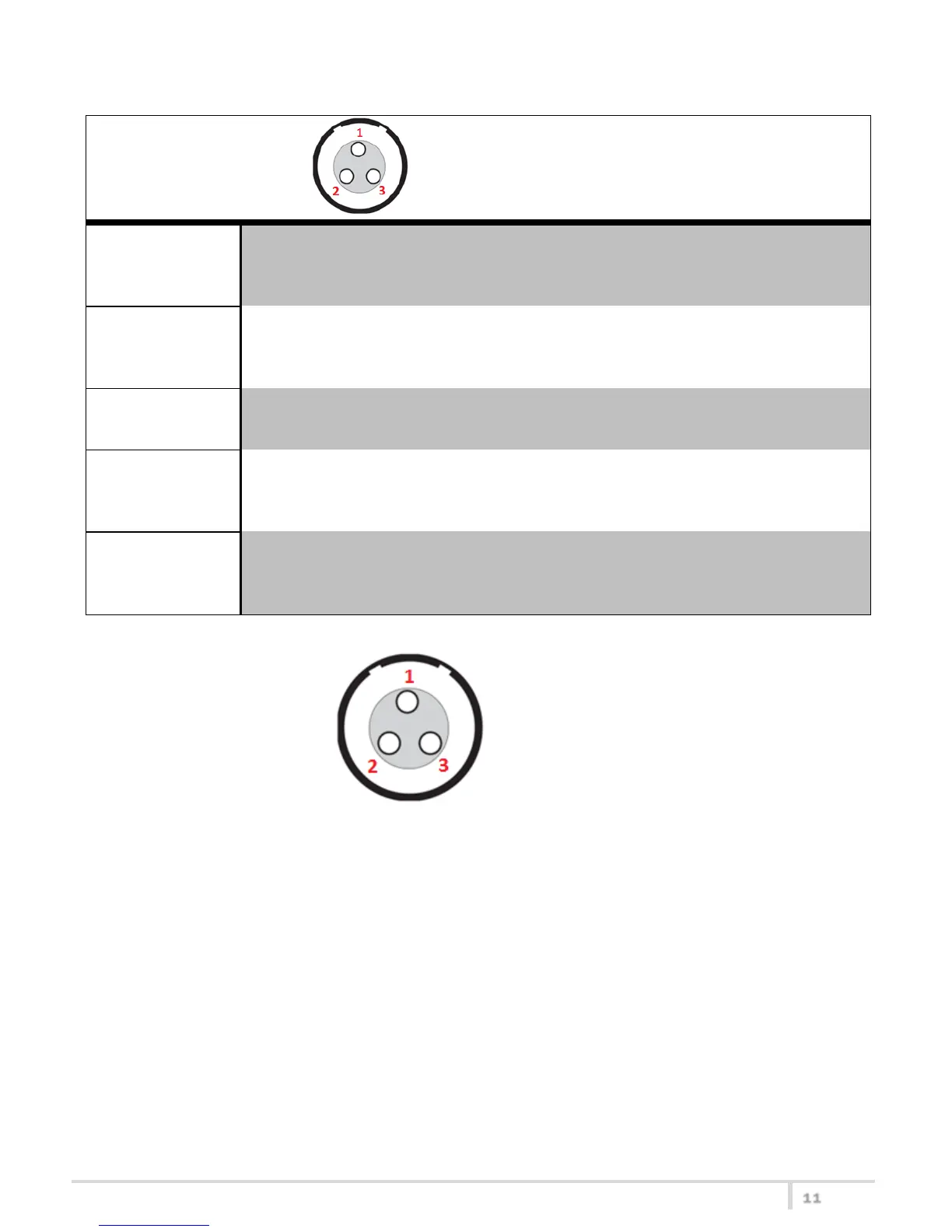
3 PIN LEMO CONNECTOR
(use FVB.00.003.NLN on Mic)

Other manuals for WisyCom MTP40S

Related product manuals