MTP61 mul-band miniature transmier
12
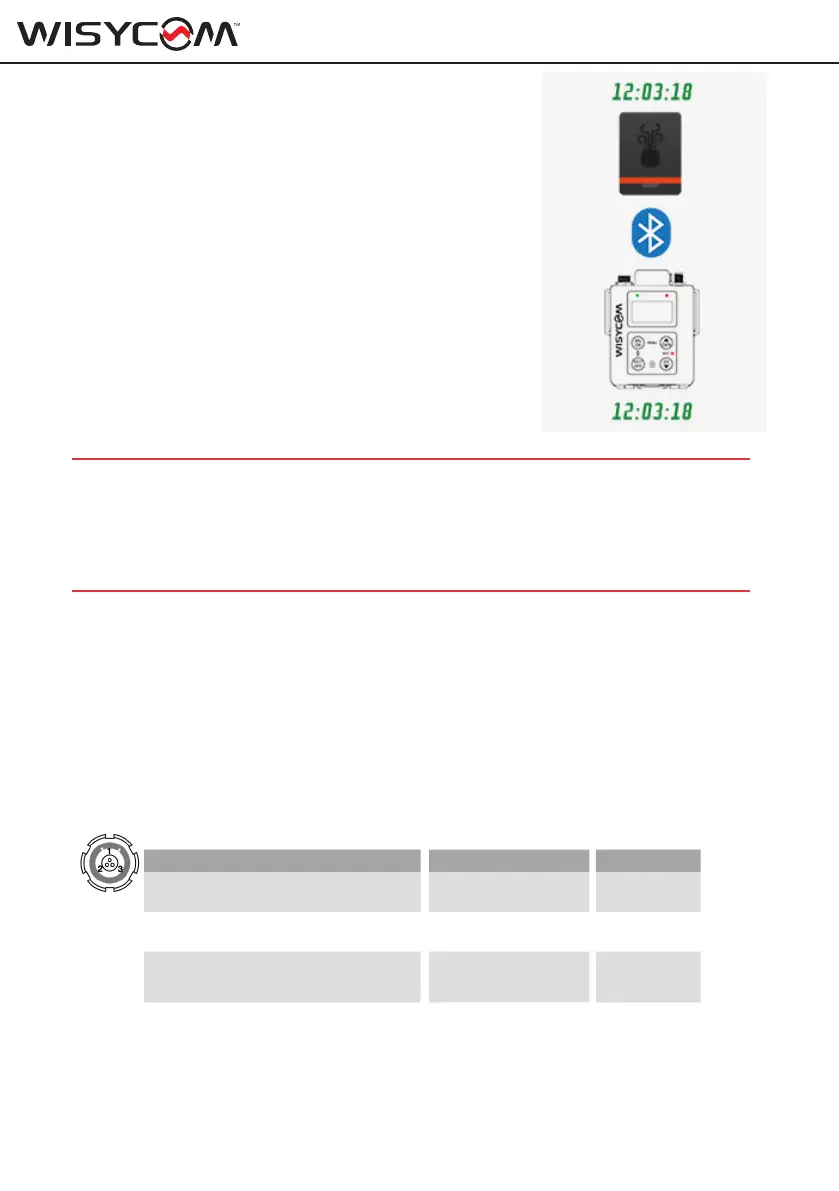
Bluetooth Jam (with Tentacle sync E):
• place the TC source (Tentacle sync E) to the MTP61
• use the recording short cut pushing UP and DOWN arrows
together and active JAM funtion or enter on the Record-
er>TC setup menu and set Jam to Running
• wait until the jam completed
NOTE: It is not necessary to activate Bluetooth beforehand. If the Blue-
tooth is inactive, the Jam procedure activates it momentarily until the
operation is complete.
SETTINGS
Use this menu to
• power on or off the Bluetooth interface
• configure transmitter’s name
• configure battery, lED and display
INFO
Use this menu to check information about the transmitter (serial number, frequency range, firm-
ware and hardware version) and its status (voltage, temperature and alarms).
BATTERY
MTP61 works with Lithium-ion battery Model CS-BCE10 Part No. CGA-S008E (3.7V, 1050 mAh)
Battery status can be checked on internal OLED display or looking the LED2 status on front.
Through the “Settings> Battery” menu, it is possible to set whether to display the battery status
as a percentage or as an estimate of the remaining time.
AUDIO CONNECTOR
3 PIN LEMO CONNECTOR (use FVB.00.003.NLN on Mic)
Mic Mode Pinout Impedance
2W (2 Wire)
1 = GND
3 = AF
7,15 KΩ
2W+B (2 Wire + Bias)
1 = GND
3 = AF + 5 V
3,9 KΩ
3W (3 Wire)
1 = GND
2 = 5 V
3 = AF
7,15 KΩ
AUX (high impedence input)
1= GND
3 = AF
36 kΩ



 To Next Page