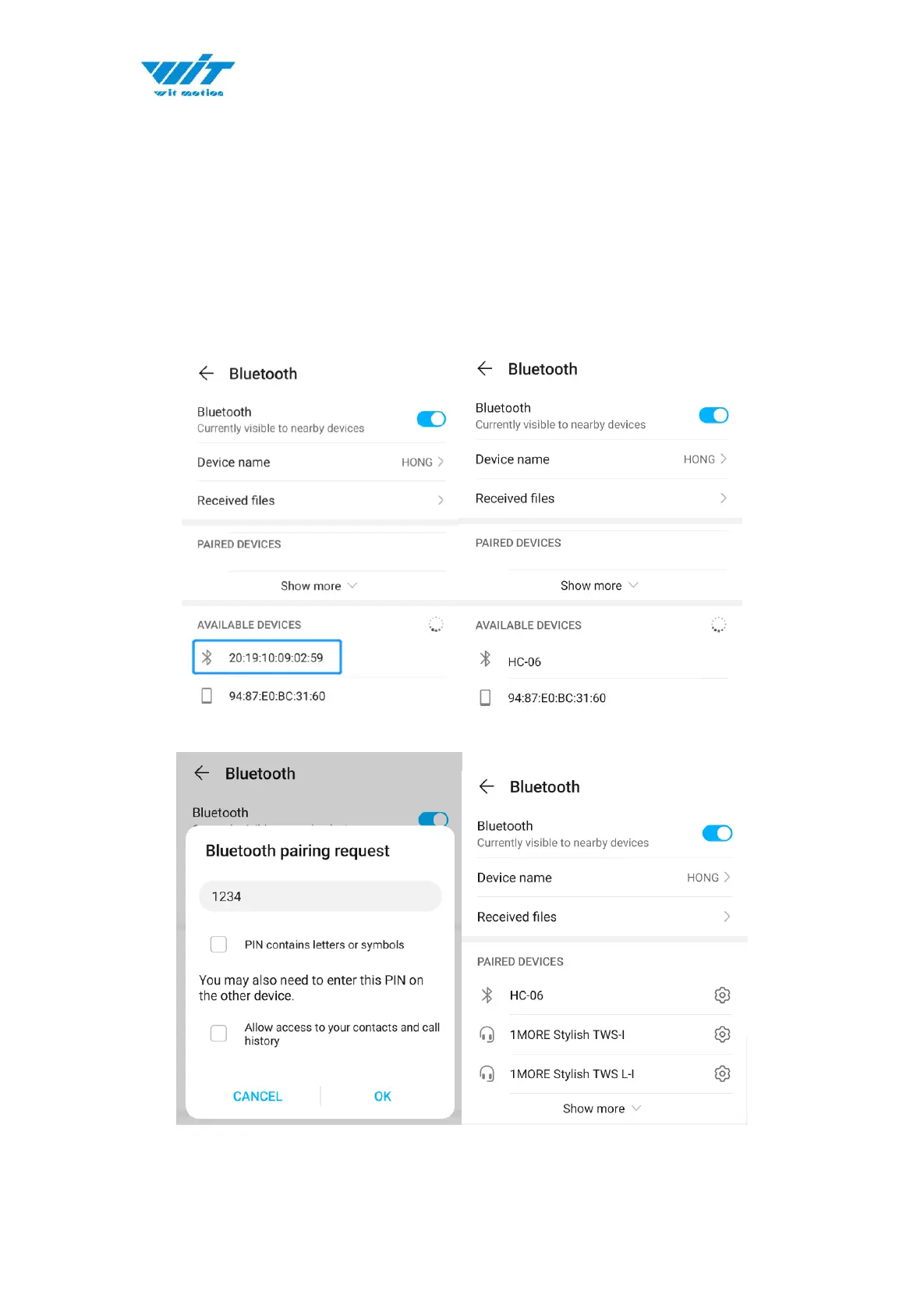
3.2.2 Phone’s Bluetooth Pairing
Step 1. Install the APK file, give permission of Location and Storage
Step 2. Turn on the Bluetooth in the setting menu of smartphone
Step 3. Search the Bluetooth sensor
(First pairing the device will be recognize as mac address and
will be shown as HC-06 after successful pairing.)
Step 4. Click the “MAC addrees” device and input the password “1234”


 To Next Page