EN-25
Sleep/Sleep Analyzer
v5.0 | April 2020
Tracking my snoring
Sleep/Sleep Analyzer is not a medical device and should not be used to
diagnose, treat, cure, or prevent any medical conditions.
Sleep/Sleep Analyzer has a microphone that detects sounds corresponding
to snoring. As snoring detection is based on sound crossed with respiratory
patterns, Sleep/Sleep Analyzer can thus distinguish your snoring from the
snoring of your partner and focuses only on your own snoring.
Sleep/Sleep Analyzer does not keep any recording, it just detects if there was
snoring or not, and stores the information throughout the night.
Retrieving your snoring data
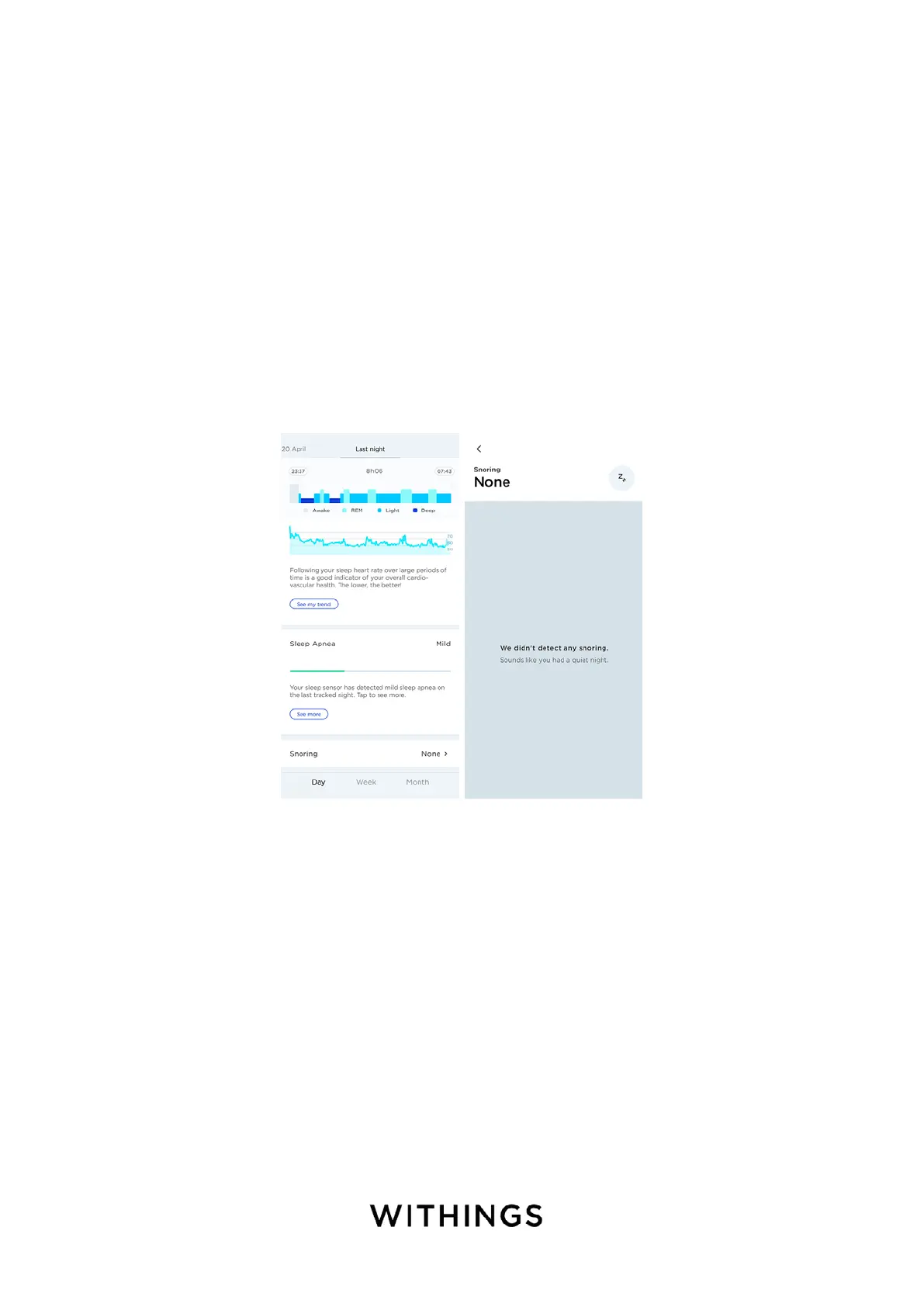
Your average snoring value is displayed at the bottom of your sleep graph.
Tap on Snoring to see the details of your night.
Important note:
You can deactivate the microphone in the settings of the Health Mate. To do so,
perform the following steps:
1. Open the Health Mate.
2. Go to Devices > Sleep/Sleep Analyzer.


 To Next Page