EasyManua.ls Logo

Wittime WT2081 - User Manual

Wittime WT2081
17 pages
Print Icon
To Next Page IconTo Next Page
Loading...
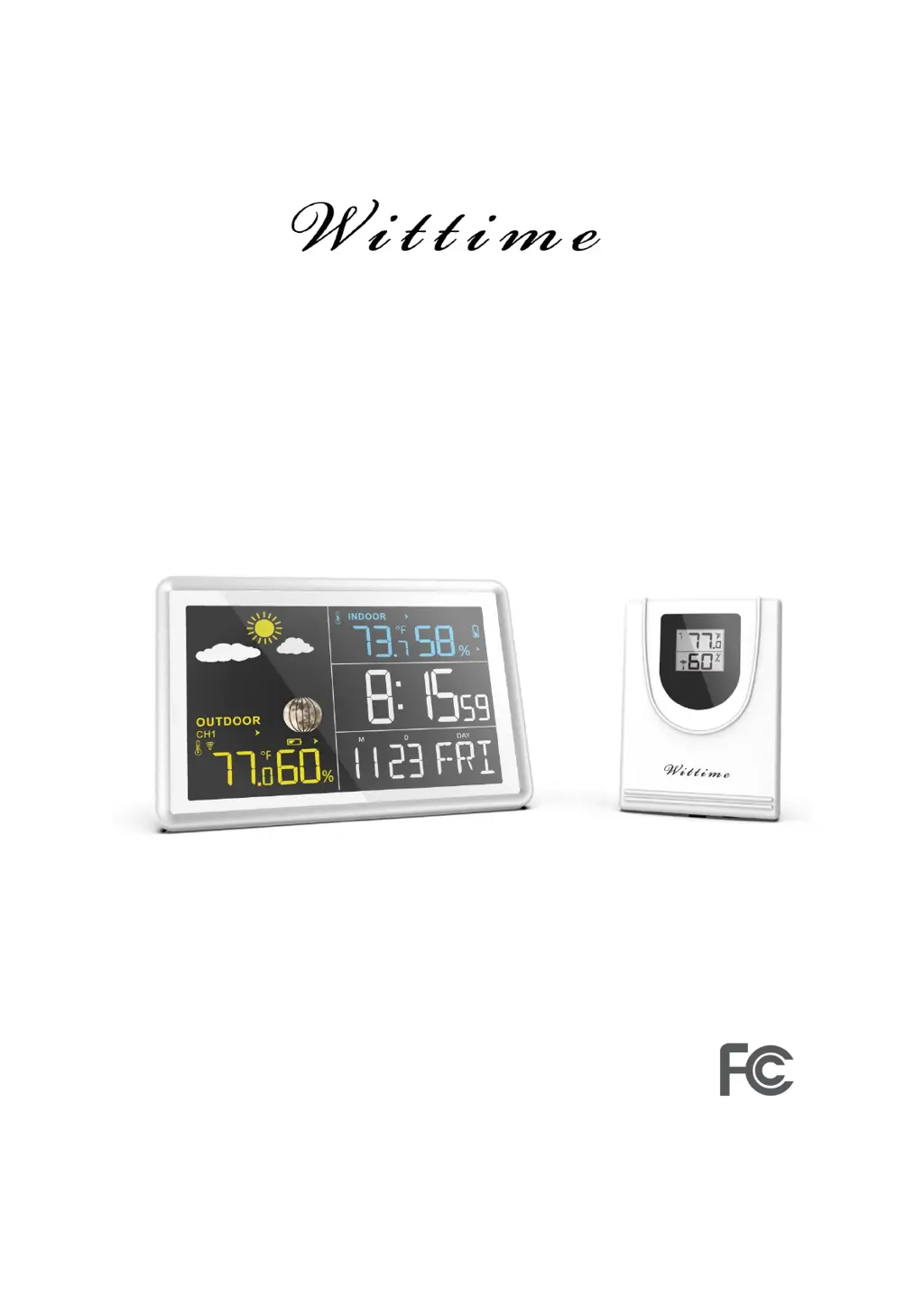
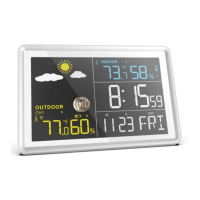
Digital Wireless Weather Station
OPERATING INSTRUCTION
Base unit: WT2081
Wireless sensor: WT2039A
Remove the protective film from the display before use.

Questions and Answers

Summary

Safety Precautions and Handling

General Safety Precautions

Important safety advice for using the device, including age restrictions and avoiding water.

Electrical Safety Warnings

Instructions and warnings related to the switching adapter and potential electrical hazards.

Unpacking and Initial Check

Steps for unpacking the device, removing protective films, and checking for damage.

Product Features Overview

Base Unit Functions

Detailed list of features and display capabilities of the main weather station unit.

Wireless Sensor Features

Capabilities and specifications of the remote wireless sensor.

Product Contents Overview

List of all items included in the product packaging.

Base Unit Components and Controls

Base Unit Rear View Identification

Visual identification of the components and ports on the back of the base unit.

Base Unit Operating Buttons

Detailed explanation of the function of each button on the base unit.

Wireless Sensor Components and Controls

Wireless Sensor Diagram and Parts

Visual identification of components, indicators, and ports on the wireless sensor.

Wireless Sensor Buttons and Switches

Explanation of the function of buttons and sliding switches on the wireless sensor.

Initial Setup and Sensor Configuration

Wireless Sensor Battery Installation

Step-by-step instructions for inserting batteries into the wireless sensor.

Adding Multiple Wireless Sensors

Instructions for setting up and using additional wireless sensors with the base unit.

Base Unit Powering and Settings

Powering via AC Adapter

How to connect and use the base unit with the provided switching adapter.

Powering via Batteries

How to insert and use batteries for the base unit's power supply.

Manual Weather Symbol Setting

Procedure for manually choosing and displaying a weather forecast symbol.

Establishing Radio Connection

How the base unit connects to the wireless sensor via radio frequency.

Time, Date, and Location Setup

Manually Setting Time and Date

Detailed steps for manually configuring the time, date, year, and other settings.

Optimal Device Placement

Guidelines for placing the base unit and sensor for best radio reception and performance.

Installation and Display Information

Device Mounting and Placement

Instructions for wall mounting or desk placement of the base unit and sensor.

Base Unit Display Indicators

Explanation of icons and data shown on the base unit display.

Time Display Elements

Specific elements shown in the time display section of the base unit.

Alarm Functions and Operation

Setting and Activating Alarms

How to set two distinct alarm times (A1, A2) and activate them.

Alarm On;Off Control

Methods for turning the alarm functions on or off using the designated button.

Alarm Handling (Snooze;Stop)

How to stop or snooze the alarm when it sounds.

Weather Data Display Details

Indoor Measurement Display

Explanation of indoor temperature, humidity, trends, and indicators.

Outdoor Measurement Display

Explanation of outdoor temperature, humidity, trends, and indicators.

Data Management and Forecasts

Max;Min Value Management

How to view, reset, and manage maximum and minimum recorded weather data.

Understanding Weather Trends

Interpretation of the trend indicators for temperature and humidity.

Weather Forecast Functionality

Details on how the weather forecast works, its accuracy, and data collection period.

Weather Forecast Symbols and Alarms

Interpreting Weather Symbols

Visual guide to understanding the different weather forecast icons.

Temperature Alarm and Conditions

Information on the temperature alarm trigger and the snowflake indicator.

Air Pressure and Weather Tendency

How air pressure changes predict weather shifts and their indicators.

Special Indicator Readings

How to access and understand mold, dew-point, and heat index readings.

Advanced Indicator Explanations

Mold Indicator Details

Explanation of the mold indicator, its calculation, and possible levels.

Dew-Point and Heat Index

Detailed explanation of dew point and heat index calculations and display conditions.

Moon Phase Display

Visual representation of moon phases that update automatically.

Automatic DST Adjustment

How the device automatically adapts to Daylight Saving Time changes.

Display Brightness and Battery Status

Adjusting Display Illumination

How to control the display backlight brightness or duration.

Low Battery Notifications

Understanding the low battery symbol and procedures for battery replacement.

Resetting to Factory Settings

Steps to perform a factory reset if the device malfunctions.

Troubleshooting and Maintenance

Problem Diagnosis and Solutions

Common issues encountered with the device and their recommended solutions.

Cleaning Procedures

Instructions on how to properly clean the base unit.

Technical Specifications - Base Unit

Key technical data and specifications for the base unit.

Technical Specifications and Compliance

Technical Specifications - Wireless Sensor

Key technical data and specifications for the wireless sensor.

Switching Adapter Details

Technical specifications for the power adapter, including voltage and current.

FCC Compliance Information

Details regarding compliance with FCC regulations and potential interference.

Product Disclaimers

Manufacturer's disclaimers regarding product specifications and interference.

Wittime WT2081 Specifications

General IconGeneral
Model NumberWT2081
CategoryWeather Station
Display TypeLCD
Humidity Measurement Range20% to 95%
Alarm FunctionYes
Temperature Measurement Range-10°C to 50°C
FeaturesIndoor/Outdoor Temperature and Humidity
Memory FunctionMIN/MAX Records
Wireless Transmission RangeUp to 100 meters (open space)

Related product manuals