EasyManua.ls Logo

Wittime WT2022A - User Manual

Wittime WT2022A
21 pages
Print Icon
To Next Page IconTo Next Page
Loading...
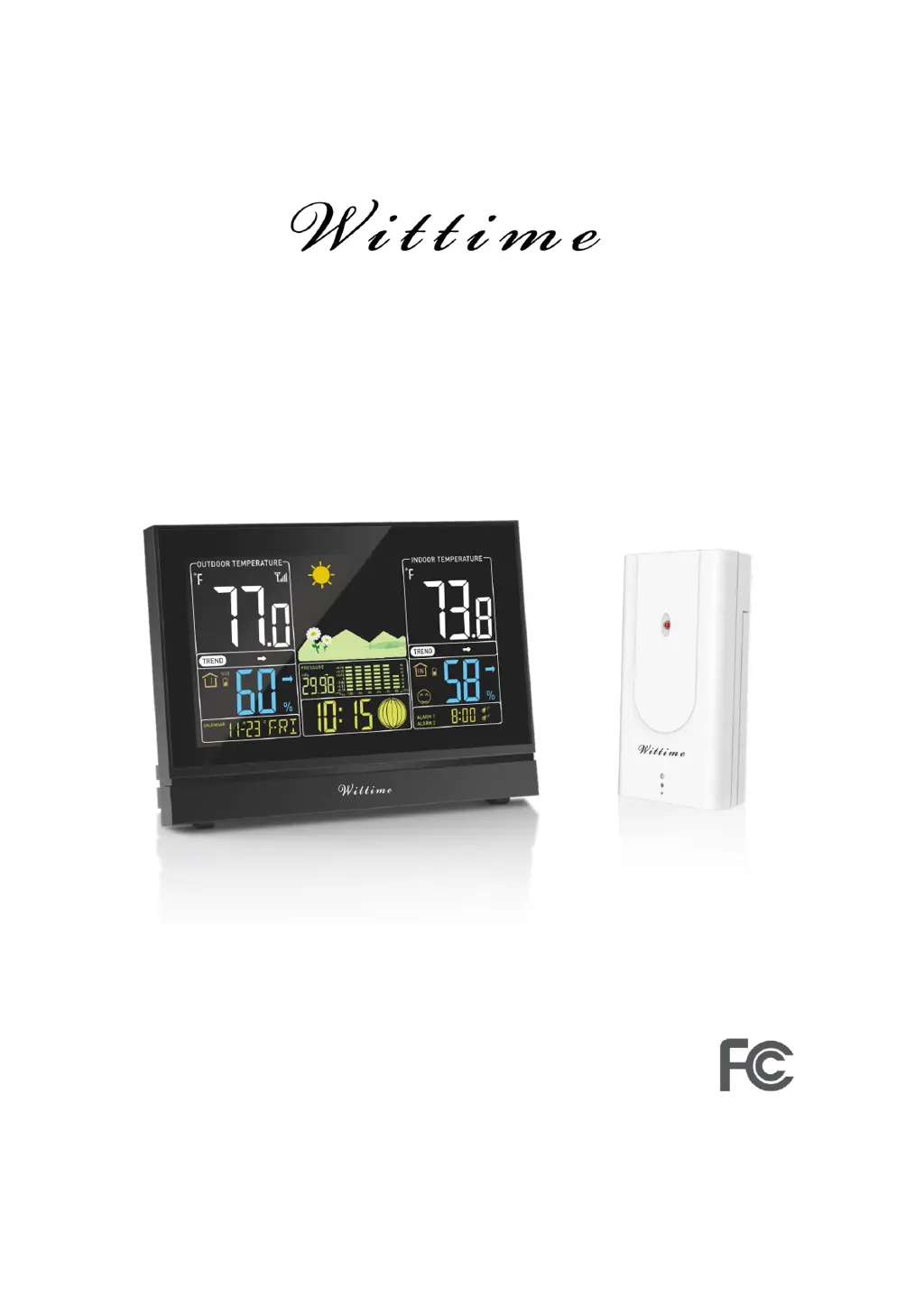
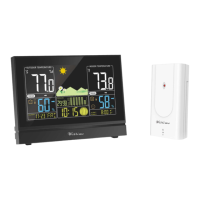
Digital Wireless Weather Station
OPERATING INSTRUCTION
Base unit: WT2076
Wireless sensor: WT2022A
Remove the protective film from the display before use.

Other manuals for Wittime WT2022A

Questions and Answers

Summary

Safety and Intended Use

General Safety Guidelines

Provides essential safety guidelines for using the weather station and power adapter, including age restrictions and handling precautions.

Intended Use and Limitations

Details the primary functions and limitations of the weather station, including its weather forecasting capabilities.

Electrical Safety Precautions

Highlights critical safety instructions regarding the use of the power adapter to prevent electrical hazards.

Unpacking and Product Functions

Unpacking and Checking

Instructions for safely unpacking the device, removing protective films, and verifying all included items.

Items Included in Delivery

Lists all components provided in the product package, including the base unit, wireless sensor, and batteries.

Weather Station Features

Details the comprehensive features of the weather station, such as display options, alarms, and various weather data readings.

Device Overview

Wireless Sensor Specifications

Outlines the wireless sensor's transmission range and mounting options.

Base Unit Top Controls

Provides a visual overview and identifies the key buttons on the top of the base unit.

Base Unit Details and Connections

Base Unit Back and Base Components

Illustrates the rear of the base unit and its detachable base, highlighting ports.

Connecting the Power Adapter

Step-by-step guide on how to connect the power adapter to the base unit and power socket.

Base Unit Operating Elements

Base Unit Buttons and Ports

Detailed description of each button and port on the base unit and their functions.

Wireless Sensor Initial Setup

Wireless Sensor Components

Details the components of the wireless sensor and its basic identification.

Battery Installation

Guides the user through the initial battery installation for the wireless sensor.

Sensor and Power Management

Using Additional Wireless Sensors

Explains how to add and manage multiple wireless sensors with the base unit.

Base Unit Power Options

Covers operation modes for the base unit: power mains and battery power.

Settings and Configuration

Manual Settings: Time, Date, and RF

Detailed steps for manually setting time, date, and managing radio frequency sensor connection.

Setting Weather Symbol and Location

Procedure for manually setting the weather symbol and guidance on optimal placement.

General Information and Placement

General Usage Notes

Provides general notes on radio frequency communication, range, interference, and sensor performance.

Placement Guidelines

Recommendations for placing the base unit and wireless sensor for optimal performance and safety.

Display Indicators Reference

Refers to indicators shown on the base unit display (no specific indicators detailed here).

Time and Alarm Functions

Time and Date Display

Explains the time and date display format, including 12-hour format and current day of the week.

Alarm Setup and Activation

Detailed instructions on setting two different alarm times, including hours and minutes.

Alarm Operation Details

Alarm Activation and Deactivation

Explains how to activate or deactivate Alarm 1 and Alarm 2 using the UP button.

Stopping and Snoozing Alarms

Details methods to stop the alarm, including snooze, manual switch-off, and automatic stop.

Weather Data Display

Temperature and Humidity Display

Explains how temperature and humidity data are displayed, divided into indoor and outdoor sections.

Outdoor Measurement Display

Outdoor Data Indicators

Details the indicators and data points displayed for outdoor measurements from the wireless sensor.

Indoor Measurement Display

Indoor Data Indicators

Details the indicators and data points displayed for indoor measurements gathered by the base unit.

Data Management and Trends

Viewing and Clearing Max;Min Values

How to display and clear stored maximum and minimum temperature and humidity values.

Weather Trends and Air Pressure

Explains visual representation of trends and air pressure readings with bar graphs.

Weather Forecast and Alarms

Weather Forecast Functionality

Details how the weather forecast is generated, its accuracy, and the time it becomes available.

Temperature Alarm Conditions

Explains the frost and snowflake alarm conditions and how the outdoor sensor is used.

Advanced Data Indicators

Mold, Dew Point, and Heat Index

Explains indicators for mold likelihood, dew point, and perceived temperature (heat index).

Moon Phases and Comfort Indicator

Details the display of moon phases and the comfort indicator based on indoor conditions.

Comfort and Language Settings

Comfort Symbol Explanation

Provides a table and explanations for comfort symbols based on temperature and humidity ranges.

Language Options

Lists the available language options for displaying the days of the week.

DST Functionality

DST Automatic Adaptation

Indicates that the weather station automatically adapts to daylight saving time.

Display, Battery, and Reset

Display Illumination Control

Explains how to activate the display illumination for both battery and power mains operation.

Low Battery Indicator and Replacement

Describes the low battery symbol and actions required for both base unit and wireless sensor.

Resetting the Weather Station

Provides step-by-step instructions to reset the weather station to factory settings.

Troubleshooting and Maintenance

Troubleshooting Guide

Lists common problems with their possible causes and solutions, including display, signal, and illegibility issues.

Cleaning Instructions

Instructions on how to clean the base unit, emphasizing unplugging the adapter first.

Technical Data: Base Unit

Base Unit Specifications

Lists technical specifications for the base unit, including model, power, and temperature measuring range.

Technical Data: Sensors and Adapter

Wireless Sensor Specifications

Lists technical specifications for the wireless sensor, including model, batteries, ranges, and transmission frequency.

Power Adapter Specifications

Details the power adapter's input voltage, frequency, and output specifications.

Regulatory Compliance

FCC Statement and Warnings

Contains compliance information and warnings regarding FCC regulations for the device.

Legal and Disclaimer Information

Product Disclaimers

States the manufacturer's right to change specifications and disclaims responsibility for interference-related malfunctions.

Wittime WT2022A Specifications

General IconGeneral
BrandWittime
ModelWT2022A
CategoryWeather Station
LanguageEnglish

Related product manuals