WMF DYNAMIC - OPERATING INFORMATION
MILK PUMP CALIBRATION
VERSION. 1.2.18
NOTE.
STEP 2.
STEP 1.
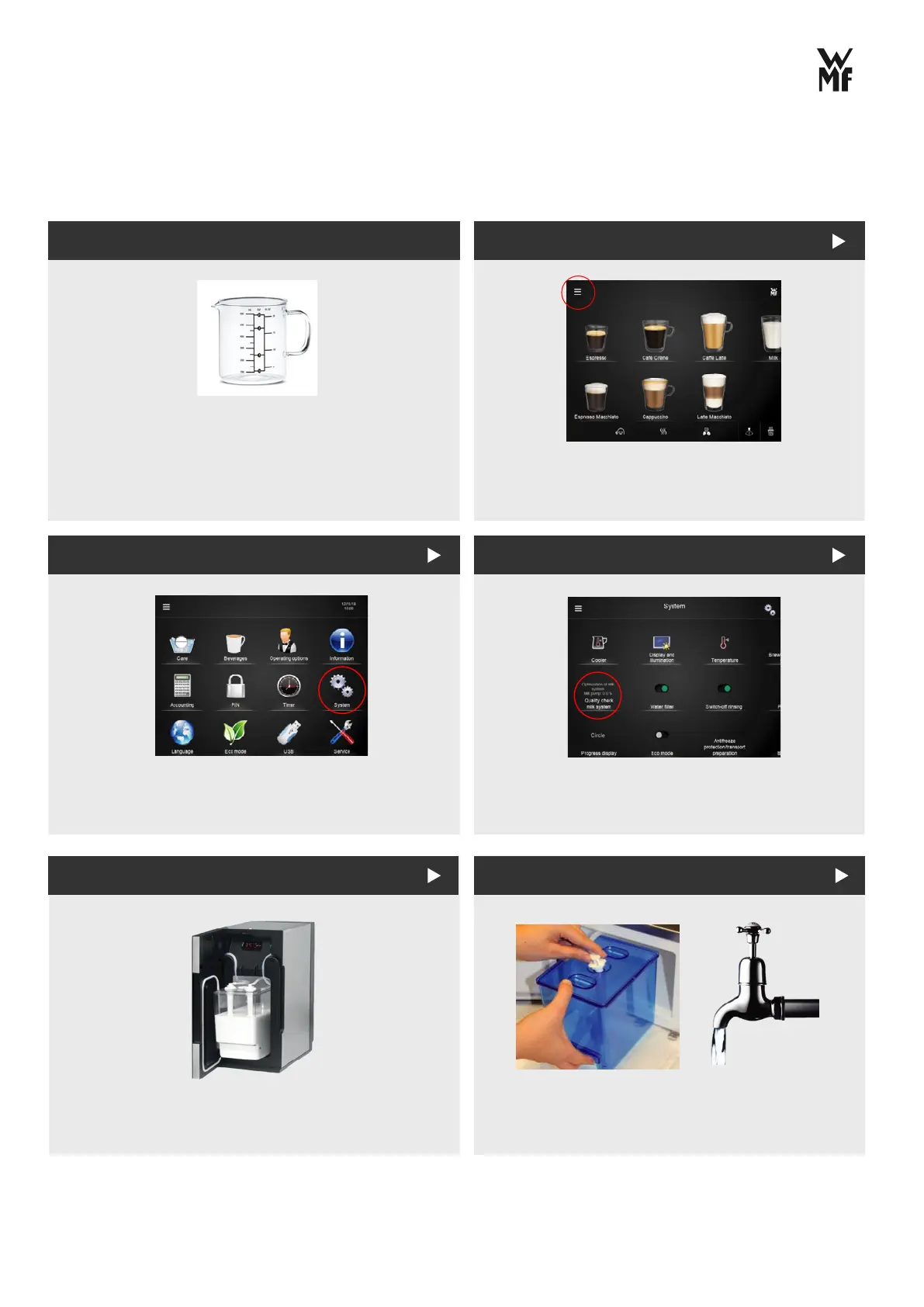
Select the menu on the top left of
the screen.
Then select the system menu.
Select ‘Quality check milk system’.
Fill bllue cleaning container with cold water
and connect it back to milk line.
Remove hose from milk container.
STEP 3.
STEP 4. STEP 5.
To perform milk calibration you will need a
measuring jug (min 600ml)
This process is used if you have a temperature
or level shift on ALL beverages.
PAGE 01



 To Next Page