WMF 5000S - CLEANING INFORMATION
VERSION. 2.2.14
1. ACCESSING THE CLEANING MENU
A. FINDING MENU
SYSTEM CLEANING
B. CLEANING OPTIONS
2. END OF DAY
CLEANING PROCESS
3. CLEANING INTERVALS
OVERVIEW
1.
2.
3.
Gently double tap the
bottom right of screen
Select the home icon when
it displays
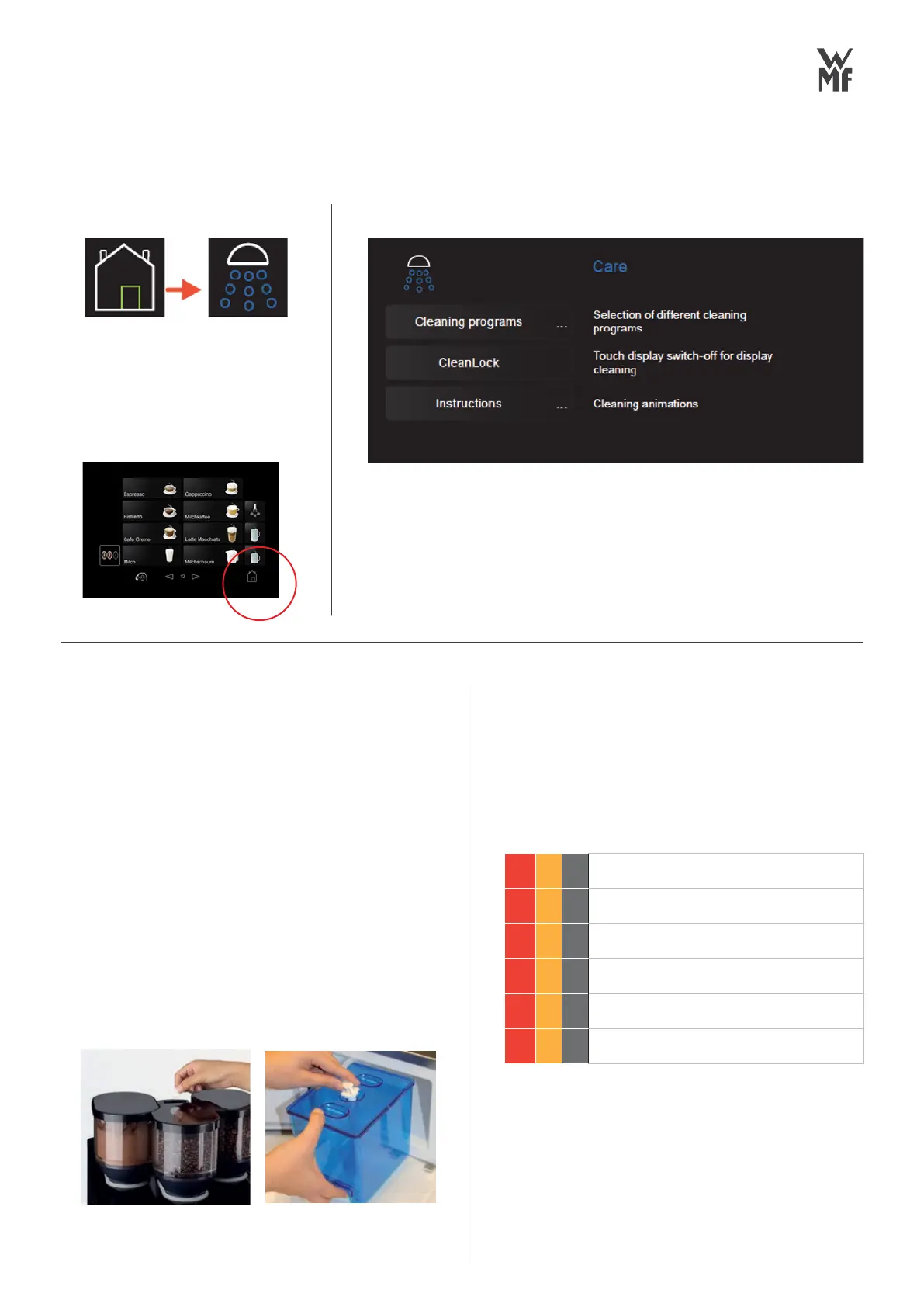
Select the care options tab
CLEANING PROGRAMS
1. System cleaning
2. Milk system rinsing
3. Foamer rinsing
Different cleaning options
End Of Day Cleaning Process. This needs to
be performed daily. NOTE: WMF blue
cleaning container is required for cleaning.
PROCESS
For further information please refer to
care menu instructions or user manual
Access the Care menu
Touch Cleaning programs
Touch System cleaning
Follow prompts to setup - Information /
instructions will be shown on the display
Machine will perform clean cycle -
Up to 14 mins
Pack away the cleaning containers
CAFIZA TABLET INSERTED
FOR BREWER
RINZA TABLET INSERTED
FOR MILK SYSTEM.
DO NOT ADD WATER.
1.
2.
3.
4.
5.
6.
CLEANLOCK
A 15-second
countdown starts
and the screen is
deactivated. The
touch display can
now be cleaned by
wiping action.
INSTRUCTIONS
Animated
instructions for the
weekly cleaning
procedures,
includes choc mixer
and combi spout.
DAILY
WEEKLY
MONTHLY
x Clean Screen (CleanLock)
x System cleaning
x Grouts container cleaning
x Clean the brewing unit
x Drip tray cleaning
x Bean hopper cleaning



 To Next Page