36
User Manual WMF Cooler
Operating the countertop cooler 9192
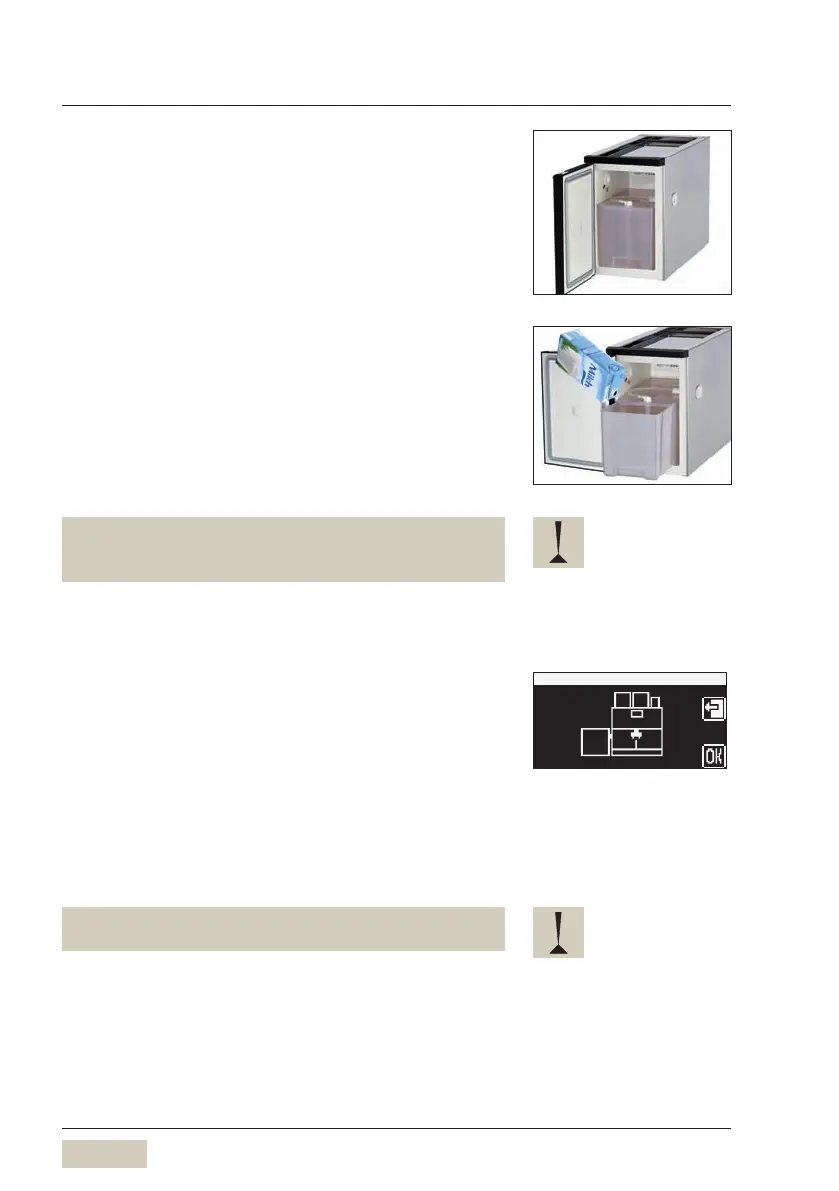
2.1.3 Filling the milk container
Open the front door
Pull out the milk container
Push the lid of the milk container back
The milk hose remains attached.
Pour milk into the milk container
Place the lid back on the container
Push the milk container back in carefully
Close the front door
• The milk nozzle is placed on the milk foamer on the
machine.
• Do not kink the milk hose.
2.1.4 Empty message (optional)
When the low-level is reached, the empty message is
shown on the coffee machine display.
w User Manual for the coffee machine w Software
w Settings w Milk.
Filling the milk container
w Chapter 2.1.3
Confirm filling the milk container by pressing OK on the
display
The low-level warning goes out.
Keep the interior of the cooler dry.
This helps to avoid malfunctions.
Connect milk
w User manual coffee machine


 To Next Page