47
User Manual WMF Cooler
Care
5.3 Defrosting the cooler
If the ice layer is thicker than 3mm, defrost the cooler.
For coolers with integrated low-level messages, any ice
build-up on the rear vertical wall should be avoided.
This helps to avoid malfunctions and saves energy.
Switch off the cooler using the On/Off switch
Disconnect mains plug
Leave the front door open
Wipe away the water from melting ice with asoft cloth
Never remove the ice layer with sharp or pointed objects.
The surface of the interior of the cooler could be
damaged.
Do not use heating appliances (hair dryer, heat gun, steam
cleaners, etc.) to defrost.
Close the front door before switching on again
5.4 Adjust temperature
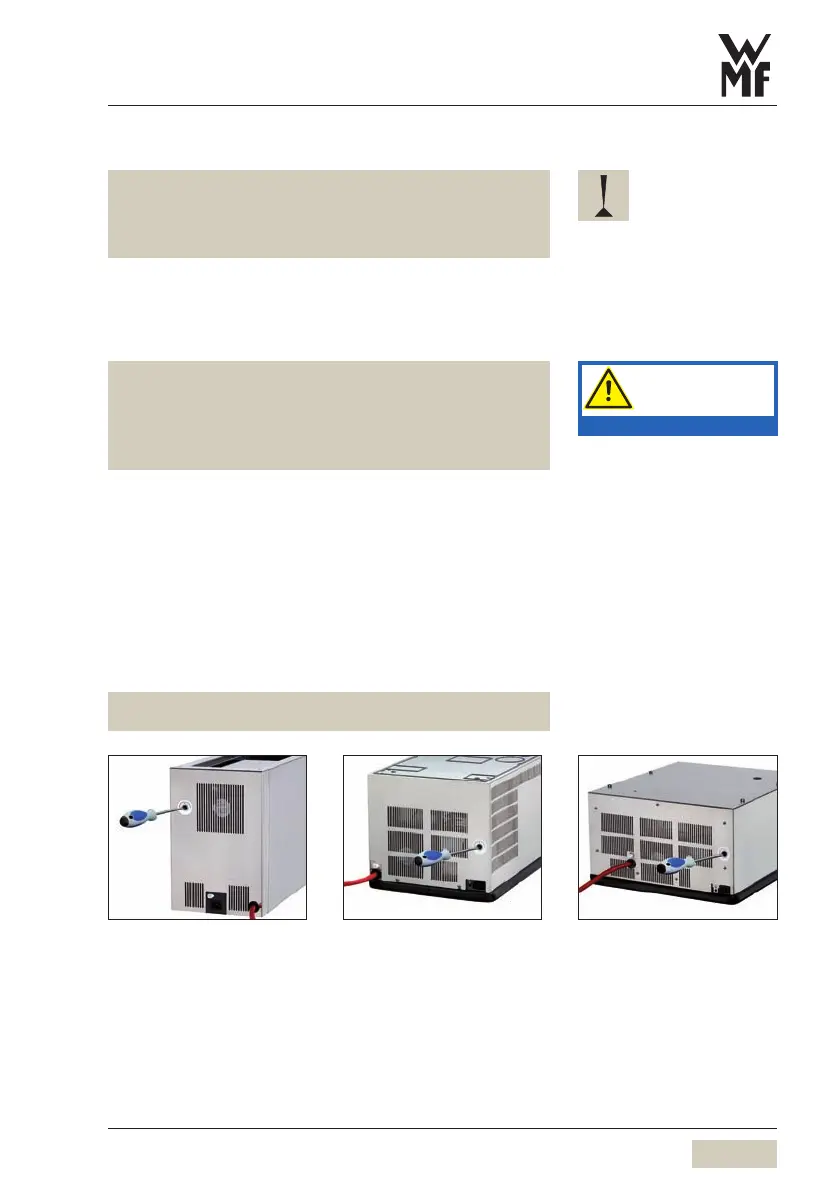
Remove the cap on the back of the cooler
turn clockwise
g colder
turn counter clockwise
g warmer *
A quarter turn is approx. 2K.
* The stop for the warmest setting has aslight detent. Turning past the
detent will switch off the cooler.
Series 9192 Series 9469 Series 9468
Follow the manual.
Observe the Safety chapter.


 To Next Page