6
Please note: All accessory controllers (BUS users) must be set to the same boiler interface.
BUS interface setting
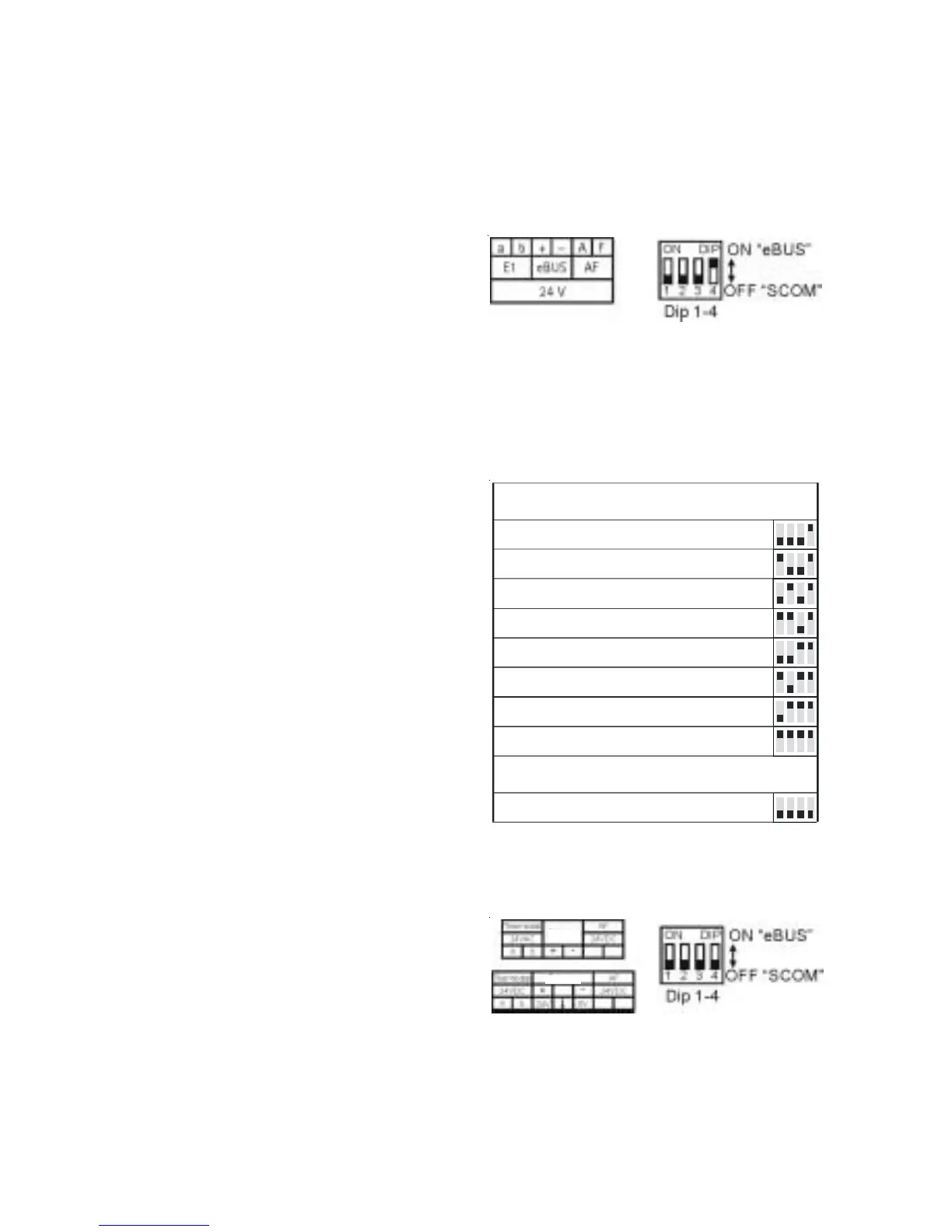
Wolf boilers are equipped either with an e-BUS or a SCOM interface for control accessories.
The interface can be selected with the DIP switches on the back of the AWT.
BUS interface setting
Connection to Wolf boilers
with SCOM interface
For boilers with SCOM interface, the BUS
terminals are marked “+“ and “-“ in accordance
with connection diagrams together with
“(Wolf) Accessory“. Push the switches 1 to 4
into the “OFF“ position.
Setting the eBUS address
Using the DIP switches 1 - 3, set one address
for every AWT in systems with several AWT
controllers (multi-boiler system with DWTM).
Address list at the back of the controller PCB
Einstellung SCOM
Adresse 2
Adresse 3
Adresse 4
Adresse 5
Adresse 6
Adresse 7
SCOM - Master
Einstellung eBUS
Adresse 0
(Werkseinstellung)
Adresse 1
Connection to Wolf boilers
with eBUS interface
For boilers with eBUS interface, the BUS
terminals are marked “+“ and “-“ together with
“eBUS“.
Push the DIP switch 4 into the “ON“ position.
Switches 1 to 3 remain “OFF“, if only one
accessory controller is connected.
eBUS settings
Address 0 (factory setting)
Address 1
Address 2
Address 3
Address 4
Address 5
Address 6
Address 7
SCOM master
Accessory
Accessory
SCOM settings



 To Next Page