12
OVEN TIMER
The oven has a timer that operates indepen-
dently from the oven controls. Once a time is
set in hours and minutes, the countdown is
seen in the display window. Only the last
minute counts down in seconds. The maximum
time that can be set is 9 hours and 59 minutes .
An audio signal acts as a reminder when the
amount of time runs out. To stop the signal,
touch .
SETTING CONTROLS
1)
Tou ch on th e hi dden co nt rol p an el .
2)
Tou ch or ar ro ws to i ncrea se o r
decrease the desired amount of cooking
time in hours and minutes.
3)
Tou ch or to s tart ti me r. Two be ep s
will be heard. Oven will chime and time will
flash continually when timing is complete.
4)
When timing is complete, touch to stop
signal.
5)
To clear a ny re ma in ing t im e on th e timer,
touch then
CELSIUS TO FAHRENHEIT
The oven can be changed from Celsius (C)
temperature to Fahrenheit (F) or vice versa.
SETTING CONTROLS
1)
Tou ch an d hold on t he hi dd en co nt ro l
panel for 5 seconds.
2)
Tou ch to ch an ge to ˚ F or ˚C .
3)
Tou ch .
TIME-OF-DAY CLOCK
Immediately after the oven is installed, s et the
24 hour clock to the current time of day. It
must be reset after a power failure. The clock
is visible on the panel during all modes, except
when timer feature is in use or when the
hidden control panel is closed. Refer to the
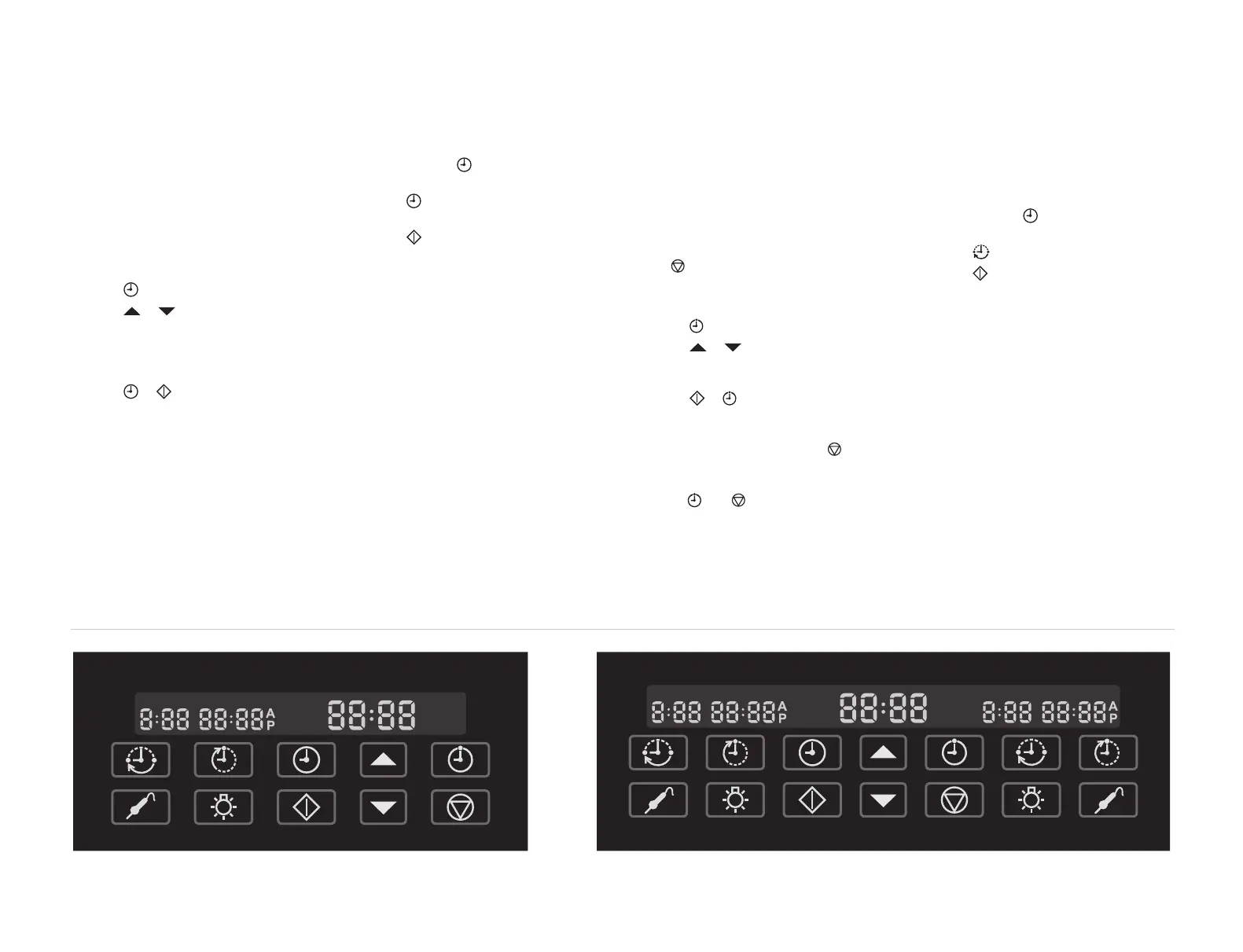
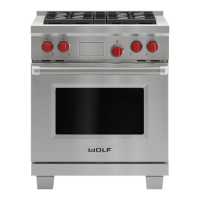
illustrations below.
SETTING CONTROLS
1)
Tou ch on th e hi dden co nt rol p an el .
2)
Tou ch or ar ro ws to i nc rease o r
decrease the time. Stop when the correc t
time of day is displayed in the control
panel. Time will change from pm to am by
passing the 12:00 mark.
3)
Tou ch or to s et th e clock . Two be ep s
will be heard.
CHANGING CLOCK TO 12 HOURS
1)
Tou ch an d hold on h idden c on trol pa ne l
for 5 seconds.
2)
Tou ch to ch an ge fr om 2 4 h ou r to 12
hour or vice versa.
3)
Tou ch o r a ft er tw o se conds t he cl oc k will
set by default.
Control panel – single oven models. Control panel – double oven models.
WOLF DUAL FUEL RANGE OVEN OPERATION



 To Next Page