14
SETTING CONTROLS
For bake mode:
1)
Turn ov en se lec tor knob bezel co unt erc loc k-
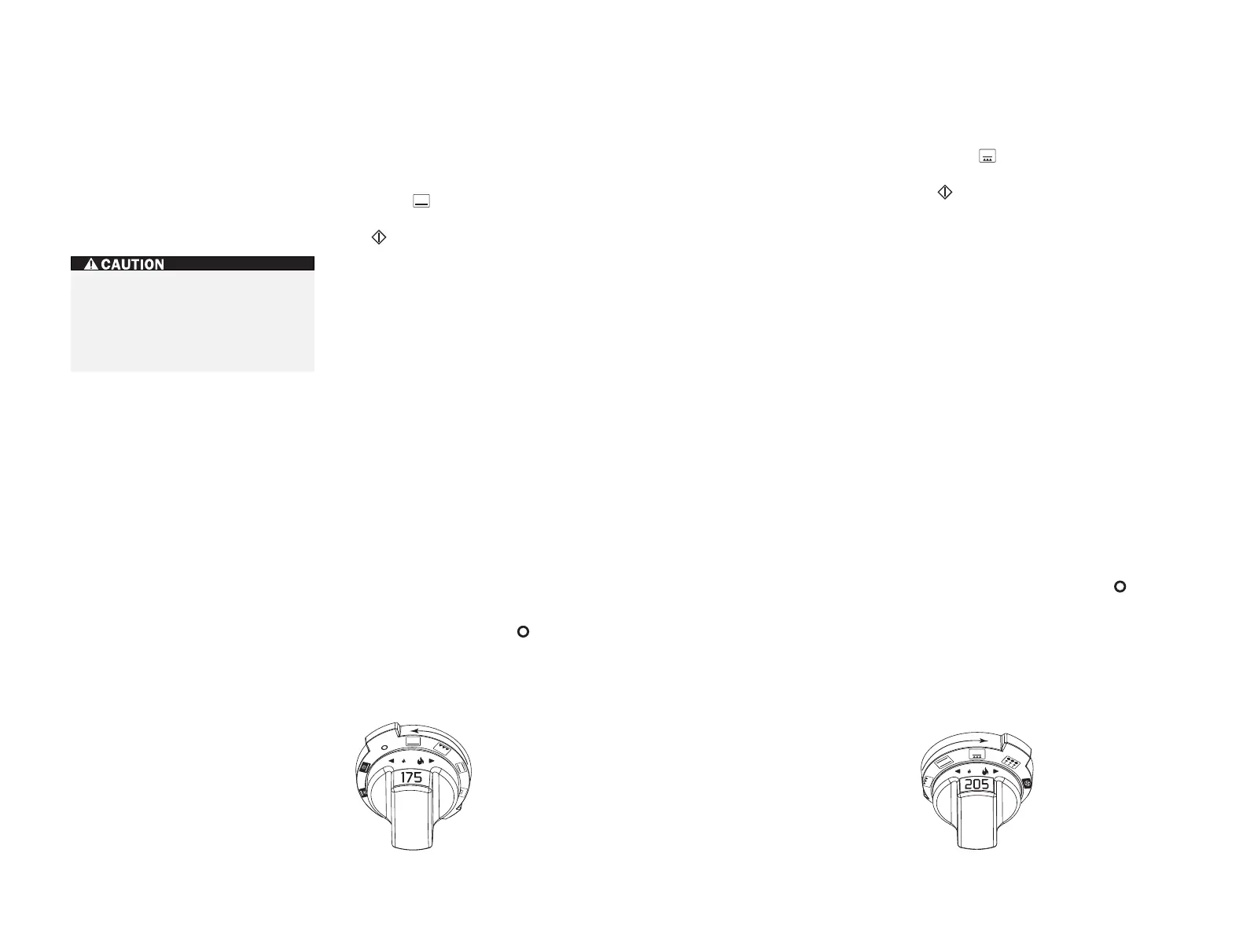
wise to . Refer to the illustration below.
2)
Oven temperature is preset at 175˚C. Touch
on the control panel or turn the oven
selector knob to the left or right to turn on
the oven. Temperature can be adjusted in 1˚
increments.
To chang e th e tem pe ra ture se tt ing f ro m
175˚C, immediately turn the oven selector
knob to the right to increase the oven
temperature or to the left to decrease the
oven temperature. The temperature display
alternates between set temperature and
actual oven temperature. Temperatures
below 65˚C are displayed by the word ”
Lo
.”
3)
Add food when the chime signals that the
oven has reached preheat temperature.
4)
The temperature probe may be used in this
mode, follow
temperature probe feature
directions on page 21.
5)
If the timer is set, the oven will chime when
one minute is left on the timer and will
chime again when cooking time is finished.
If the timer is not cleared, it will continue to
chime every 30 seconds.
6)
Remove food. Always use dry pot holders
when removing hot pans from the oven.
7)
Turn ov en se lec tor knob to to end thi s
mode.
BAKE MODE
How bake mode works:
Both the hidden bake
element and the broil element are used to heat
the air, and they cycle on and off to maintain
temperature. This mode is best for single-rac k
cooking, primarily baked foods. Always use
bake mode
for your standard recipes. The
temperature probe may be used in this mode.
WOLF DUAL FUEL RANGE OVEN OPERATION
1)
Turn ov en selector knob bezel co unt erc loc k-
wise to . Refer to the illustration below.
2)
Oven temperature is preset at 205˚C. Touch
on the control panel or turn the oven
selector knob to the left or right to turn on
the oven. Temperature can be adjusted in 1˚
increments.
To chang e th e t em pe ra ture se tt ing f ro m
205˚C, immediately turn the oven selector
knob to the right to increase the oven
temperature or to the left to decrease the
oven temperature. The temperature display
alternates between set temperature and
actual oven temperature. Temperatures
below 65˚C are displayed by the word ”
Lo
”.
3)
Add food when the chime signals that the
oven has reached preheat temperature.
4)
The temperature probe may be used in this
mode, follow
temperature probe feature
directions on page 21.
5)
If the timer is set, the oven will chime when
one minute is left on the timer, and chime
again when cooking time is finished. If the
timer is not cleared, it will continue to
chime every 30 seconds.
6)
Remove food. Always use dry pot holders
when removing hot pans from the oven.
7)
Turn ov en selector knob bezel to to en d
this mode.
8)
When the oven and bake stone have cooled
completely, remove the bake stone and
special rack.
BAKE STONE MODE
How bake stone mode works:
Aspecially
designed rack and bake stone are used for this
mode to assure the food quality expected from
this specific form of cooking. To produce a hot
oven environment necessary for baking on a
ceramic stone, the heat from all elements
creates the perfect “brick oven” effect. Both
convection fans help circulate the air through-
out the oven cavity, so even temperatures are
achieved. The temperature probe may be used
in this mode.
SETTING CONTROLS
For bake stone mode:
Oven preparation:
Remove all racks from the
oven. Slide the bake stone rack onto rack guide
position 1 and place the bake stone on the rack
with the lip hanging over front edge of rack.
Preheat the oven for approximately 35 minutes
when using
bake stone mode
.
Bake mode setting. Bake stone mode setting.
DO NOT place any cookware on oven
floor or use aluminum foil or other
material to line the oven floor or side
walls. Failure to adhere to this notice will
damage the porcelain and will void your
warranty.


 To Next Page
 Loading...