EasyManua.ls Logo

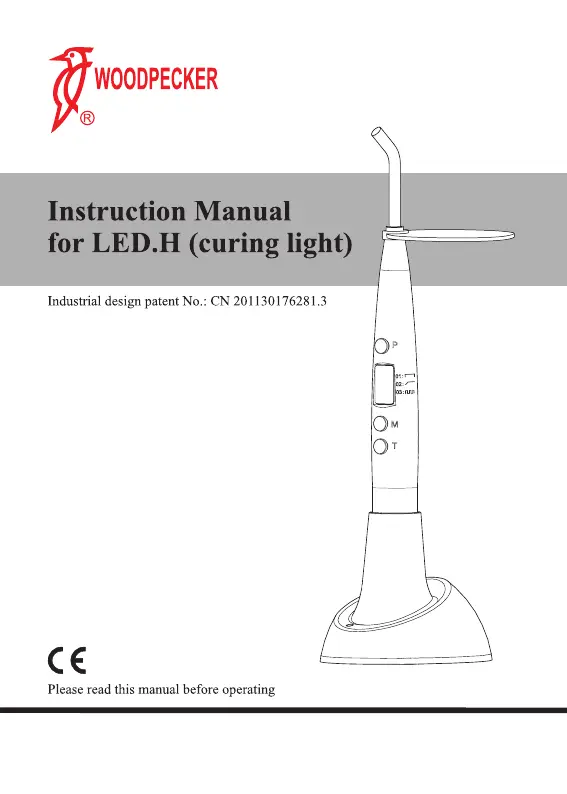
Woodpecker LED.H - User Manual

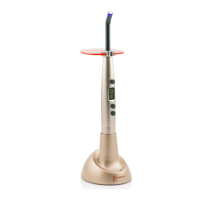
Woodpecker LED.H
25 pages
Print Icon
To Next Page IconTo Next Page
Loading...
Guilin Woodpecker Medical Instrument Co., Ltd.

Questions and Answers

  • D
    Don GonzalezAug 4, 2025
    Why is the light intensity weak on my Woodpecker dental equipment?
    • A
      ashley35Aug 5, 2025
      A weak light intensity could be due to several reasons: 1. The optical fiber may not be installed correctly. Reinstall the optical fiber. 2. There might be a crevice on the optical fiber. Replace it with a new one. 3. Resin may have accumulated on the tip of the optical fiber. Clear the resin.
  • M
    Makayla CoxAug 9, 2025
    What to do if my Woodpecker dental equipment battery life is short?
    • C
      Colleen LawsonAug 9, 2025
      If the effective duration of the battery has become short, it is likely that the battery capacity has decreased. Replace it with a new battery.
  • A
    Anna SmithAug 14, 2025
    What to do if my Woodpecker LED.H Dental equipment is not charging?
    • B
      Brenda MarshAug 15, 2025
      If your equipment isn't charging when connected to the adapter: * Ensure the adapter is properly connected. Reconnect it if necessary. * If the adapter is faulty or incompatible, replace it with a compatible one. * If the charging point is impure, clean it with alcohol.
  • M
    Melissa RodriguezAug 19, 2025
    What does it mean when the mode indicator twinkles when charging Woodpecker LED.H?
    • D
      David SantosAug 19, 2025
      If the mode indicator twinkles during charging, it could indicate: 1. Low voltage: This should return to normal after 15 minutes of charging. 2. A short-circuit in the battery: Replace the battery with a new one.
  • T
    Tammy StoutAug 25, 2025
    What to do if my Woodpecker LED.H Dental equipment shows no indication or response?
    • V
      Valerie MontgomeryAug 25, 2025
      If there is no indication or response from the equipment, consider the following: 1. The battery may be out of power. Charge the equipment or replace the battery. 2. The battery might be faulty. Replace it with a new one. 3. The main unit battery protection system may be activated. Place the main unit into the socket on the charger for activation.
  • M
    Marissa SpearsAug 29, 2025
    What does 'Wink' on the screen of Woodpecker LED.H Dental equipment mean?
    • N
      Norma BrooksAug 29, 2025
      If "Wink" is displayed on the screen, it indicates a low battery. Reconnect the charger. If "Er" appears after 15 minutes, replace the battery.

Summary

Principle and Usage

Structure and Component

Technical Specifications

Power Supply Specifications

Details on the rechargeable Lithium battery specifications.

Applied Part

Identifies the optical fiber as the part applied to the patient.

Light Source Specifications

Details on LED power, wavelength, and light intensity.

Working Conditions

Specifies environmental parameters for operation: temperature, humidity, pressure.

Installment and Dismantlement

Optical Fiber Installation

Instructions for attaching the optical fiber to the main unit.

Light Hood Installation

Guidance on fitting the light hood onto the optical fiber.

Dismantlement Procedure

Steps for removing components, done in reverse order of installation.

Charging Setup

How to connect the adapter and place the device on the charger.

Operation

Operating Modes Overview

Introduces the three available operating modes.

Full Power Mode

Details on the full power mode operation.

Ramping Mode

Describes the ramping mode where LED intensity increases over 5 seconds.

Pulse Mode

Explains the pulse mode of operation for the LED.

Setting Solidification Time

Instructions for selecting desired curing times from available modes.

Performing Curing

Steps for aiming the light and initiating the curing process.

Stopping the Curing Light

How to manually stop the operation at any time.

Low Power Indicator

Explanation of the low power warning indicator.

Battery Charging Procedure

Step-by-step guide for charging the device's battery.

Post-Operation Cleaning

Instructions for cleaning the optical fiber after use.

Automatic Shutdown Feature

Information on the equipment's automatic turn-off function.

Solidification Depth

Specifies the required depth for composite solidification.

Fiber Sterilization

Instructions for sterilizing the optical fiber before each use.

Over-Heat Protection

Details on the built-in system to prevent overheating.

Cleaning, Disinfection and Sterilization

Initial Processing

Principles and post-operative treatment for initial cleaning.

Preparation for Cleaning

Required tools and steps before starting the cleaning process.

Cleaning Procedures

Guidance on automated and manual cleaning methods.

Disinfection Procedures

Methods and parameters for disinfecting the device.

Drying Methods

Instructions for drying the equipment after cleaning and disinfection.

Inspection and Maintenance

Checks for product condition, stains, damage, and service life.

Packaging for Sterilization

Steps for packaging the product after cleaning and drying.

Sterilization Guidelines

Approved steam sterilization procedures and parameters.

Storage Recommendations

Environmental conditions and time limits for storing the product.

Transportation Precautions

Guidelines for safely handling and transporting the device.

Cautions

Initial Battery Charging

Instructions for initial battery charging.

Operational Safety

Guidance on aiming the light and avoiding eye exposure.

Component Compatibility

Warning about using only original chargers, adapters, and batteries.

Electrical Safety

Prohibitions regarding touching charging connectors with conductors.

Battery Charging Environment

Recommendation for a cool, ventilated room for charging.

Battery Handling

Prohibitions against unauthorized battery disassembly and handling.

Battery Handling Precautions

Further restrictions on battery handling and short-circuit prevention.

Long-Term Storage

Advice on preserving the battery when the device is not in use.

Modification Warning

Prohibition against modifying the equipment without authorization.

Contraindication

Maintenance

Professional Servicing

Requirement for professional or specialized shop for maintenance.

Optical Fiber Autoclaving

Information on autoclaving the optical fiber only.

Other Parts Cleaning

Instructions for cleaning other parts with water or sterilized liquid.

Fiber Cleaning for Effectiveness

Importance of cleaning the optical fiber to maintain performance.

Troubleshooting

After Service

Storage and Transportation

Storage Environment

Guidelines for handling, location, and environmental factors for storage.

Storage Compatibility

Restrictions on storing with hazardous materials.

Storage Environment Details

Specific requirements for humidity, pressure, and temperature during storage.

Transportation Handling

Precautions for preventing shock and shake during transport.

Transportation Compatibility

Prohibition of mixing with dangerous goods during transit.

Transportation Environmental Exposure

Avoidance of sun, snow, or rain exposure during transport.

Environmental Protection

Representative in Europe

Symbol Instructions

Statement

EMC - Declaration of Conformity

Woodpecker LED.H Specifications

General IconGeneral
BrandWoodpecker
ModelLED.H
CategoryDental equipment
LanguageEnglish

Related product manuals