EasyManua.ls Logo

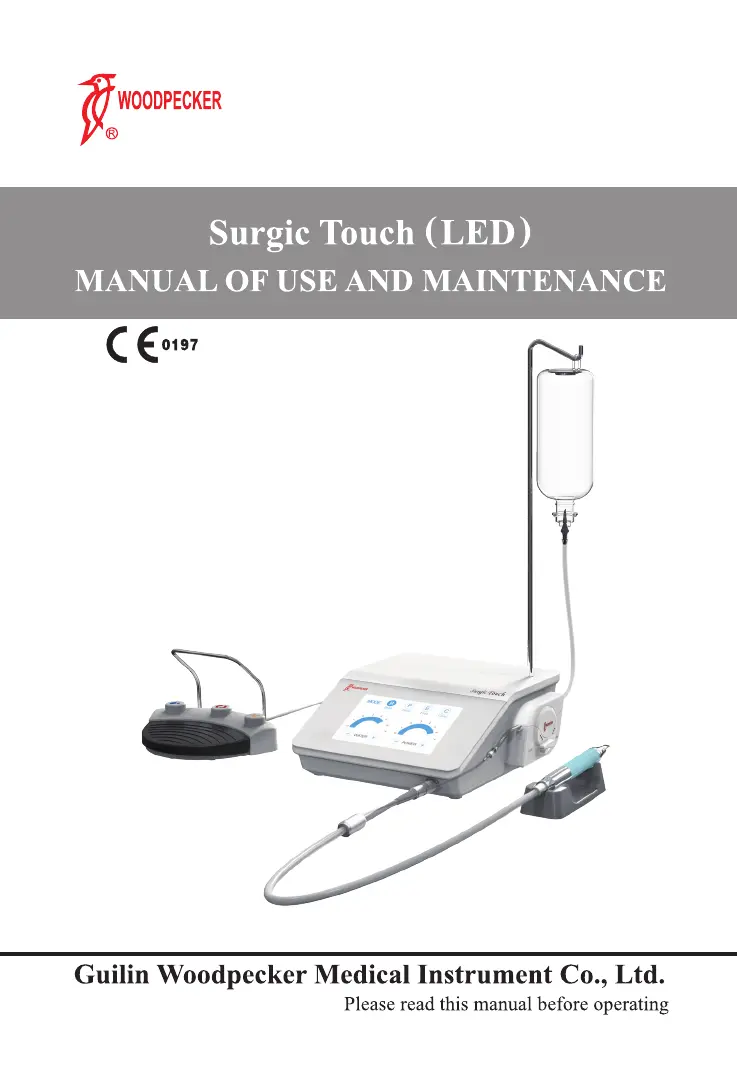
Woodpecker surgic touch (LED) - User Manual

Woodpecker surgic touch (LED)
38 pages
Print Icon
To Next Page IconTo Next Page
Loading...

Questions and Answers

  • F
    Felicia JimenezAug 13, 2025
    How to fix a Woodpecker surgic touch (LED) Dental equipment that does not turn on?
    • M
      Mary GillAug 13, 2025
      If your Woodpecker dental equipment isn't turning on, there are several things to check: * Ensure the power cable is firmly connected to the socket on the rear of the device. * Verify the power outlet is working properly and replace the power cable if it's faulty. * Replace the fuses if they have blown.
  • M
    Michael FarleyAug 17, 2025
    What to do if no liquid comes out of the Woodpecker dental equipment tip?
    • C
      cynthia16Aug 17, 2025
      If no liquid is coming out of the tip during operation, consider the following: * Ensure you are using a tip designed for liquid through-flow. * Check that the liquid bag is full and replace it if empty. * Verify that the pump cover connected to the water tube is closed. * Confirm that the drip system and pump tubes are correctly installed. * Ensure the tip is not clogged; if so, clear the passage.
  • S
    smithmichaelAug 21, 2025
    What to do if Woodpecker surgic touch (LED) Dental equipment shows WARN message and doesn't work?
    • S
      suttonseanAug 21, 2025
      If your Woodpecker dental equipment displays a 'WARN' message and isn't working, try these solutions: 1. Unscrew the tip and screw it back into place correctly to ensure it is properly fitted into the handpiece. 2. Replace the tip if it is worn, broken, or deformed. 3. Dry the connectors if they are wet.
  • R
    Robert WilkinsAug 25, 2025
    What to do if the Woodpecker dental equipment footswitch doesn't work?
    • J
      Jessica NormanAug 26, 2025
      If the footswitch of your Woodpecker dental equipment isn't working, make sure that the footswitch connector is properly plugged into the socket. If the footswitch still doesn't work after checking the connection, contact the nearest dealer or authorized Woodpecker service center.
  • M
    Melissa RodriguezAug 28, 2025
    How to fix messed up LCD screen on Woodpecker surgic touch (LED)?
    • N
      Nicole StewartAug 28, 2025
      If the LCD screen on your Woodpecker dental equipment is displaying a mess or is incomplete, it might be due to voltage interference. To resolve this, stop any operation, change the model, then return to the original model, or restart the machine.
  • S
    Sean OlsonSep 1, 2025
    How to stop whistling sound from Woodpecker Surgic Touch handpiece?
    • K
      Karen JohnsonSep 1, 2025
      If you hear a faint whistle coming from the Surgic Touch (LED) handpiece during operation, it's likely that the tip is not correctly tightened onto the handpiece. To fix this, unscrew the tip and screw it back into place correctly.
  • Q
    qmoranSep 5, 2025
    Why the pump is being forced in Woodpecker surgic touch (LED) Dental equipment?
    • E
      Elizabeth MendezSep 5, 2025
      If the device is working properly, but the pump is being forced, it may be due to too much pressure by the impeller on the tube in the peristaltic pump. Check that the tube in the peristaltic pump has been correctly inserted.
  • T
    Terry FosterSep 8, 2025
    Why liquid comes out of the Woodpecker surgic touch (LED) Dental equipment handpiece after pump stops?
    • M
      Melissa WilliamsSep 9, 2025
      If the pump is running correctly but liquid comes out of the handpiece after it stops, ensure that the door of the peristaltic pump is properly closed.

Summary

Introduction and Device Overview

Safety Requirements and Liability

Outlines conditions under which Woodpecker disclaims liability for injury or damage.

Safety Warnings and Precautions

General Safety Warnings

Consolidates critical safety warnings regarding personnel, intended use, contraindications, cleaning, accessories, and device checks.

Specific Safety Precautions

Covers safety for tip breakage, explosion risks, personnel injury, contraindications, and sterilization cooling.

Installation Procedures

Installation Safety Guidelines

Details critical safety measures for installing the apparatus, including electrical and environmental considerations.

Device Controls and Functions

Usage Safety and Instructions

Usage Safety Precautions

Consolidates safety instructions during use, including contraindications and infection control.

Electrical and Operational Safety

Advises on dry contacts, correct footswitch use, and using specific tips for spray treatment.

Cleaning, Disinfection, and Sterilization

Preparation for Cleaning and Sterilization

Outlines basic principles for effective cleaning and sterilization, emphasizing validated equipment.

Automated Cleaning Procedure

Describes automated cleaning for accessories using a washer-disinfector and lists criteria for system selection.

Manual Cleaning Procedure

Provides steps for manual cleaning, including agent selection, disassembly, brushing, and rinsing.

Sterilization Methods and Maintenance

Handpiece Cleaning and Sterilization

Provides specific warnings, procedures, and guidelines for handpiece cleaning and sterilization.

Sterilization Methods and Restrictions

Lists permissible steam sterilization procedures, temperature limits, and prohibits other methods.

Regular Maintenance and Fuse Replacement

Troubleshooting and Technical Data

Troubleshooting Common Issues

Presents a table to help diagnose and resolve common problems encountered with the device.

Device Operation and WARN Messages

Covers troubleshooting for issues like the device not turning on, WARN messages, and no liquid output.

Pump, Power, and Display Issues

Addresses problems with pump forcing, insufficient power, liquid leakage, and screen display errors.

Service, Environment, and Manufacturer Rights

Protection Systems and Alarms

Details protection systems, tripping times for various faults, alarm indications, and electric shock protection types.

Woodpecker surgic touch (LED) Specifications

General IconGeneral
BrandWoodpecker
Modelsurgic touch (LED)
CategoryDental equipment
LanguageEnglish

Related product manuals