EasyManua.ls Logo

Woodpecker Endo Smart+ - User Manual

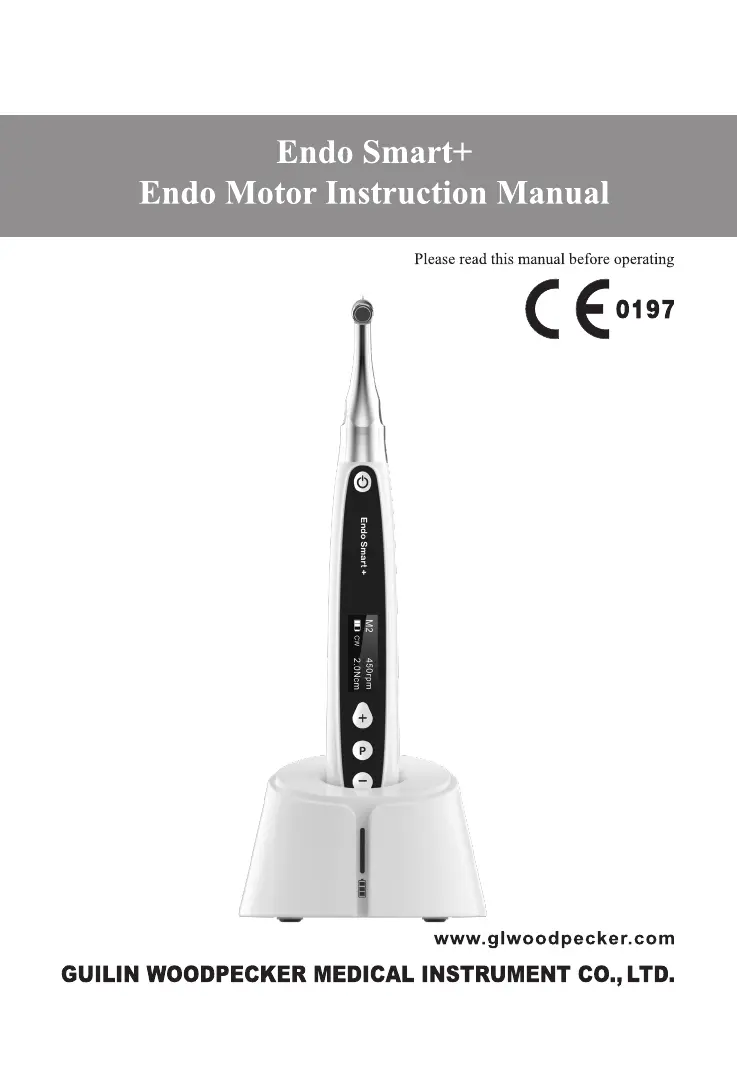
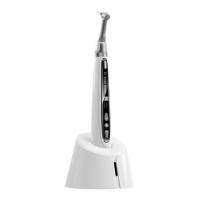
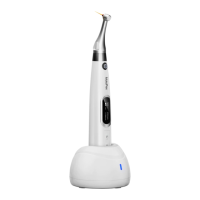
Woodpecker Endo Smart+
45 pages
Print Icon
To Next Page IconTo Next Page
Loading...

Questions and Answers

  • T
    Timothy WilliamsJul 27, 2025
    What to do if the continuously rotating file is stuck in the root canal (Woodpecker Dental equipment)?
    • M
      Mariah SmithJul 27, 2025
      If the continuously rotating file gets stuck, it may be due to an incorrect specification setting or too high load torque on the file. Choose CCW Mode, start the motor handpiece, and take the file out.
  • C
    Christina LaraAug 1, 2025
    Why is my Woodpecker Dental equipment beeping continuously after starting the motor handpiece?
    • S
      samanthawilliamsAug 1, 2025
      The continuous beeping indicates that the motor handpiece is in CCW mode. To resolve this, stop the motor handpiece and change the operating mode to CW Mode.
  • C
    Caitlin CamachoAug 5, 2025
    What to do if my Woodpecker Endo Smart+ has no sound?
    • K
      Keith BarnesAug 5, 2025
      If there is no sound, it could be that the beeper volume is set to 0 (Mute). Set the beeper volume to 1, 2, or 3.
  • E
    Elizabeth PooleAug 9, 2025
    What to do if contra angle calibration fails on Woodpecker Endo Smart+ Dental equipment?
    • B
      Benjamin DavisAug 9, 2025
      Calibration failure can be caused by strong resistance of the contra angle. Clean the contra angle, and recalibrate after oil injection.
  • M
    mary68Aug 13, 2025
    What to do if the motor handpiece of Woodpecker Endo Smart+ Dental equipment is heating up?
    • R
      Rhonda RuizAug 14, 2025
      If the motor handpiece is heating, especially in Reciprocating Motion Mode, it may be due to prolonged use. Stop use and allow the motor handpiece's temperature to drop before resuming.
  • B
    Benjamin SavageAug 18, 2025
    What to do if Woodpecker Dental equipment has no response while connected to Apex locator?
    • S
      sean47Aug 18, 2025
      If the device has no response when connected to a compatible Apex locator, it might be due to poor contact or damage to the USB wire. Unplug and plug the USB wire again to ensure a firm connection. If the issue persists, contact the supplier to replace the USB wire.
  • E
    Eric CollierAug 22, 2025
    Why does the time of endurance become shorter after charging Woodpecker Endo Smart+ Dental equipment?
    • Z
      Zachary SmithAug 23, 2025
      The reduced endurance after charging suggests that the battery capacity has diminished. Please contact your local distributor or the manufacturer for assistance.

Summary

1 Product Introduction

1.1 Preface

Company profile and product range.

1.2 Product Description

Description of the cordless endo motor and its features.

1.3 Model and Specification

Model name and reference to packing list for configurations.

1.4 Performance and Composition

Lists main components of the device.

1.5 Scope of Application

Defines the intended use for root canal preparation and measurement.

1.6 Contraindications

Lists conditions and patient types for whom the device is contraindicated.

1.7 Warnings

Provides critical safety warnings for device operation and handling.

1.8 Device Safety Classification

Details the device's safety classification and standards.

1.9 Primary Technical Specifications

Lists key technical specifications like battery, power adapter, torque, and speed.

1.10 Working Environment Parameters

Specifies the recommended environmental conditions for operation.

2 Installation

2.1 Basic Accessories of Product

Lists the basic accessories included with the product.

2.2 Display Screens

Describes the different display screens and their modes.

2.3 Contra Angle Instructions

Provides guidance on the contra-angle's transmission and maintenance.

2.4 Contra Angle Installation and Removal

Details the procedure for installing and removing the contra-angle.

2.5 File Installation and Removal

Explains how to install and remove files from the contra-angle.

2.6 Insulation Sleeve Handling

Instructions for handling disposable isolation sleeves.

3 Function and Operation of Product

3.1 Button Definition and Settings

Explains the function of each button and general settings.

3.2 Screen Display

Details the information shown on the standby and working interfaces.

3.3 Terms and Definitions

Defines key terms like CW, CCW, REC, and ATR modes.

4 Operation Instruction

4.1 Power On and Power Off

Instructions for starting and stopping the motor handpiece.

4.2 Program Selection

How to select customized and preset programs.

4.3 Parameter Setting

Guide to setting operational parameters like mode, speed, torque, and angles.

4.4 Automatic Functions

Details on Apical Action, Auto Start, Auto Stop, and Apical Slow Down.

4.5 Handpiece Functions Setting

How to configure software version, auto power off, standby, and dominant hand.

4.6 Automatic Reverse Function

Explains the auto-reverse protective function and its modes.

4.7 Motor Operation Modes

How to operate the motor in alone mode or combined with apex locator.

4.8 Battery Charging

Instructions for charging the device's battery.

4.9 Battery Replacement

Steps for replacing the device's battery.

4.10 Contra Angle Oiling

Procedures for lubricating the contra-angle.

5 Troubleshooting

Common Failures and Solutions

Lists common issues, their possible causes, and corrective actions.

6 Cleaning, Disinfection and Sterilization

6.1 Foreword

Importance of cleaning, disinfection, and sterilization for hygiene.

6.2 General Recommendations

General advice on approved disinfectants and handling.

6.3 Component Cleaning & Disinfection

Steps for cleaning and disinfecting the handpiece, adapter, and base.

6.4 Parts Cleaning, Disinfection & Sterilization

Procedures for cleaning, disinfection, and sterilization of smaller parts.

7 Storage, Maintenance and Transportation

7.1 Storage

Recommended conditions for storing the equipment.

7.2 Maintenance

Guidance on device maintenance and calibration.

7.3 Transportation

Precautions for transporting the device.

8 Environmental Protection

9 After Service

10 Symbol Instruction

11 Statement

12 EMC - Declaration of Conformity

Woodpecker Endo Smart+ Specifications

General IconGeneral
TypeEndodontic motor
Speed Range100-1200 rpm
BatteryRechargeable lithium-ion
DisplayOLED
Auto-ReverseYes
Apex Locator IntegrationYes
Adapter Working Voltage100-240V, 50-60Hz

Related product manuals