EasyManua.ls Logo

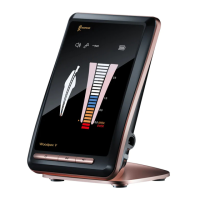
Woodpecker Woodpex V - User Manual

Woodpecker Woodpex V
44 pages
Print Icon
To Next Page IconTo Next Page
Loading...
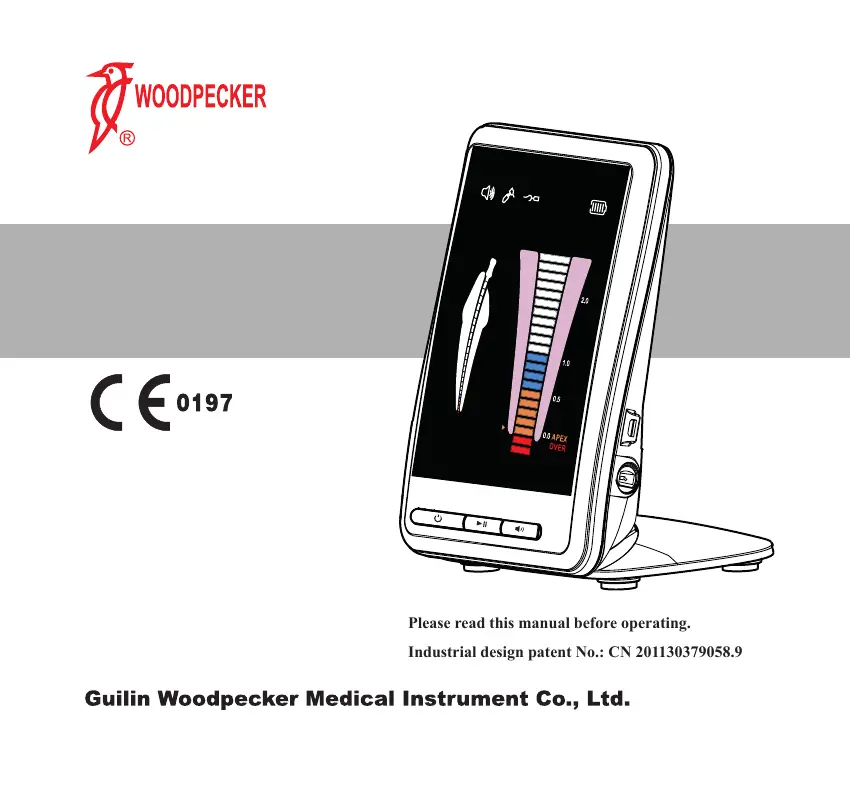
Please read this manual before operating.
Industrial design patent No.: CN 201130379058.9
Apex locator
Instruction Manual

Questions and Answers

  • J
    Jay HallAug 12, 2025
    What to do if the charging LED indicator goes out on my Woodpecker Woodpex V Dental equipment?
    • B
      Brandon GreeneAug 12, 2025
      If the charging LED indicator goes out, several factors could be at play. First, ensure the adapter is properly connected. If that's not the issue, the adapter might be faulty, especially if it's not the original one; in that case, switch to the original adapter. Another possibility is that the battery isn't correctly installed, so try reinserting it before reconnecting the adapter. Finally, the battery itself might be damaged, requiring a replacement before reconnecting the adapter.
  • J
    johnsonbrianaAug 16, 2025
    Why is the display not steady while measuring with my Woodpecker Dental equipment?
    • B
      Brandy MartinAug 16, 2025
      Several factors can cause an unsteady display during measurement. Make sure the lip hook has good contact with the oral mucosa. Clean away any blood or liquid that might be overflowing or stuck to the crown. If the root canal is filled with blood or liquid, push the needle to the apical root canal. Also, clean any liquid or debris from the tooth surface, and ensure the endo needle isn't touching the gums, as this can cause an 'OVER' display.
  • A
    Angela RobertsAug 20, 2025
    How to fix if the length of the root canal cannot be measured on Woodpecker Woodpex V?
    • K
      kathleenhicksAug 20, 2025
      If you're unable to measure the root canal length, check the measuring wire connection. Ensure it's firmly plugged in. Also, link the lip hook with the file clip to confirm that the measuring wire isn't broken.
  • R
    Rebecca BennettAug 25, 2025
    What to do if my Woodpecker Woodpex V has no power and no signal on the screen?
    • C
      Cory MendozaAug 25, 2025
      If there's no power and no signal on the screen, start by checking if the battery is correctly placed. If not, reinstall it. If the battery is correctly installed, the battery may be drained. Recharge the battery to resolve the issue.
  • S
    Shelley SmithAug 27, 2025
    What causes an irregular numerical display on Woodpecker Woodpex V Dental equipment?
    • D
      Diane CaldwellAug 27, 2025
      An irregular numerical display can stem from several issues. If there's still pulp in the root canal, the measurement may be inaccurate. Similarly, if the needle touches metal repair material, the screen may display 'OVER'. Caries on the adjacent surface can also disrupt the measurement. Furthermore, if there's a collateral issue or the tooth root is broken, the display may show 'OVER'. Using a rubber dam can help prevent current flow to the gums if the tooth crown is low or there are residues.
  • K
    Kristina MartinezAug 31, 2025
    Why does the length measurement indicator only fully display near the narrow part of the apical on my Woodpecker Dental equipment?
    • W
      woodritaAug 31, 2025
      If the length measurement indicator only shows a full display near the narrow part of the apical, it could be because the root canal is occlusive. The display should return to normal once you penetrate the narrow part. Alternatively, if the root canal is too dry, try wetting it with normal saline or sodium hypochlorite solution. If the endo file is too small for a large root canal, consider replacing it with a larger one.
  • D
    Daniel FryeSep 4, 2025
    Why does the display of my Woodpecker Dental equipment fluctuate during measurement?
    • M
      Morgan BruceSep 4, 2025
      Fluctuations during measurement can occur for several reasons. If cysts are present apically, accurate root canal length measurement might be impossible. Also, ensure the file clip is clean; if it's not, clean it with alcohol, or replace it if broken. Check the measuring wire for damage or poor contact by directly contacting both ends of the measuring wire; the display should read '-3' if it is working properly.
  • J
    Julie WellsSep 8, 2025
    How to turn on the alarm sound on Woodpecker Dental equipment?
    • T
      timothy20Sep 8, 2025
      If there is no alarm sound, check if the volume is set to “mute”. If so, adjust the sound level to your desired setting.

Summary

Apex Locator Product Information

Device Description and Features

Details the apex locator's parts, including the main unit and accessories, with visual references.

Model, Dimensions, and Components

Details the product model (Woodpex V), physical dimensions, weight, and pictures of the main unit.

Main Accessories and Overall Structure

Lists and shows pictures of main accessories and describes the overall product structure.

Intended Use and Contraindications

Specifies the medical applications of the apex locator and lists conditions where its use is contraindicated.

Technical Specifications and Classification

Provides detailed technical specifications including power, screen, software version, and device classification.

Installation and Operation Guidance

Pre-Operation Notices and Precautions

Crucial instructions for safe and accurate operation, including reading the manual and handling the device.

Installation and Connection Steps

Step-by-step guide for connecting the measuring wire, file clip, and optional Endo Motor.

Measuring Process and Working Length Determination

Explains how to determine the working length, interpret readings, and use the device for measurement.

Device Testing and Apical Stop Setting

Procedures for testing the device's functionality and configuring the apical stop setting.

Charging Procedures and Usage Cautions

Instructions for charging the battery and important operational cautions.

Troubleshooting, Cleaning, and Sterilization

Troubleshooting Common Problems

Addresses frequent issues like power, measurement, and alarm problems with their solutions.

Cleaning and Disinfection Protocols

Detailed steps for cleaning and disinfecting the device accessories according to standards.

Sterilization and Drying Procedures

Methods for sterilizing accessories using steam and drying them properly.

Storage, Maintenance, and Compliance

Storage, Maintenance, and Transportation

Guidelines for proper storage, routine maintenance, and safe transportation of the device.

Environmental Protection and Support Information

Information on environmental disposal, authorized representative, and after-sales service.

Symbol Instructions and Product Statements

Explains symbols used in the manual and provides legal statements.

EMC Declaration and Electromagnetic Environment Guidance

Details electromagnetic compatibility testing, compliance levels, and usage environment guidance.

Woodpecker Woodpex V Specifications

General IconGeneral
BrandWoodpecker
ModelWoodpex V
CategoryDental equipment
LanguageEnglish

Related product manuals