EasyManua.ls Logo

Woods WDD80 - User Manual

Woods WDD80
32 pages
Print Icon
To Next Page IconTo Next Page
Loading...
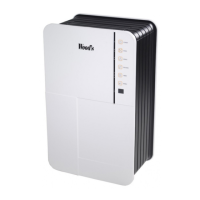
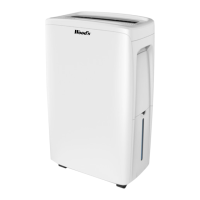
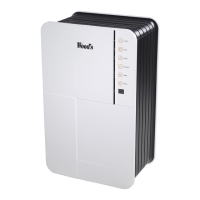
Wood’s adsporption dehumidier WDD80
Users manual

Questions and Answers

  • N
    Nicholas WardJul 27, 2025
    Why my Woods Dehumidifier doesn’t work?
    • E
      ewilliamsJul 27, 2025
      Your Woods Dehumidifier might not be working due to several reasons: check if the power cord is properly connected to a power outlet. The room temperature could be outside the operating range (over 37°C or below 1°C), so adjust the temperature accordingly. Also, the unit's internal temperature might be abnormally high; in this case, unplug it and wait at least 10 minutes before restarting.
  • C
    Catherine PowellAug 4, 2025
    What to do if my Woods WDD80 Dehumidifier alarm is sounding?
    • K
      kimglassAug 4, 2025
      If the alarm on your Woods Dehumidifier is sounding, it could indicate a couple of things. First, check if the water bucket is full and empty it. If the bucket isn't full, there might be a malfunction of the unit.
  • F
    frank10Aug 11, 2025
    How to fix a Woods WDD80 Dehumidifier that doesn’t start?
    • L
      Lisa PorterAug 11, 2025
      If your Woods Dehumidifier isn’t starting, the filter might be blocked, so you should clean it. Another possibility is that the air inlet or outlet is jammed; clear any blockage to resolve this.
  • E
    Eric GatesAug 18, 2025
    Why is my Woods WDD80 making abnormal noise?
    • A
      Andrea AvilaAug 19, 2025
      Abnormal noise from your Woods Dehumidifier can be due to a couple of reasons. Ensure the unit is placed on a flat and solid surface. Also, a blocked filter might cause unusual sounds; try cleaning it.

Summary

Technical Drawings and Overview

Control Panel Overview

Visual guide to the dehumidifier's control panel layout and functions.

Water Hose Connection Diagram

Diagram illustrating how to connect the water hose for continuous drainage.

Safety and Installation Guidance

General Safety Warnings

Covers electrical safety, placement near water, heat sources, and proper handling.

Indoor Use and Bathroom Restriction

Specifies the appliance is for indoor use only, excluding bathrooms.

Placement and Installation Steps

Recommendations for optimal placement and connecting the unit to power.

Operating and Maintaining the WDD80

Hygrostat Control and Auto Restart

Explains humidity-controlled operation and unit behavior after power failure.

Key Operating Functions

Covers starting, setting humidity, fan speed, timer, air angle, and ionizer.

Water Drainage Methods

Details water collection in the bucket and continuous drainage via hose.

Air Filter Importance and Cleaning

Explains the air filter's role and provides instructions for cleaning.

Unit Maintenance and Servicing

Guidance on cleaning the unit and procedures for service and warranty claims.

Hints for Optimal Performance

Tips on temperature, airflow, humidity levels, and drying clothes.

Troubleshooting and Disposal

Troubleshooting Common Issues

Addresses common problems like the unit not working, starting, noise, or alarms.

Environmental and Disposal Information

Explains WEEE directive and responsible disposal of the product.

Contact Information

Company Contact Details

Provides marketing and distribution company information and contact methods.

Woods WDD80 Specifications

General IconGeneral
Power Consumption590 W
Dimensions300 x 200 x 450 mm
Weight25 Kg
Operating Range Temperature5°C - 35°C
Water Tank Capacity2 liters
Dehumidification Capacity8 liters/day

Related product manuals