5
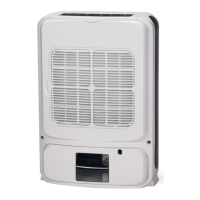
5. The air lter
The air lter prevents dust and dirt
from entering the machine, prolong-
ing its life expectancy.
It is very important that the
lter is cleaned regularly;
otherwise the dehumidier
might lose capacity and even
be seriously damaged.
Filter cleaning
1. Remove the lter from the back of
the unit.
2. Clean the lter with a soft cleaner
and warm water. Let the lter dry fully
before reinserting it. The lter can
also be vacuum-cleaned.
3. Reinsert the lter.
6. Maintenance
- Clean the unit with a soft moist
cloth. Do not use solvents or strong
cleaners as this might damage the
surface of the unit.
- The top grids can be vacuum-clea-
ned or cleaned with a brush.
7. Service
If the dehumidier requires servicing,
you must rst contact your local retai-
ler. Proof of purchase is required for
all warranty claims.
8. Warranties
2 years product warranty. Please
note that the warranty is only valid
upon the production of the receipt.
NOTE: Register your product on
www.woodseurope.com to receive
more benets and to get the best
warranty protection on your pro-
duct.
This machine complies with EEC
directives 76/889 + 82/499
9. Hints
Sometimes it may be useful to use
a frost guard or heater fan to make
sure that the temperature does not
fall below +5˚C. Even if the WDD80
works down to temperatures as low
as +1°C, its capacity will increase
at higher temperatures as warm air
carries more water.
For maximum dehumidifying power
in a room, it is recommended that
the air supply from outside and from
adjoining rooms is minimized – close
doors and ventilators.
Expect higher dehumidication
capacity during Autumn / Summer
because the outside air is warmer
and more humid.
To achieve a safe and reliable pro-
tection against mould and moisture
damage, keep the relative humidity
between 50% and 60%.
For maximum drying capacity of
washing or clothes, choose fan
speed HIGH and press the air angle
button to direct the air ow.
The unit has a protection against
internal overheating. If the internal
temperature is too high, the unit will
automatically shut off. Unplug the
unit from the power outlet and wait
10 min before restarting it.
Trouble shooting
If you are having trouble with your dehumidier, please refer to below trouble shooting.
If nothing of the below works, please contact your retailer for servicing of your dehumidier.
Trouble Cause Solution
The dehumidier
doesn’t work
Is the power cord connected? Connect the unit to a power outlet
Is the room temperature over 37°C or
below 1°C?
Increase or decrease room
temperature
The units internal temperature might be
abnormally high.
Unplug the unit and wait at least 10
minutes before restarting it.
The unit doesn’t start Is the lter blocked? Clean the lter
Is the air inlet or air outlet jammed? Clear the blockage
No air inlet Is the lter blocked? Clean the lter
Abnormal noise Is the unit inclined? Move the unit to a at and solid ground
Is the lter blocked? Clean the lter
Alarm sounding There might be a malfunction of the unit. Contact your retailer.
Water bucket is full Empty the water bucket
English


 To Next Page