11
Operation guide
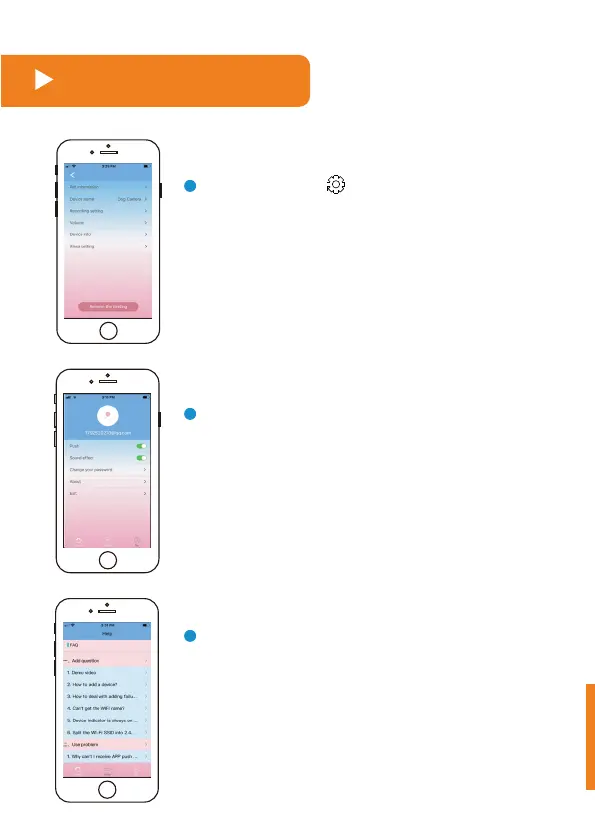
Press the button in the top right corner of
the tossing food interface to enter the "Set"
interface, then set the relevant items.
Press the button "My" in the bottom right corner
to exit the tossing food interface, and enter the "Set"
interface, then set the relevant items.
In case any issue occurs with this equipment and
you don't understand the specific handling method
at this time, please press the "Service" button and
send your questions to us. We will reply by email
as soon as possible.



 To Next Page