7
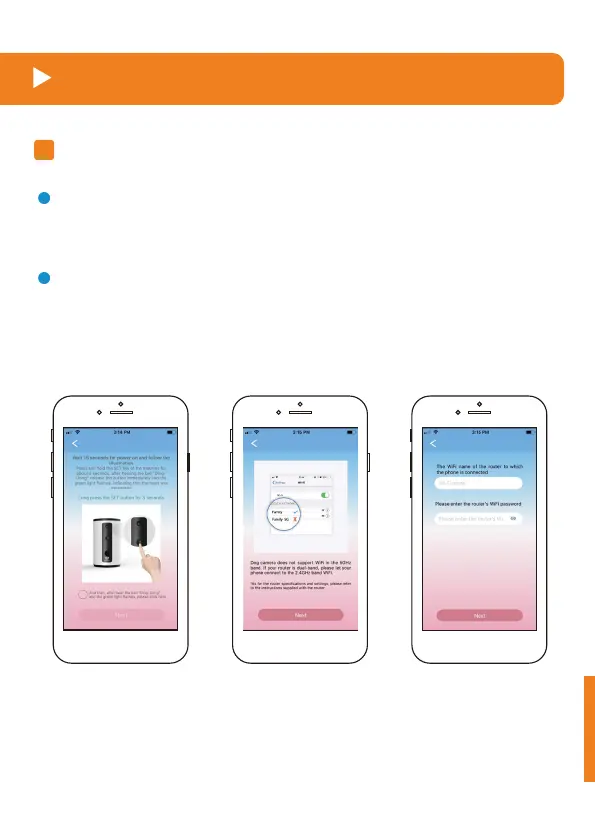
Long press the button "Set" for 5 seconds. After hearing the beep,
select the mark "O" and click the button "Next".
Connect your phone, WiFi, and device
Connect WiFi and WOpet APP
1
Input the WiFi account number and password connected to the current
device.
This equipment doesn't support the 5G network at present.
Note:
2
a.



 To Next Page