(
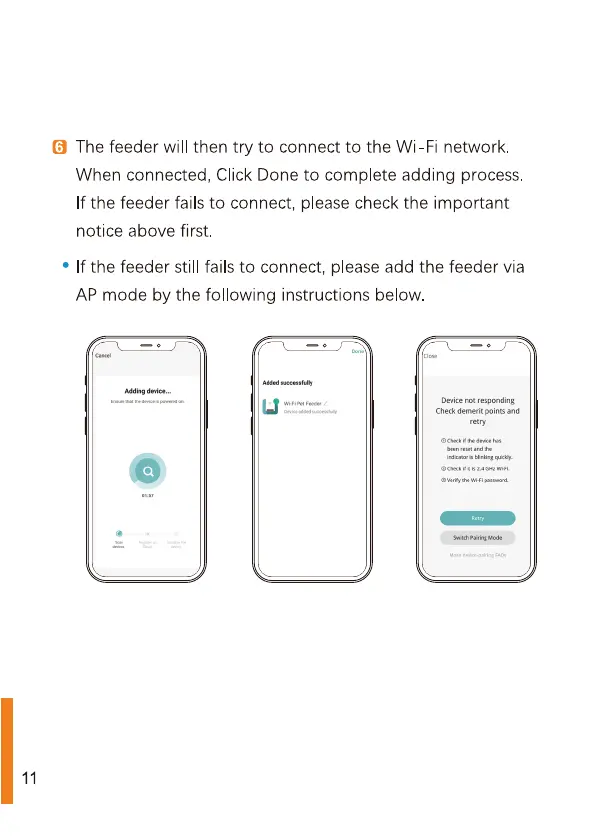
The feeder will
then try
to
connect
to
the Wi-Fi network.
When connected, Click Done
to
complete adding process.
If the feeder fails
to
connect, please check the important
notice above first.
°
If the feeder still fails
to
connect, please add the feeder via
AP mode by the following
instructions
below.
Adding device...
ha
the
devices
powered
on
11
‘Added
successfully
(J
WiFiPet
Feeder
Device
not responding
sided
Check
demerit
points
and
retry
©
check
if
the device
has
been reset and the
Indicator is blinking quickly
©
check
fits
2.4
GHzWHF
verity the WiFi password,
‘Switch Pairing Mode



 To Next Page