@ ADD
PET FEEDER
VIA AP MODE
@ If the feeder
fails
to
connect
to
the Wi-Fi
network,
the
AP mode
is plan B
for adding the feeder.
°
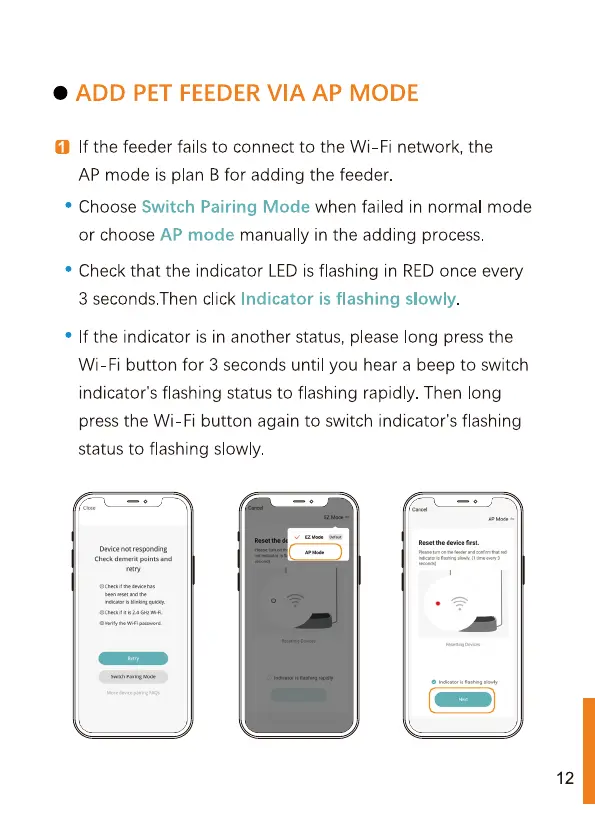
Choose Switch Pairing Mode when failed in normal mode
or
choose
AP mode manually
in the
adding
process.
°
Check that
the indicator LED
is flashing
in RED
once
every
3 seconds.Then
click Indicator is flashing
slowly.
°
If the indicator is in another status, please long press the
Wi-Fi button for 3 seconds until you hear a beep
to
switch
indicator's flashing status
to
flashing rapidly. Then long
press the Wi-Fi button again
to
switch indicator's flashing
status
to
flashing
slowly.
Device
not
responding
Check demerit points and
12



 To Next Page