Press to set the “hour”
of the time, Press
to set the “hour”. Press
to move to set the“ minute”
of the time. Press to
save.
5
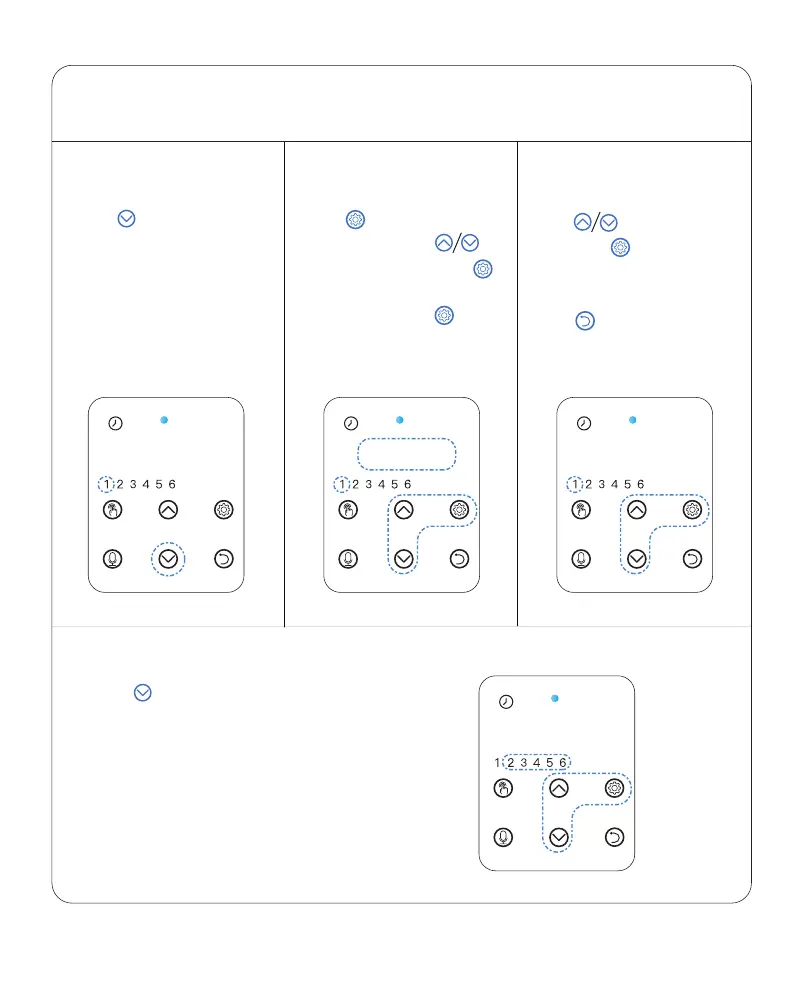
Press then "1" flashes
to set up the first meal.
Press to modify if needed.
Note:
Press to set up portion
then press button to save.
STEP 2
—Setting Meal
STEP 2.1 STEP 2.2 STEP 2.3
Press to move to set other meals.
Repeat above step to set up meal
time and portion.
STEP 2.4
00:00 10:00 P-:02
11:00



 To Next Page