7
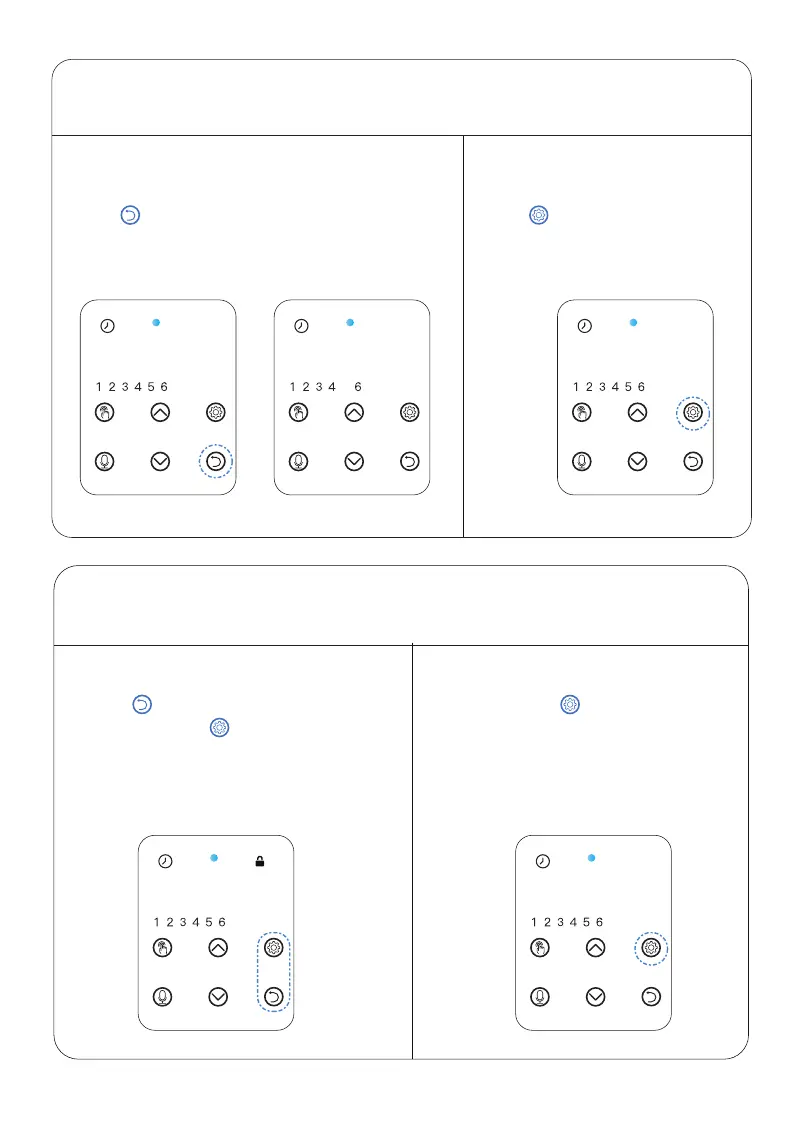
Press to modify local time,
feeding time and portion if needed.
Press to return to interface when setting
up as shown in fig.(01).
(Numbers NOT displayed when portion set to 0
as shown in fig.(02)).
Press to return to interface when
setting up, press for 2s to lock the
screen, the lock icon will display.
(Note: Locks automatically after 2 min
of inactivity).
Lock:
STEP 3
—Return to Interface
STEP 4
— Locking & Unlocking
STEP 3.1 STEP 3.2
08:45 08:45 09:00
Press and hold for 2s to unlock the
screen, the lock icon will disappear.
Unlock:
09:05
fig.(01) fig.(02)
09:05



 To Next Page