USER
INSTRUCTIONS
6
PRE-SET PROGRAMS
FITTING & OPERATING INSTRUCTIONS FOR WORCESTER BOSCH
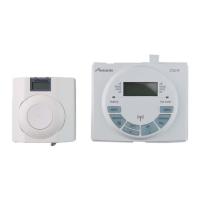
TWIN CHANNEL DT20 PROGRAMMER
8-716-106-647 issue b (11.04) UK
USER
INSTRUCTIONS
7
SETTING PROGRAMS
FITTING & OPERATING INSTRUCTIONS FOR WORCESTER BOSCH
TWIN CHANNEL DT20 PROGRAMMER
8-716-106-647 issue b (11.04) UK
PRE-SET PROGRAMS
SETTING PROGRAMS
1st 1st 2nd 2nd 3rd 3rd
ON OFF ON OFF ON OFF
Central Heating:
MON to FRI
Time 6:30 8:30 12:00 12:00 16:30 22:30
SAT & SUN
Time 7:00 9:00 12:00 12:00 16:00 23:00
Hot Water:
MON to FRI
Time 6:30 8:30 12:00 12:00 16:30 22:30
SAT & SUN
Time 7:00 9:00 12:00 12:00 16:00 23:00
If you need to restore the factory
pre-set program times then:
1 Press the '-' and '+' buttons
together to restore the default
program times to those shown in
the table opposite.
The default ON/OFF periods pre-
programmed for CH and DHW are
shown in the table opposite.
Note: two ON/OFF periods can be
used instead of 3 by setting the 2nd
ON & OFF periods to 12.00 as
shown in the default program table.
One ON/OFF period can be
achieved by setting the 2nd and 3rd
ON & OFF periods to the same time.
Note: The clock time is pre-
programmed and should not
require adjustment.
See 'SETTING PROGRAMS' in the
USER INSTRUCTIONS section if
changes are required to the clock
time or pre-programmed settings.
Note: if you require different ON/OFF
times during the week, see Setting
individual days
Setting CH MON - FRI:
1 Press 'set?' until SET & 'PROG?'
are shown in the display
2 Press 'OK' to enter program
3 Press 'OK' to select MON-FRI
4 Press 'OK' to select CH
Note: speed up the display by holding
down the + or - buttons.
5 Press + or - to change the ON
time
6 Press set? to set the ON time and
select the OFF time
7 Press + or - to change the OFF
time
8 Press set? to set the OFF time and
select the next ON time
Repeat operations 5 to 8 to set the
2nd and 3rd CH ON/OFF times.
Note: after pressing set? for the 3rd
CH OFF time the display shows SET
HW MON-FRI
Setting HW MON - FRI
9 Press OK to select the first ON time
Repeat operations 5 to 8 to set the
1st, 2nd and 3rd HW ON/OFF times.
Note: after pressing set? for the 3rd
HW OFF time the display shows SET
MON . . . see next page
1
1
1
3
4
8
77
55
6
3rd CH OFF
9
2



 To Previous Page