18
3. USER INTERFACE
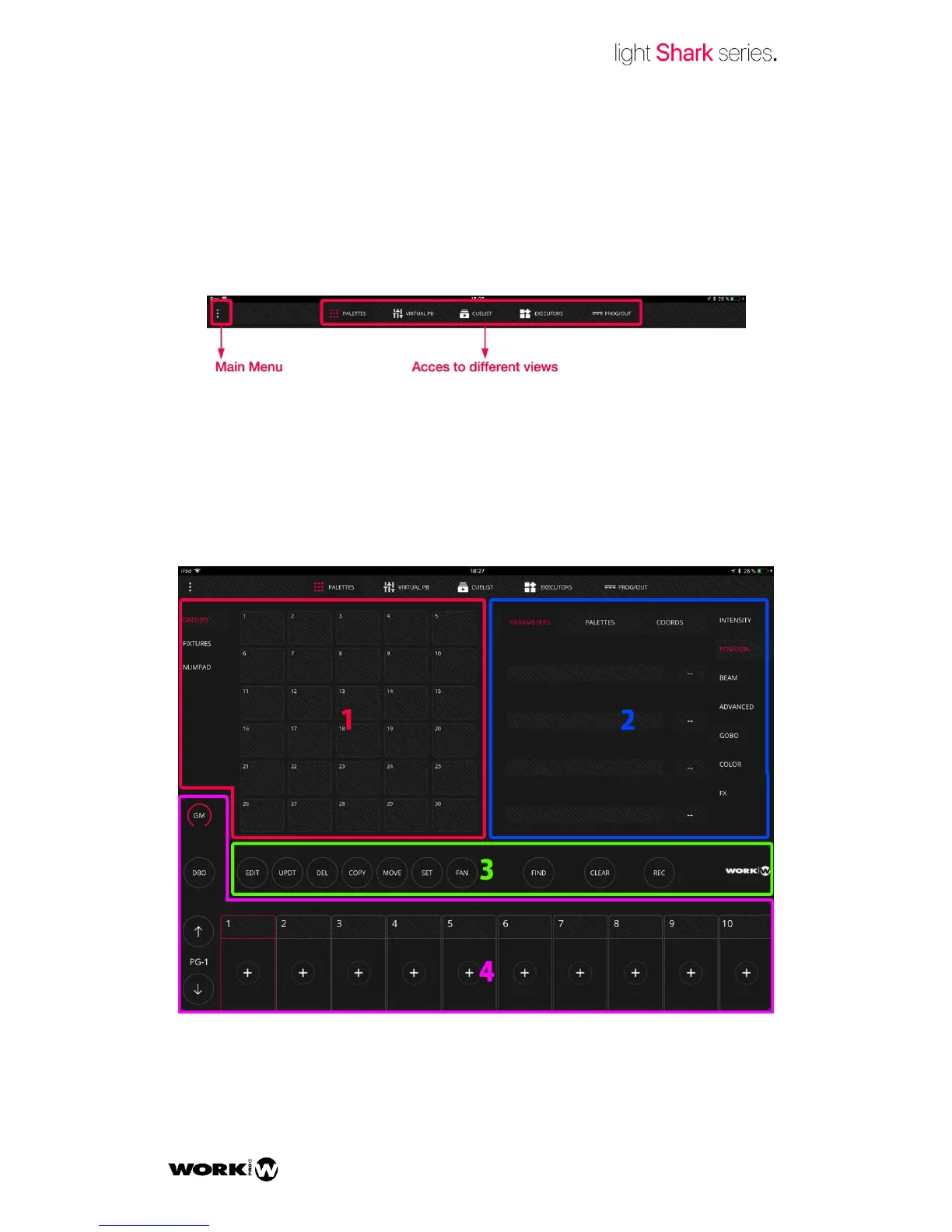
LightShark has a simple but complete User Interface. It is possible to control all the
device parameters, to record scenes and to run the shows. The interface consists of 5
different views and a main menu access:
Palettes
It is LightSharsk´s main view. From this window the user can select and control the
fixtures, and also record scenes or edit elements. The Palette Window is divided into
three sections:
1- Fixture Selection Area, where the user can select the desired fixtures through Groups,
the numeric keypad or individually.


 To Next Page