44
9. SCENE PLAYBACK
The Cuelists may be configured to be played as a Chase (they are automatically played)
or as a simple list of Cues. The main difference is that as a Chase, each of the Cue times
are determined by the speed of the whole Chase. When a Cueslist is configured as a
Cue Step, the times of each Cue are individually determined with their own delay and
fade times.
Playback options
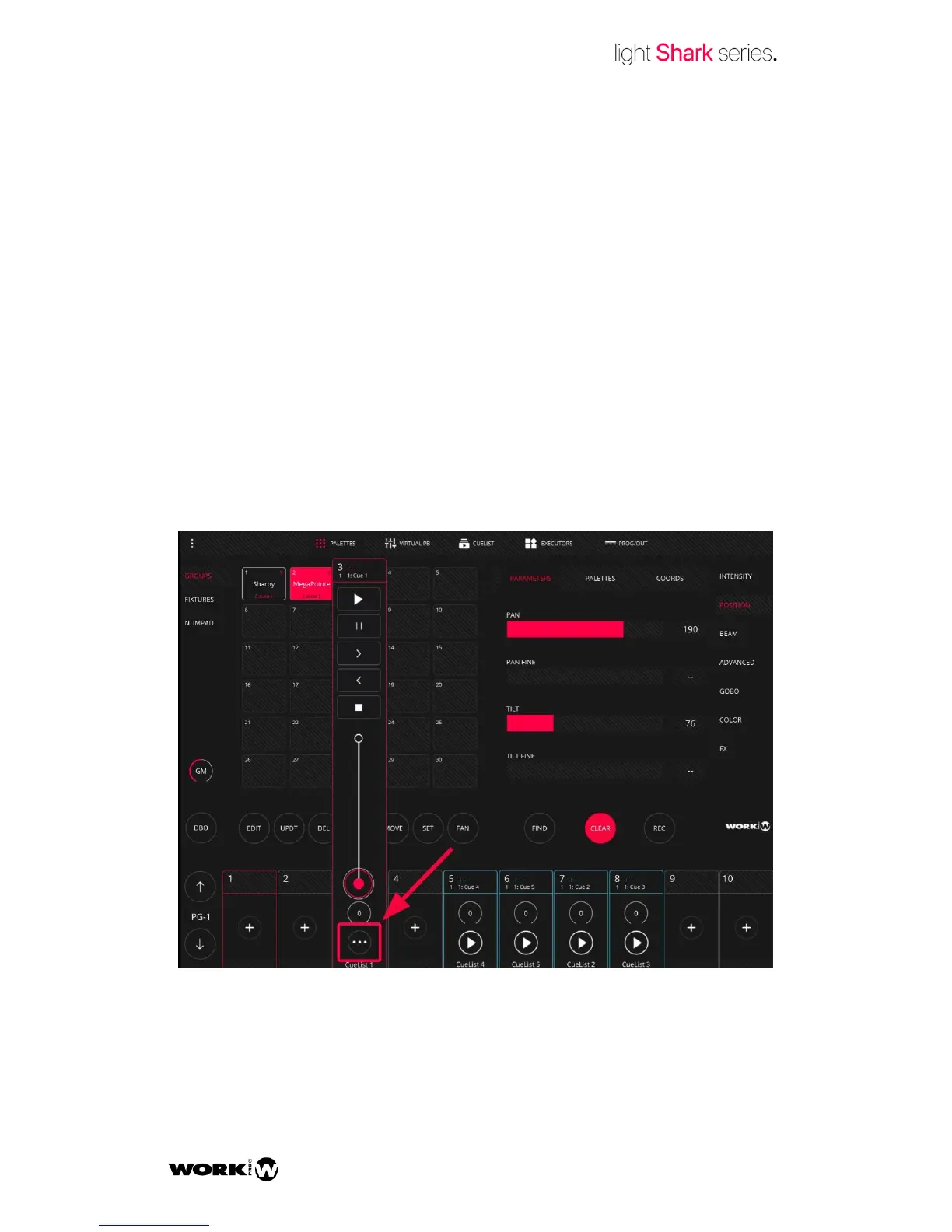
To play a Cuelist you only need to rise the fader on the Playback. LightShark is
configured to start running the Cuelist using the fader. This may be modified using the
Playback Option Menu.


 To Next Page