49
10. USE OF EXECUTORS
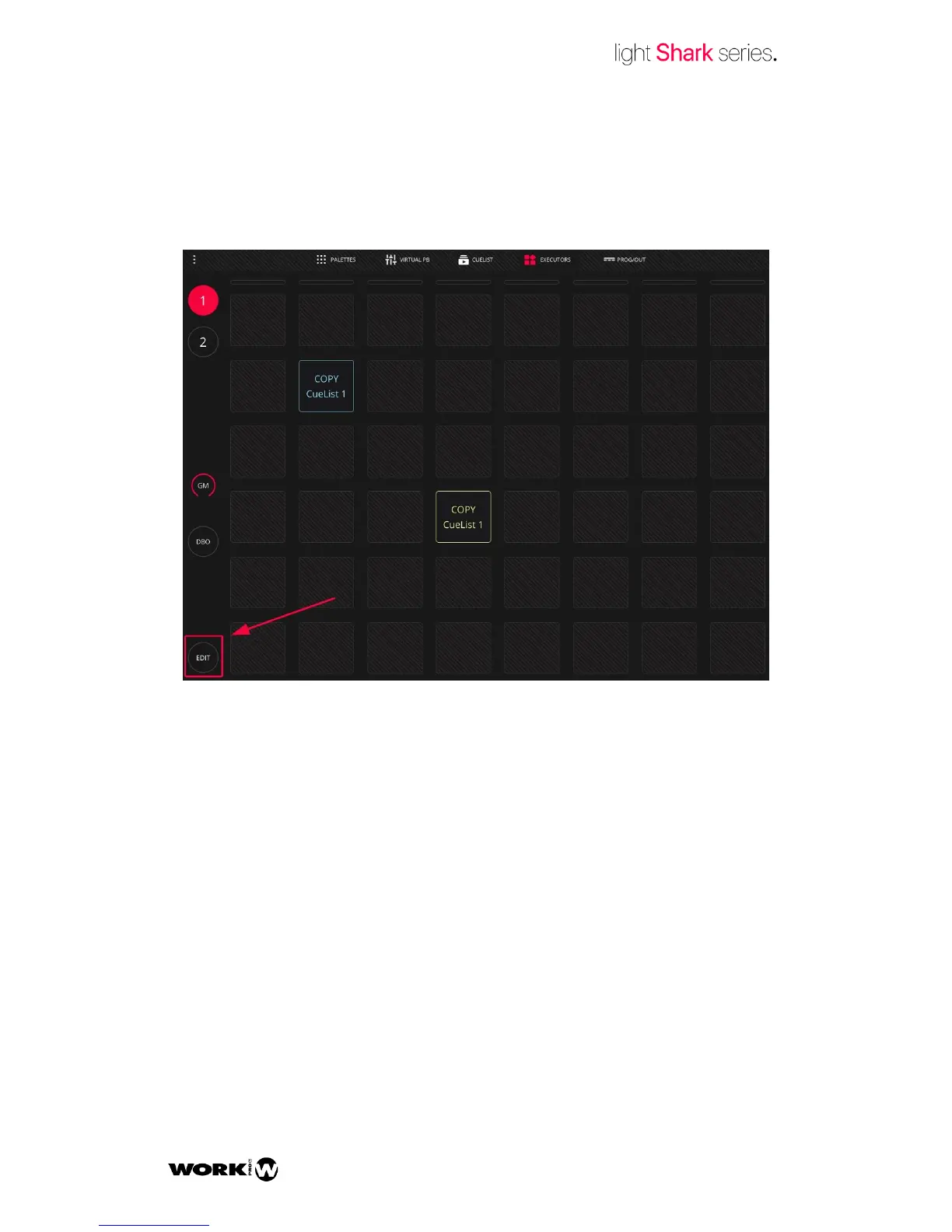
From the Execute window the user can configure a custom layout to trigger the Cuelists.
To add or remove Cuelists from the Execute window press the “Edit” button.
The Execute window is composed of a grid of 8x8 buttons. Each of the 8 vertical
columns can trigger one single Cuelist at the same time, so when selecting a Cuelist
from the same column, it deselects the previous one.


 To Next Page