28
Virtual Playback
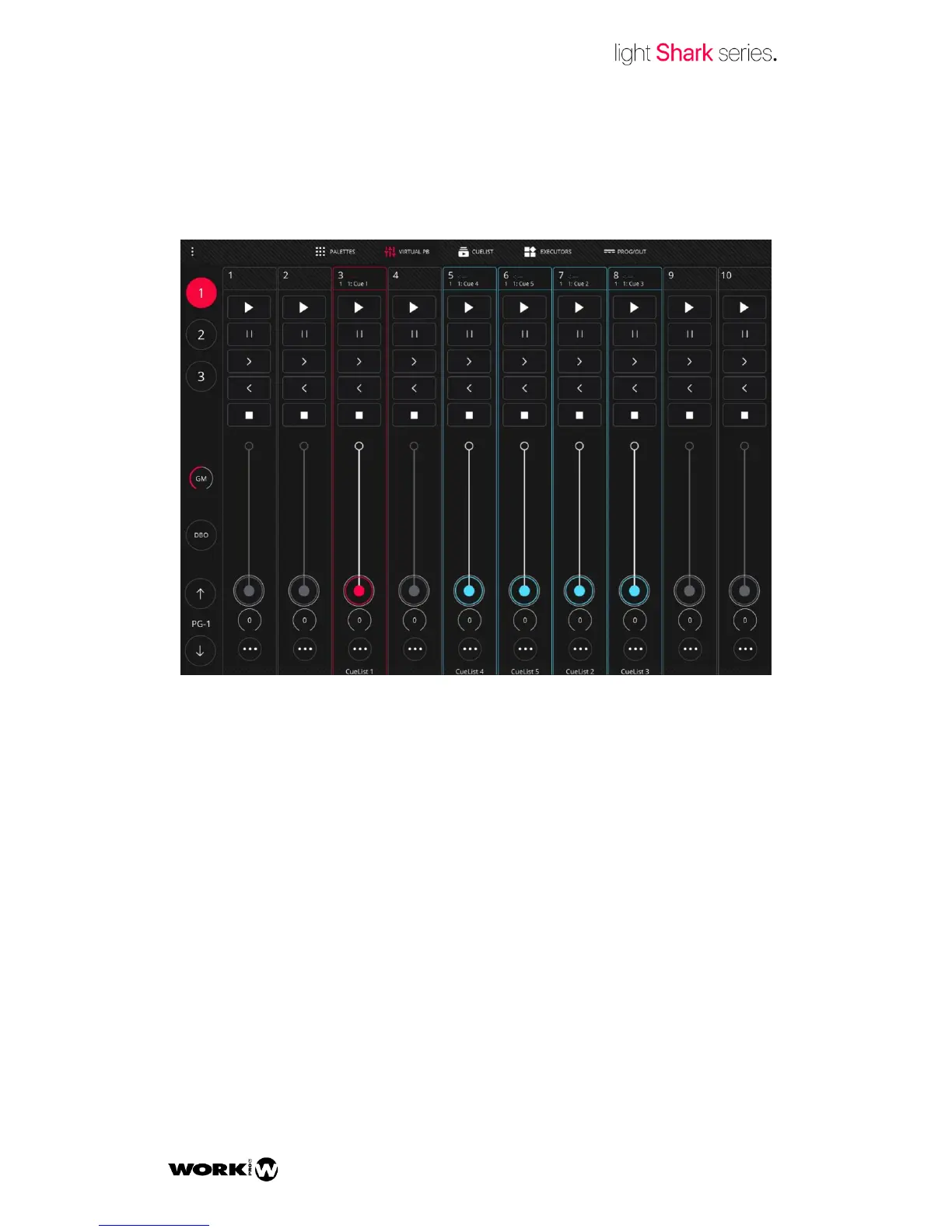
From the “Virtual Playback” view the user may access the Playbacks. This can be very
helpful when using the LS-Core or when a physical control device is not available.
The LightShark interface is multi-touch, so several Playbacks may be simultaneously
controlled from a tablet or any other device with this technology. Using the keys the
user may directly access the desired Wing without having to scroll.
The Playbacks may have 3 stages:
Empty: when no Cuelist is assigned, it shows in Grey. This is how all the
Playbacks are when starting a show from the very beginning.
Used: when a Cuelist is assigned, it shows in Blue.
Selected: when it is selected, it shows in Red.
The pages allow the user to predefine some Cuelist presetting using the Playbacks, so
they can be quickly loaded at any time.


 To Next Page