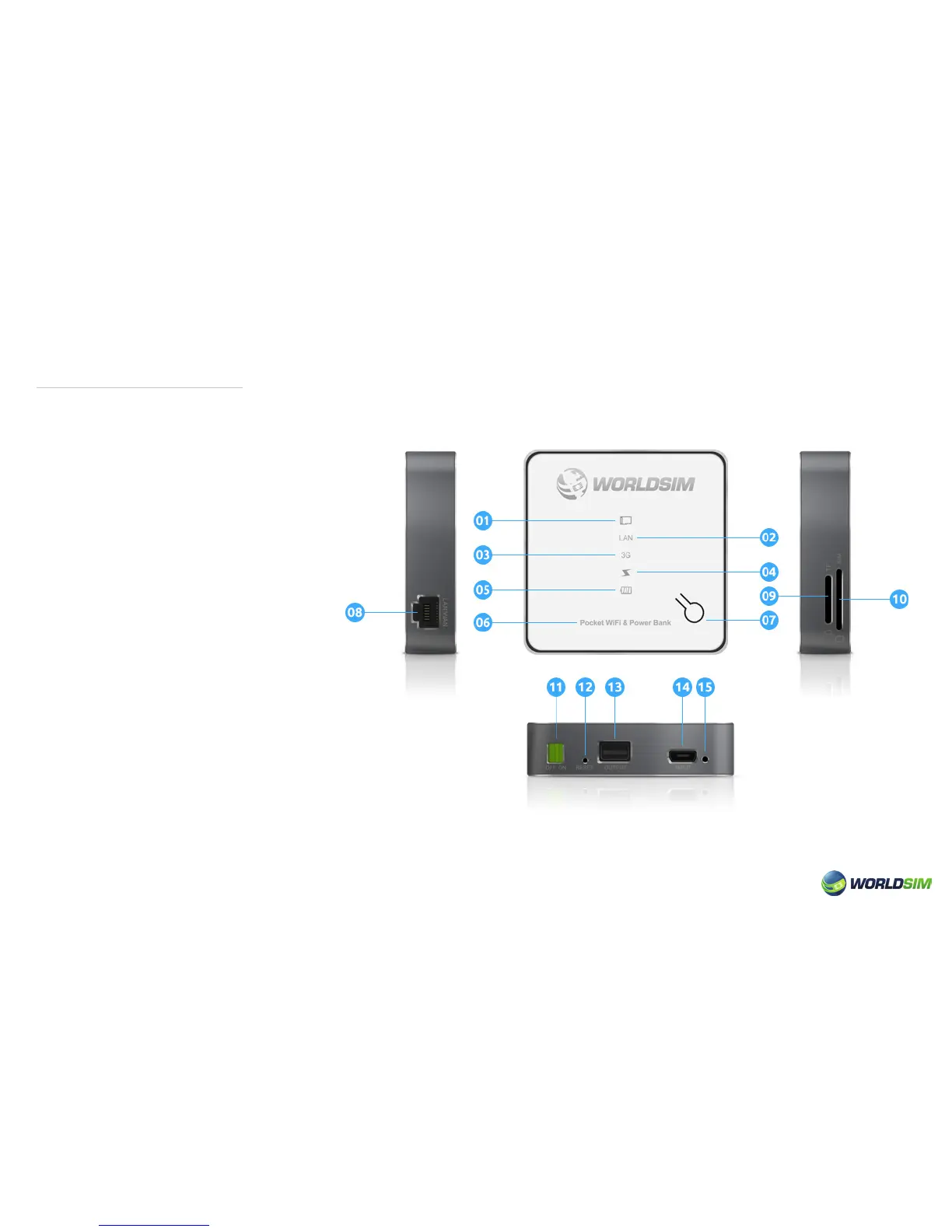
Introduction of Tri-Fi:
01. Micro SD Card Indicator Light
02. LAN Indicator Light
03. 3G Indicator Light
04. Power Bank Indicator Light
05. Battery Indicator Light
06. Product description
07. Select Button & Data Indicator Light
08. LAN/WAN Port
09. Micro SD Card Slot
10. SIM Card Slot
11. Power Switch
12. Reset
13. USB Port (for power supply to other devices)
14. Micro-USB Charging Port
15. Charge Indicator Light
02


 To Next Page