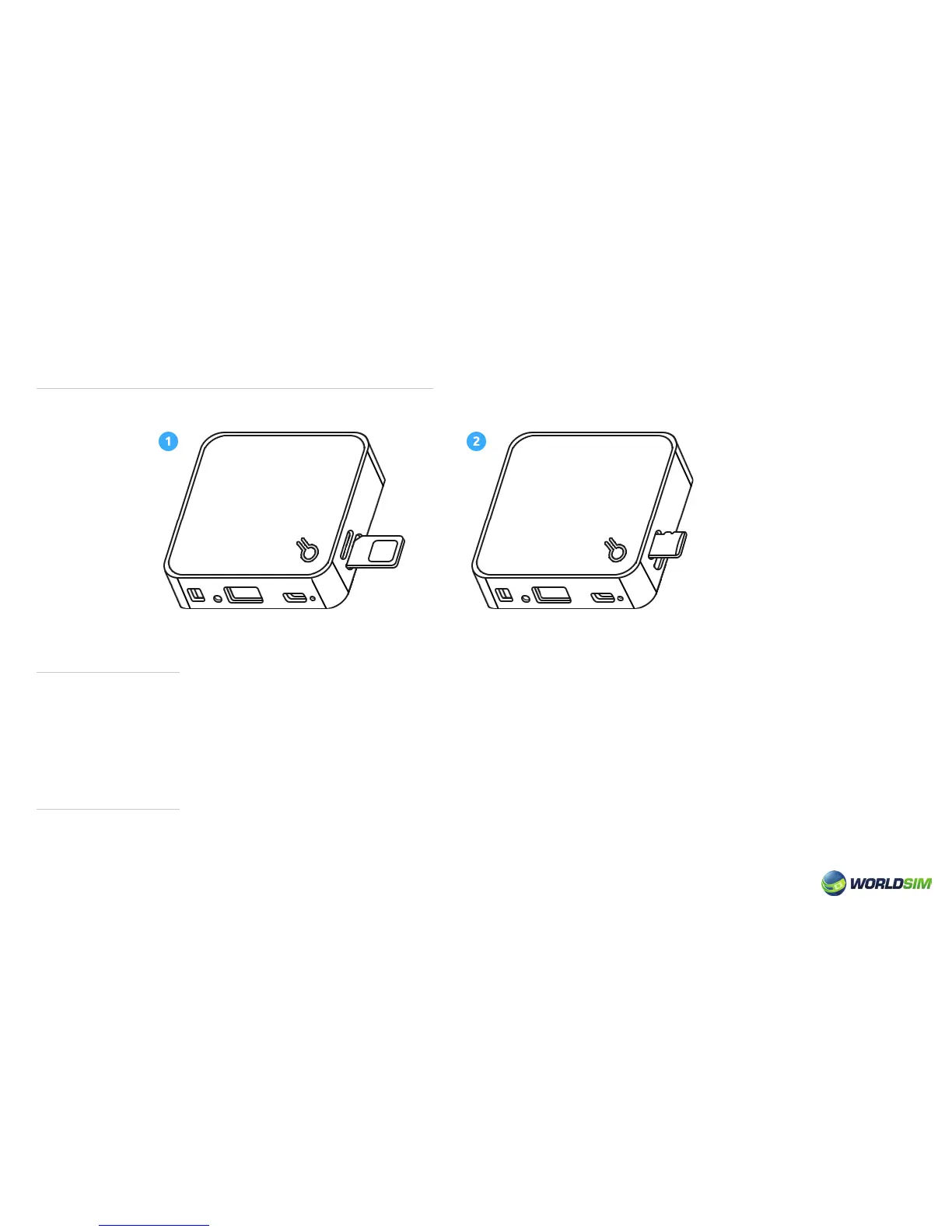
Installing the SIM card and Micro SD card:
Turn ON/OFF:
Power Bank:
According to the below graphic demo, insert the SIM card (g.1) and Micro SD card (g.2) into the corresponding card slot.
• Turn on: Turn the power switch to ‘ON’.
• Turn off: Turn the power switch to ‘OFF’.
Please note: The default state is the Power Bank state. When a Network Cable is inserted, it will automatically switch to
the LAN state.
Turn on the Tri-Fi, select Power Bank state if not selected by default. Connect the device to be charged via USB cable.
Please note: In the state of SD card, LAN or 3G, Tri-Fi can also charge other devices at a slower capacity.
Please note: Do not plug or unplug the SIM card and Micro SD card when the device is working to avoid data loss.
04


 To Next Page