Access the Internet through WiFi:
Step one: Switch on the Tri-Fi and select 3G state.
Step two: Establish a WiFi connection (Connect Computer for example).
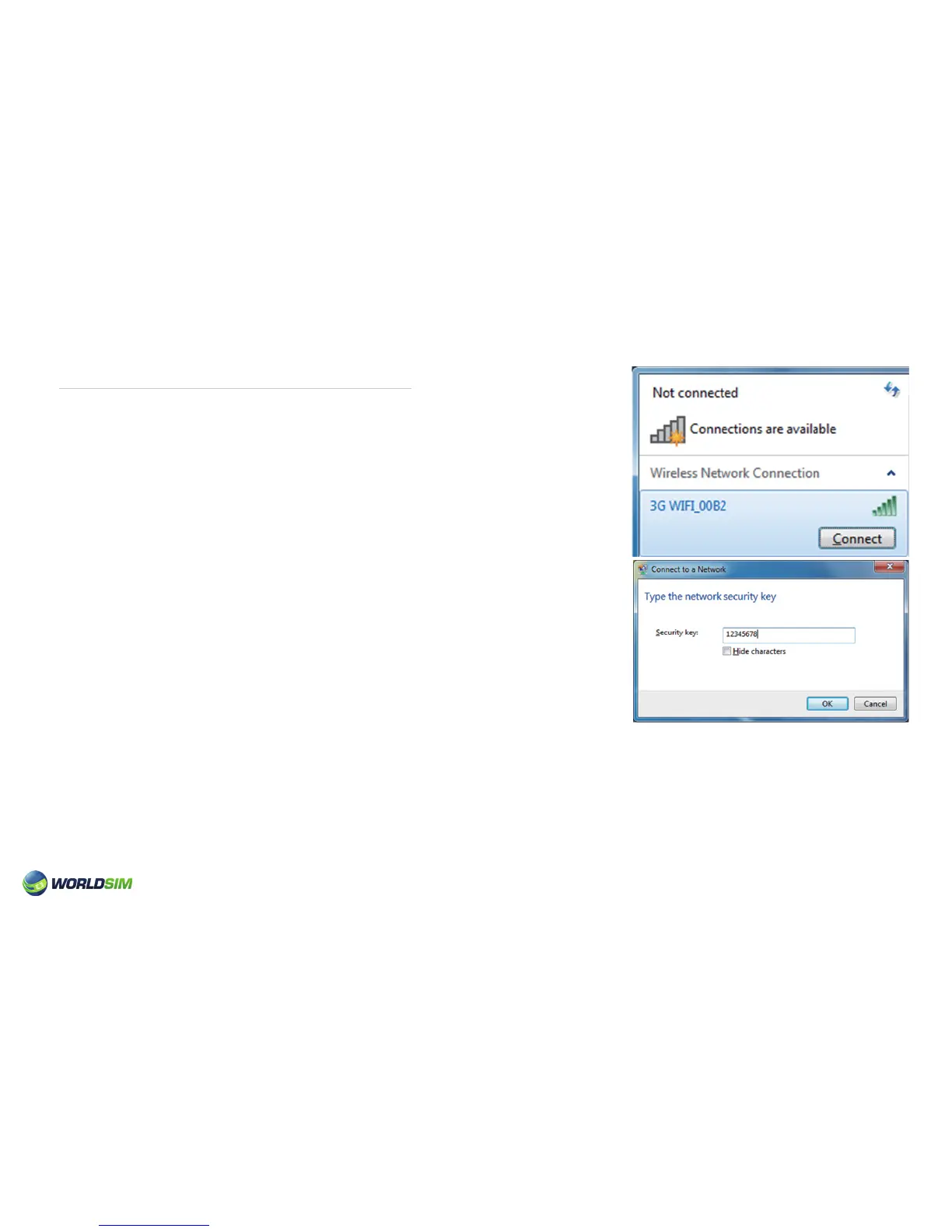
1. Choose Start=>Control panel=>Network Connections=>Wireless Network
connection.
Please note: Before establishing a WiFi connection, you must ensure that
the computer is equipped with a wireless card. If the computer indicates
the existence of wireless networks, then the wireless card can be used.
Otherwise, you need check whether the wireless card can work.
2. Click to check the available wireless networks, this will show the list of
network connections.
3. Select the Tri-Fi SSID from the wireless networks lists and click ‘Connect’.
Please note: If the wireless network connection has opened a safe matching,
you will need to input a correct network password.
• SSID and password are printed on the label of Tri-Fi.
Wait until the wireless network connection icon appears on the bottom right of the computer screen. The connection is then
successful.
Step three: Access to the internet.
When the connection between user device and Tri-Fi is established, internet will be available immediately.
05


 To Next Page