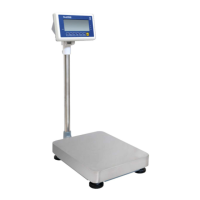
BWS platform scales Technical Manual
The scale can be set to accumulate automatically. For settings, see the
parameter p 1 Com » mode » auto
Automatic Accumulation Operation
• Place the load on the platform.
• When display gets STABLE indication, display will be show acc 1 then will
be show the total saved value. These displays will be shown only three
seconds.
• Remove the weight from the pan.
• When display get zero and stable then place the second weight.
• It can continue until the memory gets fully or 99 items.
5.4. Parts Counting
To enter the parts counting, press key and select until display will be show
p 10
Press to change the parts quantity.
Options: p10 / p 20 / p 50 / p100 / p 200
Parts Counting Operation
• Select the parts quantity as per the option
• Place the load on the platform
• Press key to confirm, display will be shown ---- then will show the
quantity
• Then can add goods on the platform, display will update the parts quantity
automatically
Press key back to the weighing mode..
5.5. Animal Weighing
BWS can use for vibrate loads weigh. This function can use for animal weighing.
For settings, see the parameter p 3 oth » anm
Bring the load on the platform, when the load few seconds get stable, the reading
will be locked for few seconds.
It can add or remove loads also update the weighing locked values.


 To Next Page