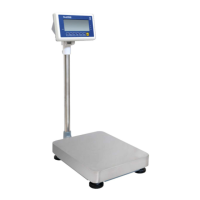
BWS platform scales Technical Manual
• Display will be show load
• Place the calibration weight on the platform.
• When indicator get stable, press key to confirm.
• Display will com to normal weighing mode
8. RS-232 OUTPUT
8.1. Specifications:
RS-232 output of weighing data
Code : ASCII
Data bits : 8 data bits
Parity :No Parity
Baud rate : 600bps to 9600bps selectable
8.2. RS-232 (9pin D type connector)
2
Pin 3 TXD Output Transmission data
5
―
9pin D Connecter:
Indicator Computer
Pin 2: Pin 3
Pin 3: Pin 2
Pin 5: Pin 5
Check Weighing Output
Pin 1 : VB
Pin 4: Vcc 5v (Output)
Pin 5: Com (Ground)
Pin 6: Ok (Output)
Pin 7: Low (Output)
Pin 8: Hi (Output)
Pin 9: Beep (Output)
8. 3. Continuously output protocol
Weighing mode


 To Next Page