BWS platform scales Technical Manual
, -/
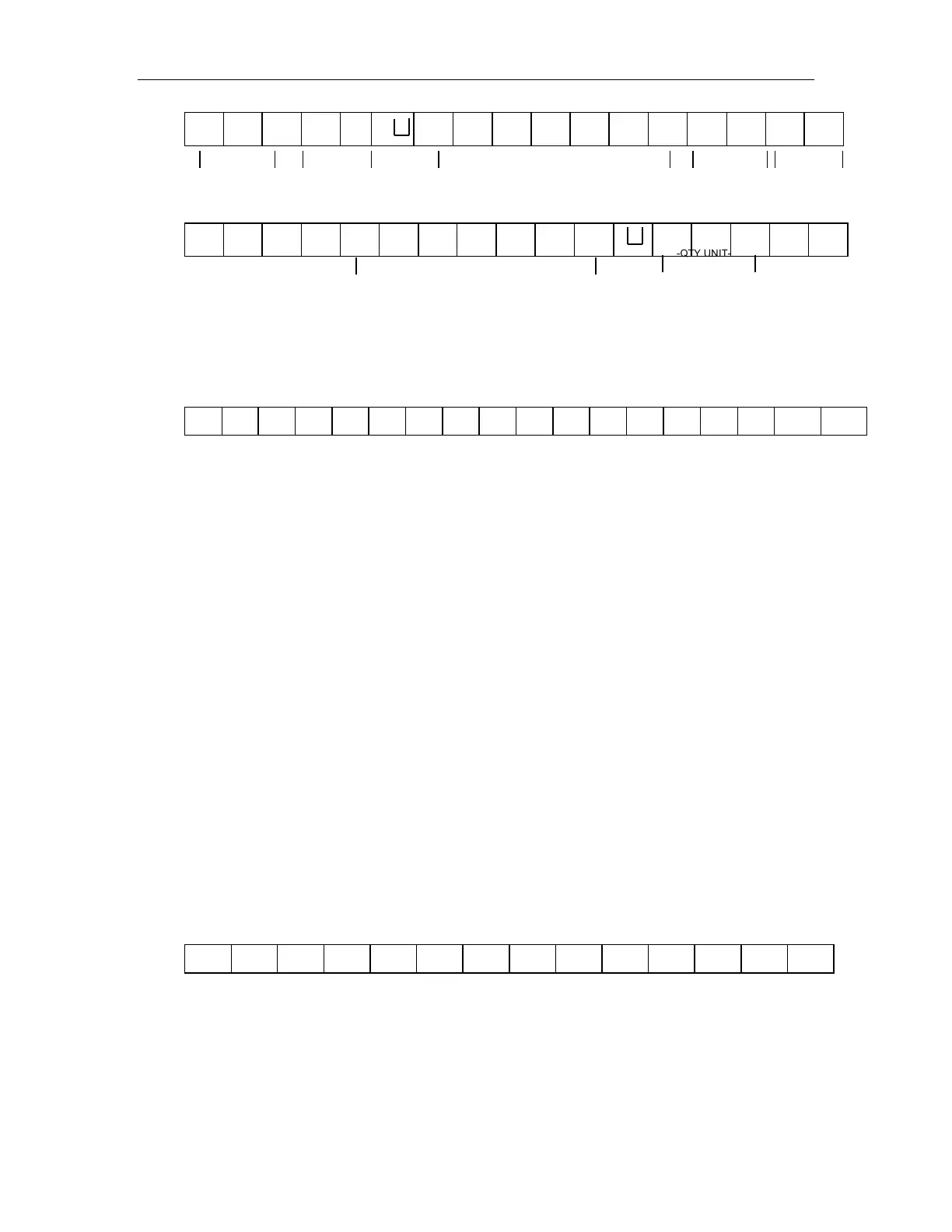
-HEADER1-- - HEADER2- --- WEIGHT DATA --
Counting mode
:
HEADER1: ST=STABLE, US=UNSTABLE
HEADER2: NT=NET, GS=GROSS
Con2:
Tare1
Tare2
Tare3
Tare4
Tare5
Tare6
Header0=02H
Header1 follow decimal point
Decimal point=0, header1=22H
Decimal point=1, header1=23H
Decimal point=2, header1=24H
Decimal point=3, header1=25H
Decimal point=4, header1=26H
Header2 follow weigh status, default value=20H
If in net mode (tare value not 0), header2=header2|01H
If gross weight “-“, header2=header2|02H
If overload or gross weight “-“, header2=header2|04H
If unstable, header2=header2|08H
If weighing unit=kg, header2=header2|10H
Header3 follow weighing unit
If weighing unit=g, header3=21H
If weighing unit=oz, header3=23H
Weight1~weight6: weighing data
Tare1~tare6: tare value
Terminator1: 0DH
Terminator2: 0AH
Con3:
Unit1 Unit2 Status
Header0=01H
Header1 follow weight “+” or “-“
When weight “+”, header1=”+”, when weight “-“, header=”-“
Weight1~weight7: weight data (include decimal point)
Unit1~unit2: weight unit
Status: when stable, status=0, when unstable, status=1


 To Next Page