Owner’s Manual of Lawn Mowing Robot EN
10
E1 E2
“Cut to Edge” Tech
F
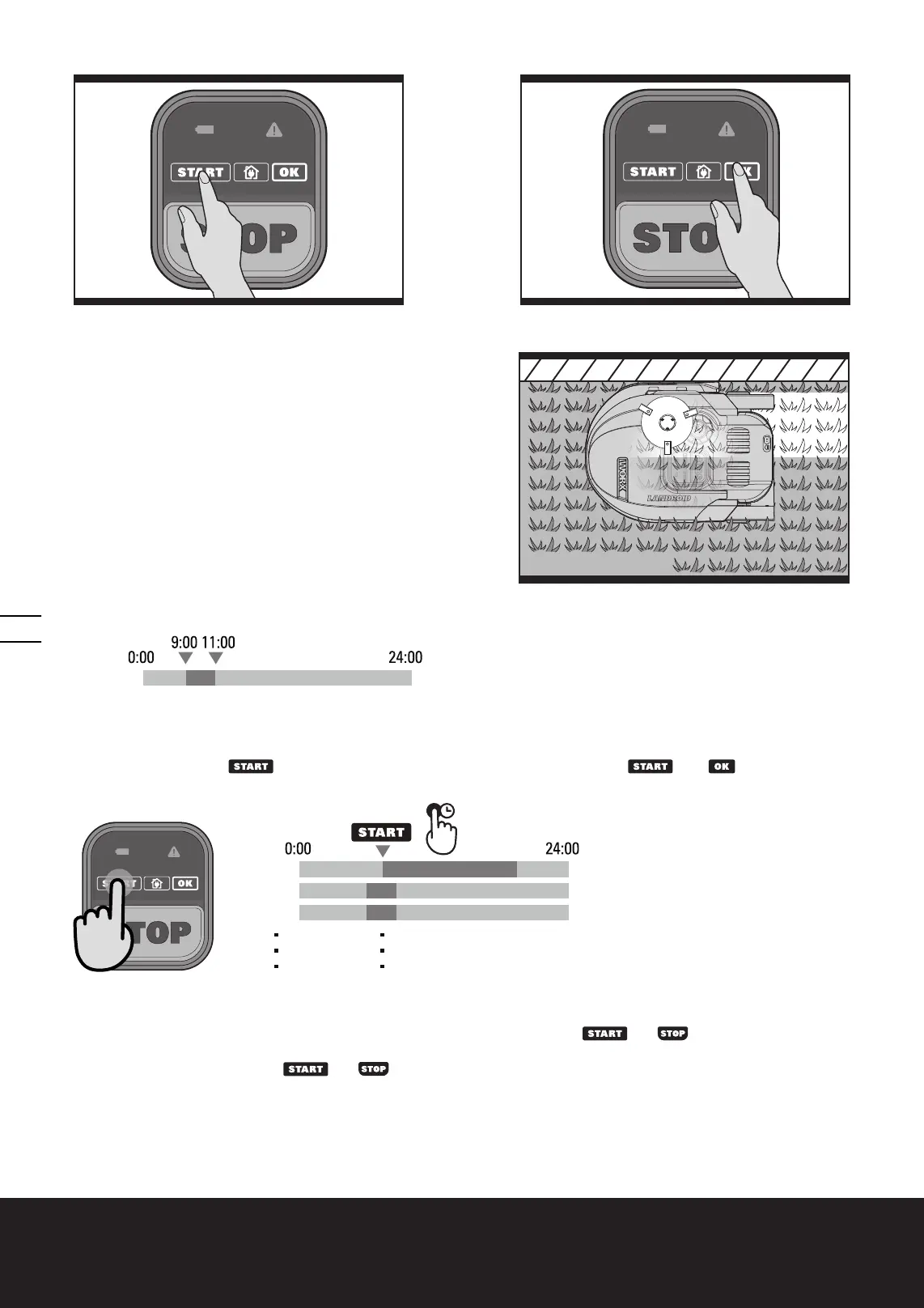
5.3 Cut to edge
Off-centered Blade Turning Disc (13) design provides a clean cut
with narrowest distance to the boundary or wall. It helps minimize
the amount and frequency of manual trimming along the boundary.
Additionally, the Landroid
®
is designed with a protective cover
underneath that prevents objects from touching the turning blades
and/or injury. (See Fig. F)
5.4 Working Schedule
(1) Default Working Schedule
9:00~11:00 everyday (including charging time)
2hrs
Everyday
(2) Tall grass working schedule
For the first mowing when the grass grows very tall after winter or a long holiday, you can change it to tall grass mowing
mode by keep pressing
button for 5 seconds until a beep sound is heard. Press
then
to start mowing.
Landroid
®
will resume to previous start time and the default working duration in the following days.
Day 1
Day 2
Day 3
2hrs
2hrs
10hrs
(3) Change default start time
The default start time of 9:00 can be changed to anytime by keep pressing both
and
buttons at the same time
for 3 seconds until a beep sound is heard.
For example, keep pressing both
and
buttons at 14:05, and your Landroid
®
will be mowing from 14:05 to
16:05.















 To Next Page