Owner’s Manual of Lawn Mowing Robot EN
11
2hrs
Everyday
NOTE: If your Landroid
®
is shut off, it will resume to default working duration and the start time will resume to previous
setting when the machine is re-started.
NOTE: When you replace the battery, the working duration will resume to default working duration and the start time is
set to the moment when the battery re-connected.
5.5 How efficiently will my Landroid
®
mow the grass?
Mowing times are different for every lawn depending on the factors mentioned below. Gradually adjust the time you allow
Landroid
®
to mow each day until you find the most suitable setting.
Your Landroid
®
is capable of mowing areas of different sizes, although this depends on various factors, such as:
• Species of grass in your lawn and its growth rate
• Sharpness of the Cutting Blades (12)
• Humidity
• Surrounding temperature
• Amount of obstacles in your Lawn
Unlike most other mowers, Landroid
®
uses a side charging system,
which is able to cut the much surrounding grass as possible.
The holes on the bottom of the charging base allow the grass to
grow through the base to help disguise it and create an elegant
appearance.
The Landroid
®
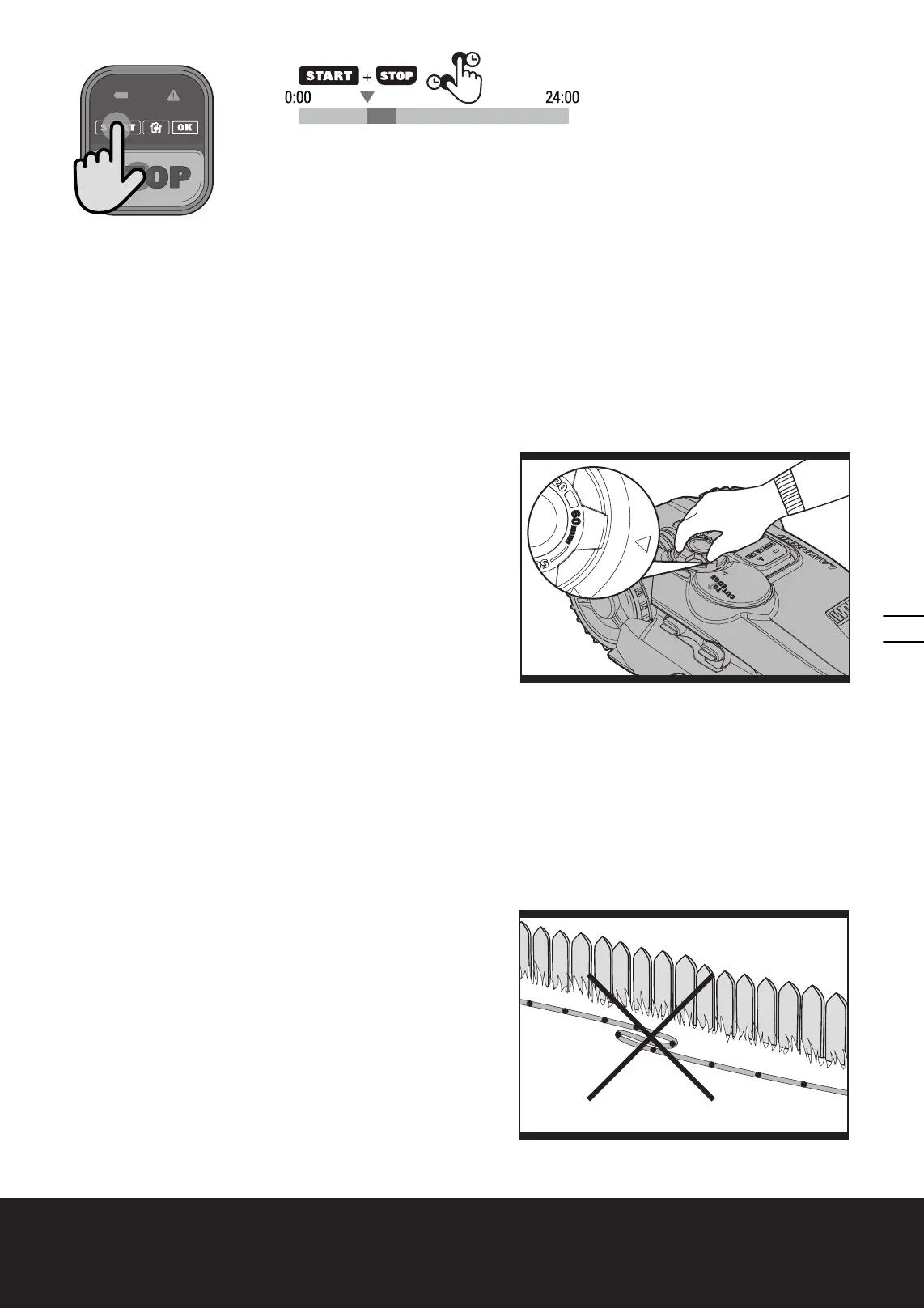
’s cutting height can be adjusted between 2cm-6cm.
Before starting your Landroid
®
for the first time, you should cut the
grass to the height no more than 9 cm. Then, set the cutting height to
its maximum setting, 6cm. (See Fig. G)
Your Landroid
®
will cut its best in dry weather. Wet grass can build
up on the Blade Turning Disc (13) and within the motor, and can also
cause loose traction and slippage while working.
Your Landroid
®
is afraid of lightening storms. In case of a lightening storm, protect the Landroid
®
by unplugging the
Charging Base (3), disconnecting the Boundary Wire (17), and making sure the Landroid
®
is not allowed to charge.
Your Landroid
®
loves mowing grass and requires the Cutting Blades (12) to be kept in good condition to cut at its best. The
Landroid
®
can do most things by itself, but will sometimes need your help to prevent damage to itself.
• Never let the Landroid
®
travel over gravel.
• Remove or prevent access to obstacles that the Landroid
®
could accidentally climb on and damage its Blade Turning Disc.
• Remove all debris and foreign objects from your lawn.
6. Boundary Wire Basics
6.1 Pegging the Boundary Wire
Use the Boundary Wire Distance Gauge (20) to set the correct
distance between the wire and the border of your lawn (more than
26cm*).
* This is the recommended distance. The provided distance gauge
ensures proper installation.
If your neighbor also uses a Landroid
®
, keep a spacing of at least 1
metres between your Boundary Wire and your neighbors.
The Boundary Wire must outline the intended mowing
area exactly. Your Landroid
®
will become confused by extra bends
or coils of Boundary Wire that are not part of its mowing area (See
Fig. H). If there is excess Boundary Wire after the mowing area
has been outlined, then cut it off and store this additional wire in
H
G


 To Next Page
 Loading...