PASSION ON THE GO
07
PASSION ON THE GO
08
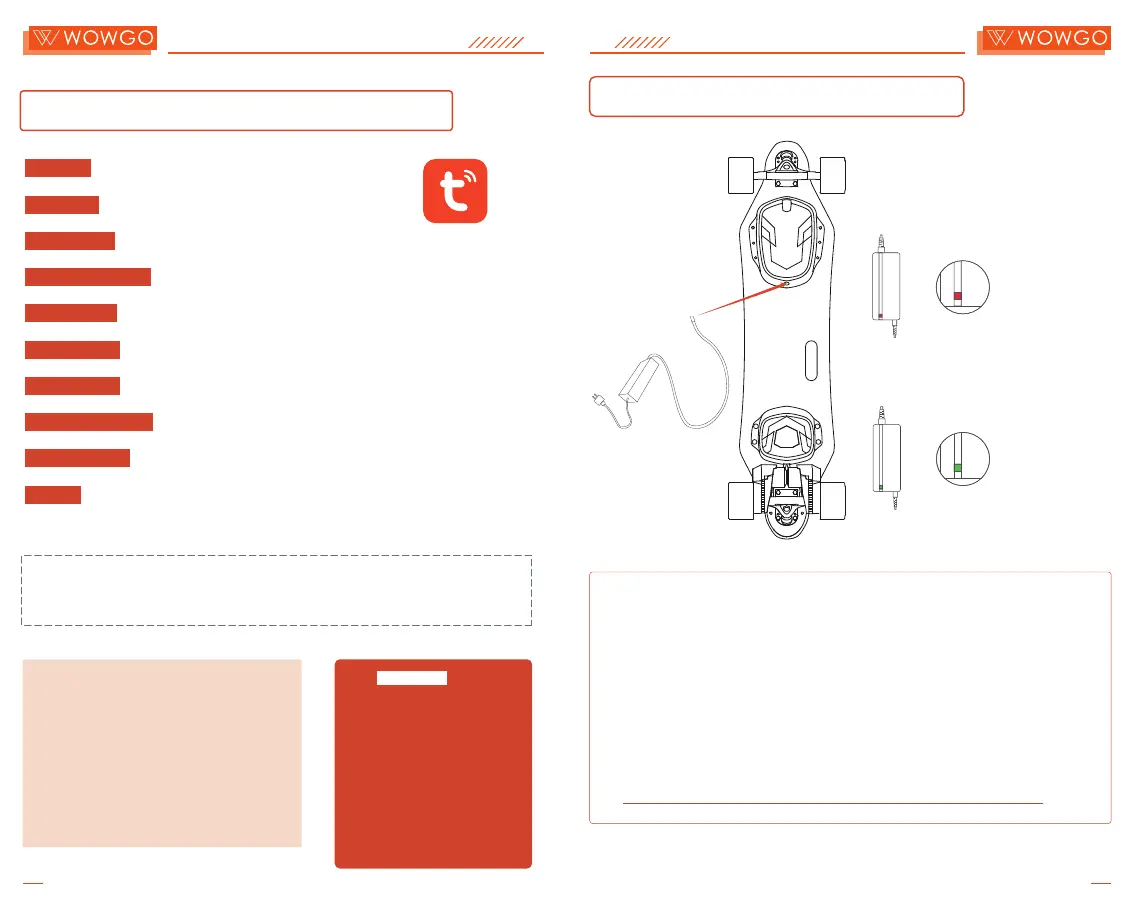
How to Charge Your Board
Charged or Disconnected
Green Light: Fully
Red Light: Charging
Note:
1. Plug the charger into the charging port of your WowGo board.
2. Connect the charger to the power supply. Red means the board is
charging. Green means the battery is fully charged.
3. When the battery is fully charged, disconnect the charger from the board.
4. It's recommended that you connect the charger to the board first, and then
to the power supply.
Warning: Never leave the board unattended while charging.
How to use "Tuya Smart" APP?
Tuya Smart
Unit Set: Modify "km" or "mile".
Direction: Modify "forward" or "back".
Motor Type:
Modify "hub" or "belt".
Wheels Diameter: Choose your wheel diameter.
Speed Limit: Adjust speed limit for each of the 4 gears.
Acceleration: Adjust acceleration power for each of the 4 gears.
Deceleration: Adjust brake power for each of the 4 gears.
Brake Power Max: Adjust board's max brake power.
Track Cycling:
Tracking ride trajectory, time, and speed.
Cruise: Push and hold the throttle on the remote control while riding and press
the power button once to activate cruise control. Braking will deactivate
cruise control.
Note: To directly adjust settings via the remote control, pull and hold
the throttle down. While maintaining this position, press the power
button five consecutive times.
9 RESET
1
WHEEL_D
90
:
2 D/R
:
2.5
3 G1
:
15SPEED
4 G2 SPEED
:
25
6 SPEED
:
45G4
5 SPEED 35
:
G3
7
:
100EBS
8 DIRECTION
:
CCW
How to Disconnect:
To disconnect the board from your phone, pull
and hold the throttle down on the remote control
(as if braking) and then press the function
button eight consecutive times. Please note that
a single board can only be connected to one
phone at a time, but one phone can be
connected to multiple boards simultaneously.


 To Next Page