Need help?
Do you have a question about the WowWee Dog-E and is the answer not in the manual?
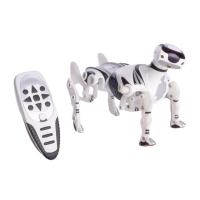
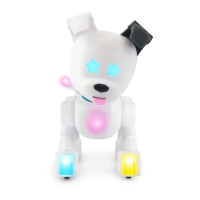
Identifies physical components like head cap sensor, LED lights, POV tail, ear switch, nose button, collar, and side cap sensors.
Explains that Dog-E features random combinations of lights, sounds, and personality for uniqueness.
Guides users through cutting ear straps, turning on the switch, and minting Dog-E via app or without.
Details how to reveal colors by petting the head or pressing the nose, and playing with the magnetic toy.
Learn to interpret Dog-E's tail icons and sounds to understand its needs for feeding, love, play, and health.
Covers essential care like feeding, handling potty needs, providing love, and maintaining health through interaction.
Instructions on entering the game menu, switching between games, selecting, and exiting games.
Details on how to play the Fortune Teller and Code Breaker games, including interaction methods.
Explains the Ultimate Nose Boop game, focusing on speed and counting nose presses within a time limit.
Describes Turbo Pet for fast petting interaction and Stay or Go for training and play with friends.
Covers iBark Back for responding to sounds and Prank Mode for surprising friends with barks.
Enables saving up to 10 unique Dog-E profiles and switching between them.
Details the process for erasing existing profiles to make room for new Dog-Es.
Instructions on how to charge the Dog-E's internal rechargeable battery using a USB Type-C cable.
Explains the meaning of LED indicators during charging: flashing for charging, off for fully charged.
Use the app to mint new Dog-Es and take personality quizzes for tailored experiences.
Utilize app functions for feeding, tracking needs, earning rewards, teaching tricks, and drawing tail messages.
Outlines the terms of WowWee's 90-day limited warranty for defects in materials and workmanship.
Lists conditions and causes for which the warranty does not apply, and limitations on responsibility.

 To Next Page

 General