Free Roam Mode
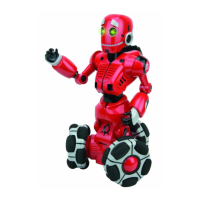
InFree Roam ModeTri-botcanrovearoundhisenvironmentwithoutyourcommands;
hecandetectandavoidobstaclesashegoes,andmakecomments.
ToenterFree Roam Mode,presstheBrainbuttonontheremotecontroller.
Afterapproximately3minutes,Tri-botwillexitFree Roam ModeandgotoStandby
Mode (refertopage11fordetails). ToexitFree Roam Modebeforethis,pressthe
STOPbuttonontheremotecontollerorpressTri-bot’sheadinavertical,downwards
direction.
Guard Mode
InGuard Mode,Tri-botwillscanhisimmediateenvironmentinfrontof,andbehind
him.Hewillsoundanalarmifhedetectsmovementorachangetotheenvironment.
NOTE:YoucannotgiveTri-botdrivecommandswhileheisinGuard Mode.
ToactivateGuard Mode,dothefollowing:
1. PresstheGUARDbuttonontheremotecontroller.
2. Tri-botwillaskyouto“tap”hishead.Todoso,gentlypresshisheadina
vertical,downwardsdirection.HewillthentellyouthatheisinGuard Mode.
3. WhenherstentersGuard Modehewillperformalongrangescanofhis
immediateenvironmentinfrontof,andbehindhim.Thisisapproximately
4-6feet(1.2-1.8m)dependingontheenvironment.Ifthereareobjects
nearbyhewillperformashortrangescan,thisisapproximately12inches
(30cm).
NOTE:Ifthereareobjectsinfrontof,andbehindTri-botwithin12inches
(30cm)hewillnotenterGuard Mode.Trymovinghimtoaclearer
environment.
4. IfTri-botdetectsanymovementsornewobjects,hewillsoundanalarm.
5. Afterapproximately30minuteshewillexitGuard Modeandwaitfora
command.Ifyoudonotenteracommandwithin10minutes,hewillenter
Standby Mode (refertopage11fordetails).
ToexitGuard Modebeforethe30minutesisover,presstheSTOPbuttonon
theremotecontroller,orpresshishead.
WhenheexitsGuard Modehewilltellyouifhesawanything.
Free Roam Mode / Guard Mode
10













 To Next Page