Fall detection / Homing function / Follow me function
Thetiltsensorfeatureworksbestwhenyouarelocatedafewpacesawayfrom
Tri-bot.
NOTE:YoucannotusethetiltfunctiontomakeTri-botturnorspinonthespot,or
movediagonally.
Fall detection
IfTri-botfallsoverhewilltellyou.Hiswheelswillautomaticallystopspinning,but
youwillneedtostandhimbackuprighttogethimgoingagain.
Homing function
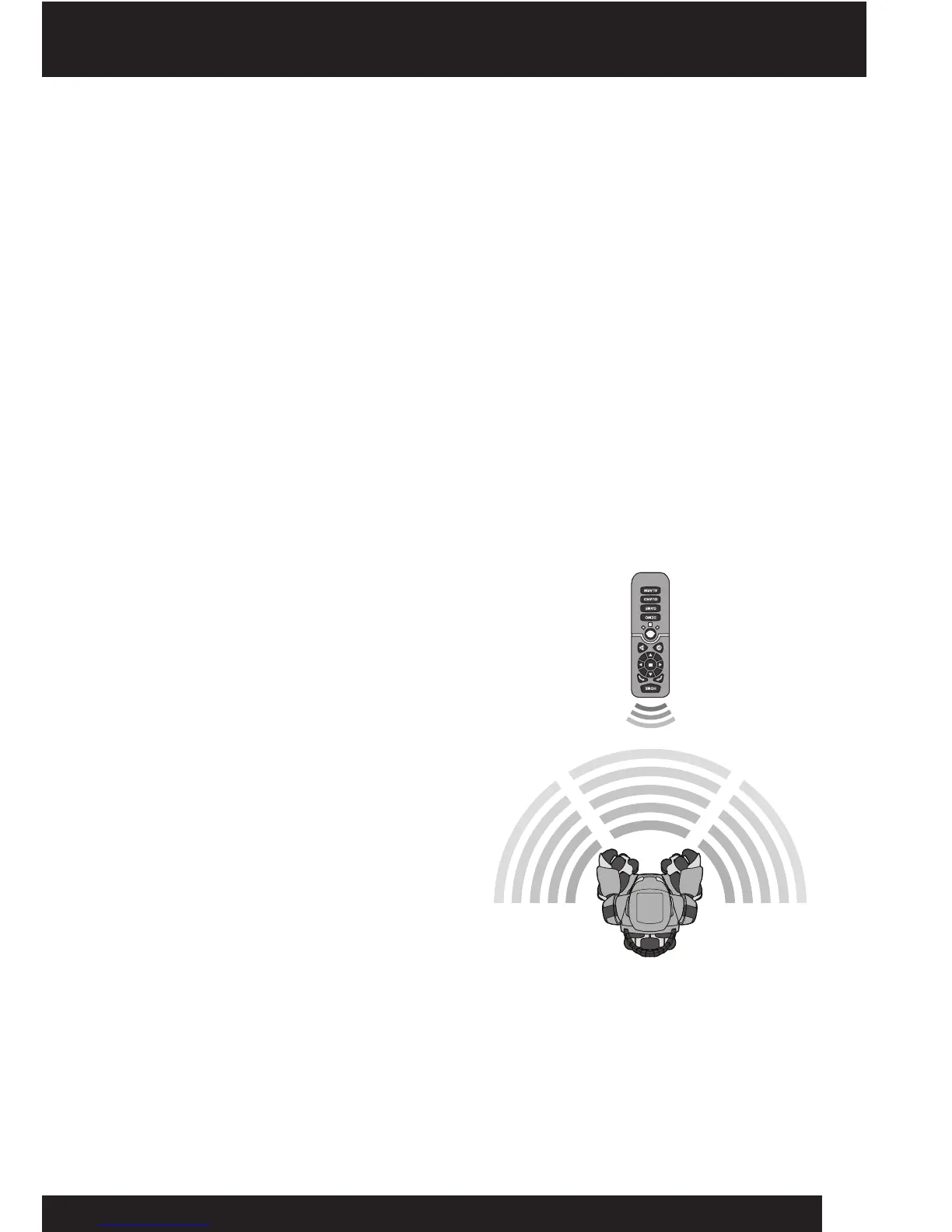
Tri-botisequippedwithahomingfunctionwhichallowshimtofollowyou,orlocate
andmovetowardsyou.Besuretogivehimtimetolocateyou,beforeyoustart
moving,ifyouwanthimtofollowyou.
PressandholdtheHOMEbuttonon
theremotecontroller.Tri-botwilllook
foryou,andmakecommentsashegoes.
Ifhemovesawayfromyou,continueto
presstheHOME buttonashescansthe
areaandlooksforyou.Ifyoureleasethe
HOME button,Tri-botthinkshehas
reachedhome,andwillmakeanother
comment.PresstheHOME buttonagain
ifyouwanthimtocontinuetrackingyou.
NOTE:AvoidusingtheHomingfunctioninaclutteredarea,asitwillconfuseTri-bot
andmakeitharderforhimtodetectthehomingsignal.Tri-bot’sIRsensorsarebased
reection.Hecanseehighlyreectivesurfaces,suchaswhitewallsormirrorsmore
easilyandfromgreaterdistancesthanmatteorblacksurfaces.
8












 To Next Page