8
Advanced Programming
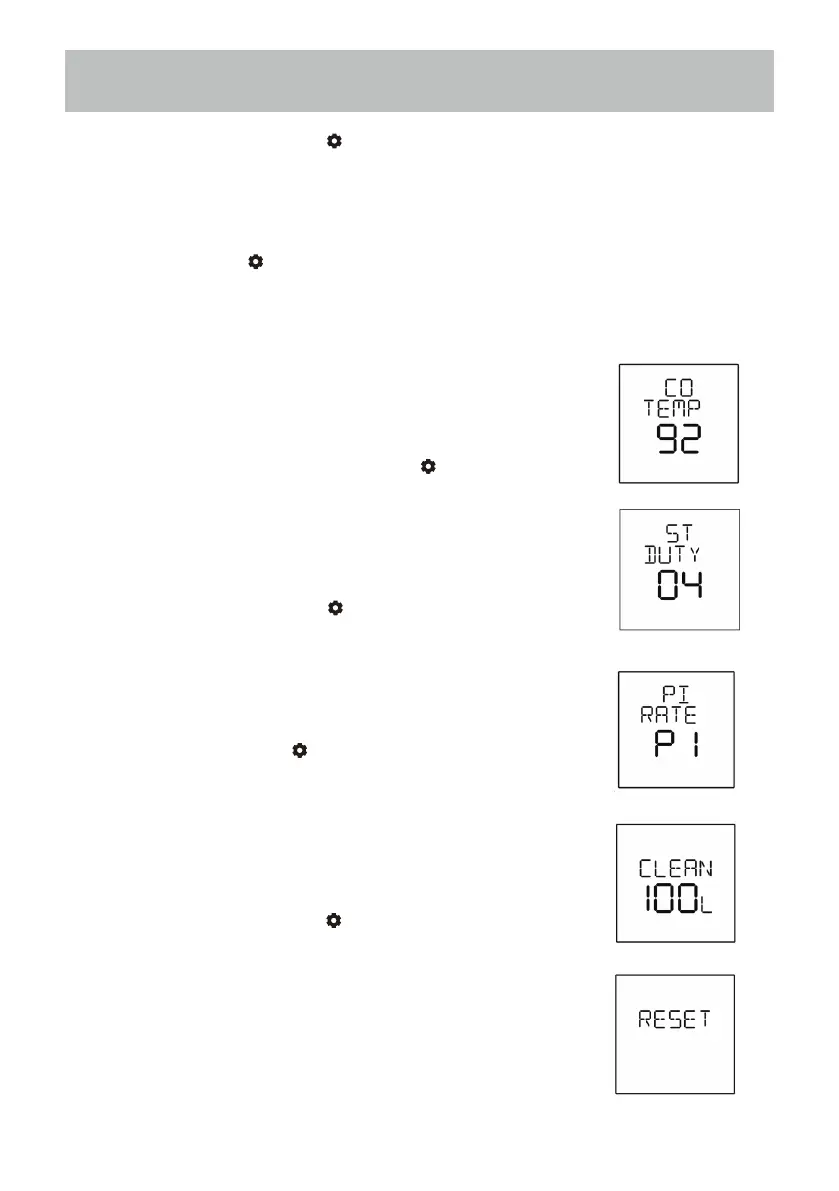
1. Group head water outlet temperature: adjust the coffee
thermoblock temperature
(range: 86 / 88 / 90 / 92 / 94 / 96 / 98); press “-” or “+”
to change the setting and press “ ” to save.
2. Steam flow rate: adjust the steam flow rate
(range: 01-07, 01 is the smallest and 07 is
the biggest setting); press “-” or “+” to change
the setting and press “ ” to save.
3. Pre-infusion rate: adjust the pre-infusion rate
(range: P1-P4) ; press “-” or “+” to change the
setting and press “ ” to save.
4. Cleaning reminder: set the water usage
limit for cleaning reminder (range: 50L /
100L / 180L); press “-” or “+” to change
the setting and press “ ” to save.
5. Reset: reset all setting back to factory
setting; press “-” or “+” to reset.
In standby mode, press “ ” button and get in to the setting mode.
(sequence: group head water outlet temperature, steam flow rate,
pre-infusion, cleaning limit, Reset).
Keep pressing “ ” to choose the desired program setting.



 To Next Page