2 Using BEAR
2.1 Power & Signal
a) Power
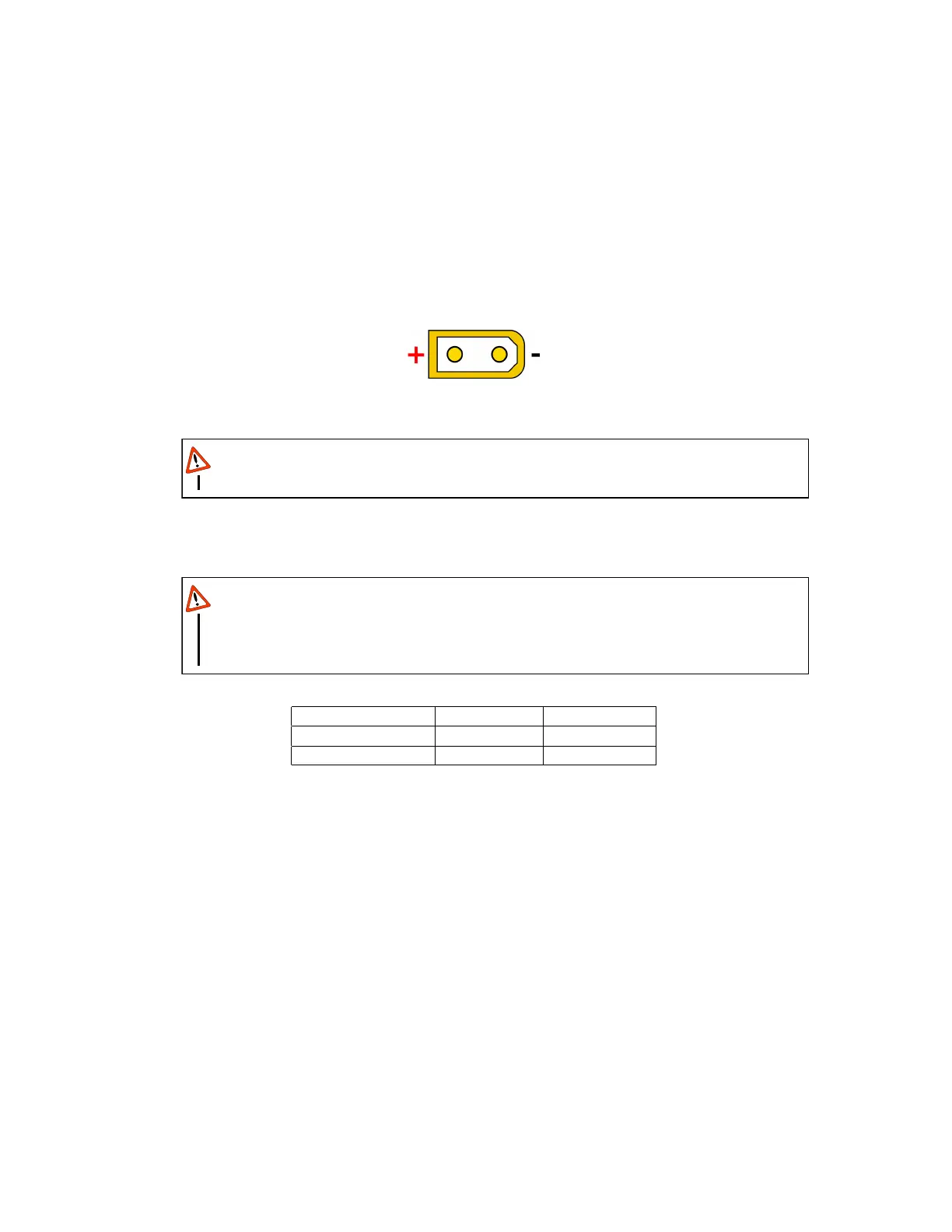
The power port on KB02 is a male XT30 connector and the power port on PB02 is a male
XT60 connector. The power port polarity follows the regular convention of XT30 and XT60
connectors: the pole near flat side is positive and the pole near the rounded/chamfered side
is ground, as shown in fig. 4
Figure 4: BEAR power connector and polarity
Be cautious and never reverse power polarity.
WARNING
Power supply voltage for different BEARs are as listed in Table. 3. Connect BEARs getting
same voltage in parallel when using multiple BEARs.
To avoid fire hazard, please estimate nominal current consumption on each BEAR
when chaining multiple BEAR in parallel and select power cable with appropriate AWG,
especially higher current consumption is expected.
WARNING
Product Name Koala BEAR Panda BEAR
Supply Voltage V 9
˜
32 9
˜
48
Connector XT30 XT60
Table 3: BEAR Power Supply Specs
b) Indicator
Each BEAR has an LED indicator on the back side. There are three(3) LEDs with different
colors on the indicator that indicates the status of the actuator: Grean, Blue and Red.
The Grean light comes on once BEAR is powered and initialization is complete; The Blue
LED lights up as soon as the torque output is enabled, and turns off once disabled; The Red
light indicates an existing Error.
c) USB2BEAR
It is recommended to use Westwood Robotics USB2BEAR
TM
high speed RS485 USB dangle
to connect BEARs to your computer.
10


 To Next Page