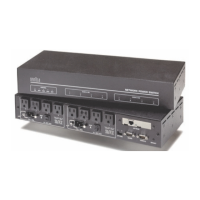
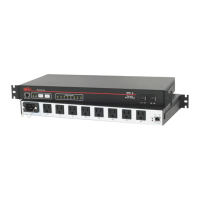
IPS-4 Internet Power Switch; User’s Guide
Index-2
O
ON Indicator 2-2
Operation 6-1 to 6-8
Web Browser Interface
6-1 to 6-2
P
Parity 5-10
Passwords 5-4, 6-7
Plug 5-1, 5-12
System 5-1, 5-6
User 5-1, 5-12
Password Prompt 5-3
Permit 5-16
Plug Indicators 2-2
Plug Name 5-12
Plug Parameters 5-11
Plug Password 5-12
Plug Status Screen 6-7
Text Interface 6-
3
Web Browser Interface 6-
1
Port Mode 5-10
Port Number
Telnet 5-1
8
Web Server 5-1
9
Power Inlet 2-1
Power Supply i
Connection 4-1
Power Switch 2-2
Power Up Default 5-12, 6-2, 6-5
Q
Quick Start 3-1 to 3-5
R
Rack Mounting i
RDY Indicator
2-2
Ready Indicator 2-2
Reboot
Text Interface 6-
5
Web Browser Interface 6-
2
Restoring Parameters 7-2
RS232 Port 2-2, 4-2, Apx-1
S
Saving Parameters 5-20, 7-1
Sectors 8-1
Security 5-16
Security Level 5-1
Send MSS 5-15
Serial Parameters 5-9 to 5-10
Serial Port Apx-1
Baud Rate 5-10
Data Bits 5-10
Parity 5-10
Stop Bits 5-10
Service
Customer Service Apx-3
Telnet 5-1
8
Web Server 5-1
9
Site I.D. 5-7
Specifications
Apx-2
Status Indicators 2-2
Stop Bits 5-10
Subnet Mask 5-15
Default 5-15
Sure Prompt 6-8
Switched Plugs 2-2, 4-2
Switching Delay 5-13
Switching Plugs
Text Interface
6-4 to 6-5
Web Browser Interface 6-
2
System Mode 5-1
System Password 5-6
T
Tech Support Apx-3
Telnet
Enable 5-18
Port Number 5-18
Telnet Parameters
5-18 to 5-19
Telnet Service
5-18
Text Interface
5-3 to 5-4, 6-3 to 6-5
Timeout
5-8
U
Upgrade Firmware 8-1 to 8-2
User Mode 5-1
User Name 5-7
User Name Prompt 5-3
W
Warnings and Cautions i
Web Browser Interface
5-2 to 5-3, 6-1 to 6-2
Web Server Parameters
5-19


 To Next Page